4 in/2 out (max.), TTL or opto-coupled; differential or single-ended signals (configuration dependent); 8 in/8 out (max.), TTL or opto-coupled; differential or single-ended signals (configuration dependent)
Operating systems
Windows 11 / 10 (64-Bit); Windows 11 / 10 (32-Bit); Linux 64-Bit
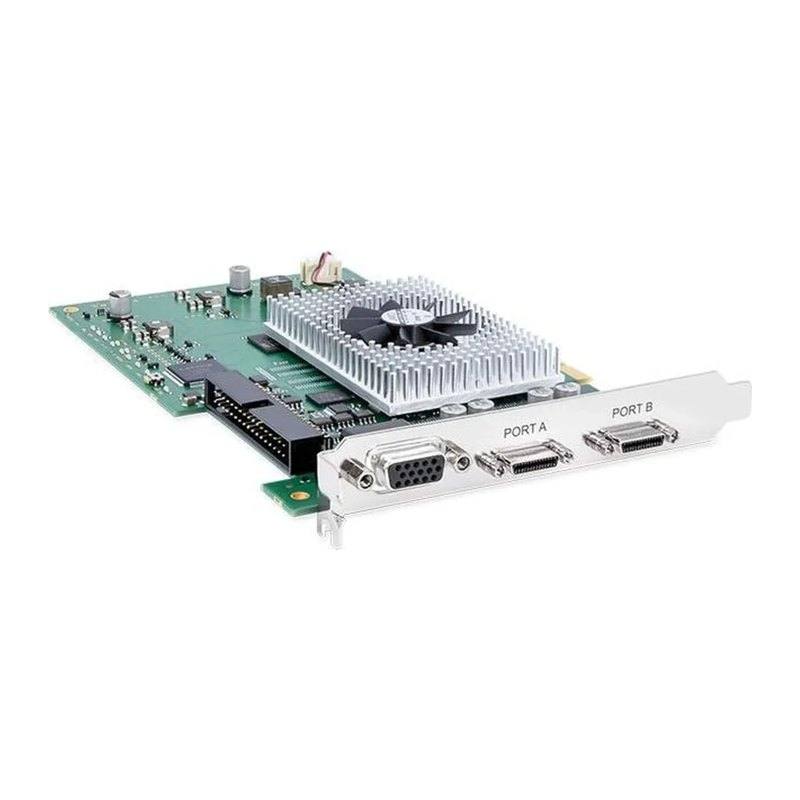
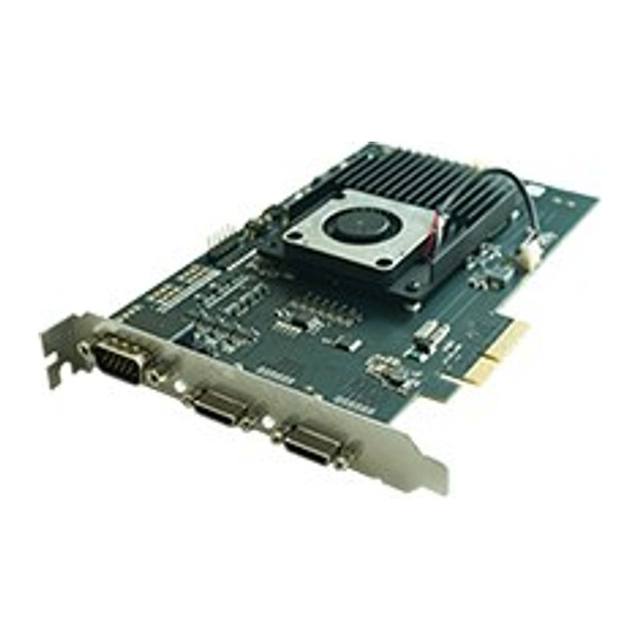
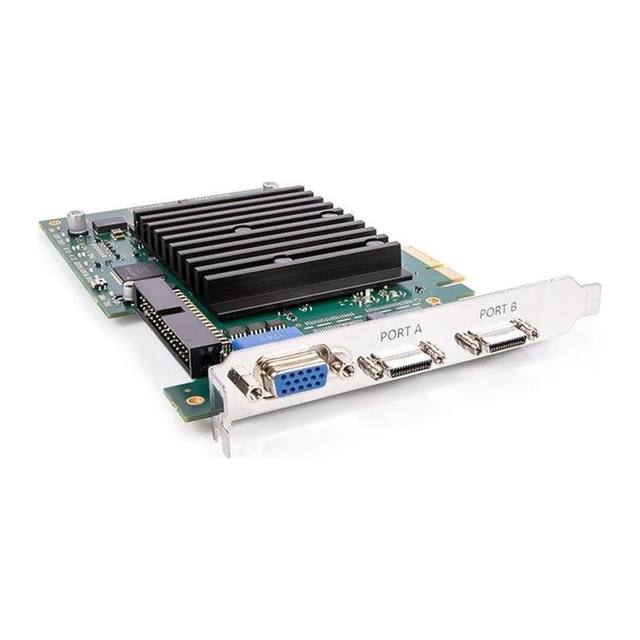
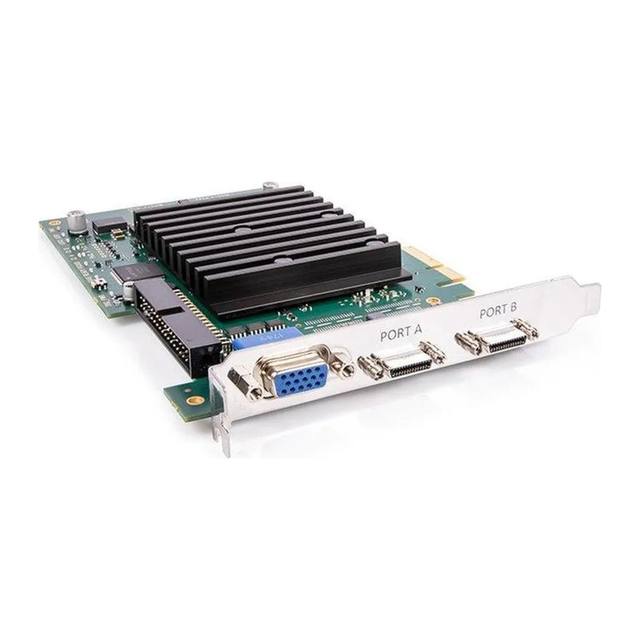
The Basler microEnable 5 marathon VCLx is a PCIe high performance image processing device that allows the connection of two cameras of any Camera Link standard specification. The interface is listed as Camera Link and PoCL with 2 camera ports and a bandwidth of 6.8 Gbit/s over a PCIe 2.1 x4 host bus with DMA1800. Power over cable is PoCL (4W/12V per connector, Safe Power).
The on-board processor is listed as a Vision Processor with FPGA programming via VisualApplets, accompanied by 2 GByte of DDR3-RAM. I/O is listed as 4 in/2 out (max.), TTL or opto-coupled, with differential or single-ended signals depending on configuration, and as 8 in/8 out (max.), TTL or opto-coupled, with differential or single-ended signals depending on configuration.
Software integration is through a .net interface, on Windows 11 / 10 (64-Bit), Windows 11 / 10 (32-Bit) and Linux 64-Bit. The card is PCIe standard height, half length (167.64 mm length x 111.15 mm height) and weighs 165 g. The operating temperature entry reads "50° (0 LFM*), 60° (100 LFM*) FPGA operating temperature: 0°C to 85°C, * LFM = Linear Feet per Minute, unit for measuring airflow velocity".
Best for
Camera Link applications with up to two cameras where the Vision Processor FPGA is programmed with VisualApplets
PoCL cameras powered through the cable at 4W/12V per connector (Safe Power)
Systems that use the .net interface on Windows 11 / 10 (64-Bit or 32-Bit) or Linux 64-Bit
Setups with 2 GByte of on-board DDR3-RAM on the grabber
Machines using TTL or opto-coupled I/O on the grabber, listed as 4 in/2 out (max.) and 8 in/8 out (max.)
Selection notes
The software interface is listed as a .net interface; confirm it fits your application stack before committing to the card.
Plan the FPGA workflow: programming is listed as VisualApplets on the Vision Processor.
Bandwidth is 6.8 Gbit/s across 2 camera ports; check your cameras' data rates against it.
The operating temperature is given with an airflow figure: "50° (0 LFM*), 60° (100 LFM*) FPGA operating temperature: 0°C to 85°C, * LFM = Linear Feet per Minute, unit for measuring airflow velocity". Check it against the airflow inside your PC chassis.
The card needs a PCIe standard height, half length slot (167.64 mm length x 111.15 mm height) on a PCIe 2.1 x4, DMA1800 host bus; check the manufacturer datasheet for the I/O configuration that applies to your wiring.
4 in/2 out (max.), TTL or opto-coupled; differential or single-ended signals (configuration dependent); 8 in/8 out (max.), TTL or opto-coupled; differential or single-ended signals (configuration dependent)
Specifications: Electrical
Power over cable (PoE / PoCXP / PoCL)
PoCL (4W/12V per connector, Safe Power)
Specifications: Environment
Operating temperature
50° (0 LFM*), 60° (100 LFM*) FPGA operating temperature: 0°C to 85°C, * LFM = Linear Feet per Minute, unit for measuring airflow velocity
Specifications: Software
Operating systems
Windows 11 / 10 (64-Bit); Windows 11 / 10 (32-Bit); Linux 64-Bit
Software / API
.net interface
Specifications: Mechanical
Dimensions
PCIe Standard height, half length card: 167.64 mm length x 111.15 mm height
Weight
165 g
Applications this product is commonly selected for. Open one to see the full recommended hardware and approach.
Matched automatically by: camera interface matches the card (camera link) · card link speed is at least the camera link speed (cxp-6 / cxp-12, 1–10 gige) — this card: Camera Link, PoCL · 2 camera ports.
Get a first image quickly with the pylon Viewer, then move into the pylon SDK for your application. These cameras are GenICam/GenTL-compliant, so any compliant vision software can drive them as well.
Download and install the pylon Camera Software Suite for your OS from Basler. This provides the pylon Viewer, the GenTL transport-layer producers and the pylon SDK (C/C++/.NET/Python). On Windows the installer adds the needed drivers; on Linux follow the included setup notes for USB and network permissions.
2. Connect the camera and check the link
Cable the camera to its matching interface: GigE Vision to a GigE port (use a quality cable and, ideally, a dedicated NIC with jumbo frames enabled), USB3 Vision to a USB 3.x port with the supplied cable, or CoaXPress to the frame grabber. Provide power where required (PoE, USB bus power, or PoCXP). Open the pylon Viewer and confirm the camera appears in the device list; for GigE, make sure the camera and NIC are on the same subnet.
3. Grab a first image and set exposure, gain and pixel format
Select the camera in the pylon Viewer and start a continuous grab. Adjust exposure time and gain until the image is well exposed (avoid clipped highlights), set the pixel format (e.g. Mono8 or a Bayer/RGB format), and focus the lens. Use a test pattern if the lens or scene is not ready yet.
4. Configure triggering and acquisition
Decide between free-run and triggered acquisition. For synchronized capture, set the trigger source (software or a hardware line on the I/O connector), trigger mode and any debounce or exposure mode, then verify timing. Note the parameter names you change in the Viewer feature tree, as you will reuse them in code.
5. Move to the SDK or a GenICam-compliant library
Recreate your settings in code with the pylon SDK (C, C++, .NET or Python) to open the device, apply the same features and pull frames into your pipeline; pylon vTools and pylon AI can add processing blocks. Because the cameras are GenICam/GenTL standard, third-party vision libraries work too. Once the image stream is stable, you can route frames to a deep-learning inspection such as Rosepetal for automated defect detection.
Frequently asked questions
Two cameras of any Camera Link standard specification, via 2 camera ports.
A Vision Processor, with FPGA programming listed as VisualApplets. On-board memory is 2 GByte of DDR3-RAM.
Yes. Power over cable is listed as PoCL (4W/12V per connector, Safe Power).
Windows 11 / 10 (64-Bit), Windows 11 / 10 (32-Bit) and Linux 64-Bit, with a .net interface.
It weighs 165 g and is a PCIe standard height, half length card, 167.64 mm length x 111.15 mm height.