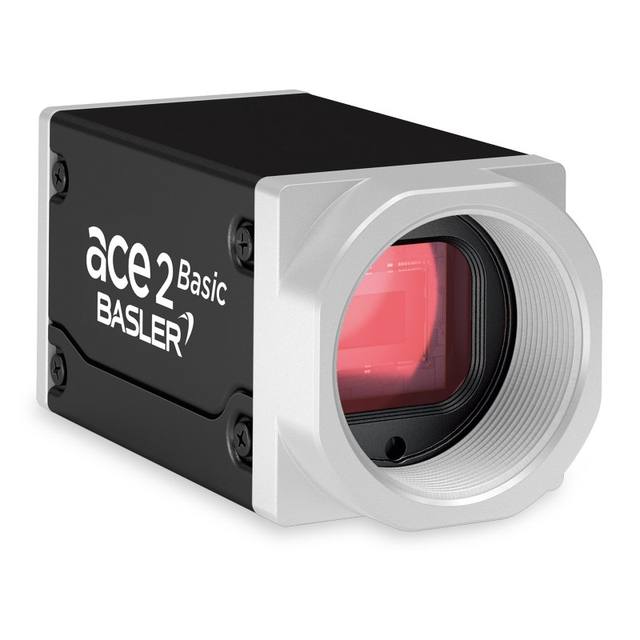
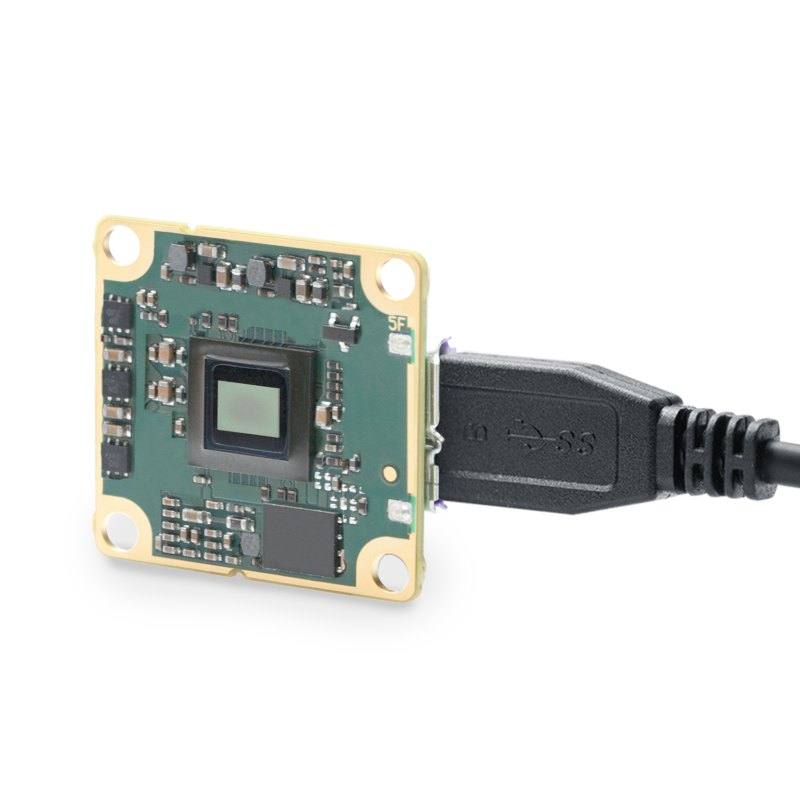
The Basler dart daA1920-15um is a compact USB3 Vision board-level (bare board, no-mount) area scan camera built around the 1/3.7" onsemi MT9P031 CMOS rolling-shutter sensor with 2.2 µm pixels. It delivers 1920 x 1080 (2 MP) monochrome images at up to 15 fps over a USB 3.0 SuperSpeed (5 Gbit/s) interface, with 8/12-bit pixel depth. The camera is USB-bus powered (~1.3 W typical at 5 VDC), weighs about 5 g, and complies with the USB3 Vision and GenICam standards. It targets space-constrained embedded vision integrations in machine vision, microscopy, biometrics and security.
The Basler dart daA1920-15um is a board-level (bare-board, no-mount) area scan camera built around the 1/3.7-inch onsemi MT9P031 CMOS rolling-shutter sensor. Its 2.2 micron pixels yield a 1920 x 1080 (2.07 MP) frame across a tiny 4.22 x 2.38 mm active area, and the camera streams that resolution at up to 15 fps in monochrome at 8 or 12-bit pixel depth. Because it is monochrome, every photosite contributes luminance rather than being split under a color filter, which favors contrast-driven tasks such as edge finding, presence/absence checks, and reading printed or marked text. The 15 fps ceiling and rolling shutter define the motion envelope: this is a camera for static parts, indexed stations, or slow continuous motion, not for freezing fast-moving objects, where rolling-shutter line-by-line exposure would skew or smear the image.
Connectivity is USB 3.0 SuperSpeed (5 Gbit/s) implementing the USB3 Vision and GenICam standards (PFNC 1.x, SFNC 2.x), so the camera enumerates as a standard machine-vision device under pylon and any GenICam-compliant stack. A single USB cable carries both data and power: the camera is bus-powered at roughly 1.3 W typical from 5 VDC, eliminating a separate supply or PoE injector and simplifying single-camera embedded builds. At 7.2 x 27 x 27 mm and about 5 g, the bare-board form factor is meant to be designed directly into an enclosure or instrument rather than bolted on as a housed unit, which is why optics and mounting are the integrator's responsibility.
The board-level/no-mount configuration means there is no integrated C- or CS-mount; lensing is typically handled with a compact S-mount (M12) board lens or a custom optical assembly matched to the small 1/3.7-inch format and 2.2 micron pixels. Those fine pixels demand a lens with enough resolving power to avoid being the limiting factor, and the small sensor keeps focal lengths short for a given field of view. Since the camera offers no onboard illumination and rolling shutter does not pair with hard flash-freeze strobing the way a global shutter does, applications should favor stable continuous lighting or carefully synchronized exposure under controlled, repeatable light. The 0 to 50 C operating range keeps it in standard indoor industrial, lab, and instrument environments such as the microscopy, biometrics, and inspection contexts it targets.
Best for
Space-constrained embedded vision builds where a 7.2 x 27 x 27 mm, 5 g bare board must be integrated directly into an instrument or enclosure
Monochrome 2 MP defect and presence/absence inspection of static or slowly indexed parts in electronics and medical-device production
Industrial OCR/OCV reading of printed or marked text and codes under controlled continuous lighting
Single-cable, single-supply desktop or benchtop systems that benefit from USB 3.0 bus power (~1.3 W) with no separate PSU
Microscopy, biometrics, and lab-instrument imaging where a compact 1/3.7-inch monochrome sensor at 15 fps is sufficient
Selection notes
Confirm the rolling shutter suits your motion: at 15 fps with line-by-line exposure, parts should be stationary or moving slowly during capture to avoid skew or smear; choose a global-shutter model for fast or indexed motion.
Budget for optics separately: there is no integrated C/CS mount, so plan an S-mount (M12) board lens or custom assembly resolving fine enough for 2.2 micron pixels on the small 1/3.7-inch format.
Validate host USB 3.0 bandwidth and cabling: USB3 Vision at 5 Gbit/s needs a SuperSpeed port and a quality cable; the camera is bus-powered (~1.3 W @ 5 VDC) so no external supply is required.
It is monochrome only: if your task depends on color discrimination, this sensor will not provide it; pair the mono sensor with wavelength-specific lighting and optical filters to maximize contrast.
Check resolution headroom: 1920 x 1080 (2.07 MP) bounds the smallest defect or character you can resolve, so size the field of view and lens to keep your minimum feature across enough pixels.
Plan mechanical and thermal mounting for a bare board: the no-mount design and 0 to 50 C range mean the integrator handles fixturing, heat path, and protection within the host product.
Specifications: General
Brand
Basler
Camera type
Area scan
Specifications: Sensor
Resolution
2.07 MP (2 MP)
Horizontal resolution
1920 x 1080 px
Mono / color
Monochrome
Sensor manufacturer
onsemi (ON Semiconductor / Aptina)
Sensor model
onsemi MT9P031
Shutter
Rolling shutter
Sensor size
1/3.7" (4.22 mm x 2.38 mm)
Pixel size
2.2 x 2.2 µm
Specifications: Performance
FPS
15 fps (at 1920 x 1080)
Specifications: Interface
Interface
USB 3.0 (USB3 Vision, 5 Gbit/s SuperSpeed)
Protocols
USB3 Vision, GenICam (PFNC 1.x, SFNC 2.x)
Specifications: Optics
Mount
No-mount / board level (bare board)
Specifications: Electrical
Power
USB bus-powered, ~1.3 W typical @ 5 VDC
Specifications: Environment
Operating temperature
0–50 °C
Specifications: Mechanical
Housing material
Board level (no-mount / bare board)
Dimensions
7.2 x 27 x 27 mm
Weight
5 g
Applications this camera is commonly selected for. Open one to see the full recommended hardware and approach.
We could not derive compatible lenses from the available data for this camera.
Matched automatically by: lens mount fits the camera mount · lens image circle covers the camera sensor — this camera: No-mount / board level (bare board) · 1/3.7" (4.22 mm x 2.38 mm) sensor.
Get a first image quickly with the pylon Viewer, then move into the pylon SDK for your application. These cameras are GenICam/GenTL-compliant, so any compliant vision software can drive them as well.
Download and install the pylon Camera Software Suite for your OS from Basler. This provides the pylon Viewer, the GenTL transport-layer producers and the pylon SDK (C/C++/.NET/Python). On Windows the installer adds the needed drivers; on Linux follow the included setup notes for USB and network permissions.
2. Connect the camera and check the link
Cable the camera to its matching interface: GigE Vision to a GigE port (use a quality cable and, ideally, a dedicated NIC with jumbo frames enabled), USB3 Vision to a USB 3.x port with the supplied cable, or CoaXPress to the frame grabber. Provide power where required (PoE, USB bus power, or PoCXP). Open the pylon Viewer and confirm the camera appears in the device list; for GigE, make sure the camera and NIC are on the same subnet.
3. Grab a first image and set exposure, gain and pixel format
Select the camera in the pylon Viewer and start a continuous grab. Adjust exposure time and gain until the image is well exposed (avoid clipped highlights), set the pixel format (e.g. Mono8 or a Bayer/RGB format), and focus the lens. Use a test pattern if the lens or scene is not ready yet.
4. Configure triggering and acquisition
Decide between free-run and triggered acquisition. For synchronized capture, set the trigger source (software or a hardware line on the I/O connector), trigger mode and any debounce or exposure mode, then verify timing. Note the parameter names you change in the Viewer feature tree, as you will reuse them in code.
5. Move to the SDK or a GenICam-compliant library
Recreate your settings in code with the pylon SDK (C, C++, .NET or Python) to open the device, apply the same features and pull frames into your pipeline; pylon vTools and pylon AI can add processing blocks. Because the cameras are GenICam/GenTL standard, third-party vision libraries work too. Once the image stream is stable, you can route frames to a deep-learning inspection such as Rosepetal for automated defect detection.
Frequently asked questions
It uses the 1/3.7-inch onsemi MT9P031 CMOS rolling-shutter sensor with 2.2 x 2.2 micron pixels, delivering 1920 x 1080 (2.07 MP, 2 MP) monochrome images at up to 15 fps with 8 or 12-bit pixel depth.
It connects over USB 3.0 SuperSpeed (5 Gbit/s) using the USB3 Vision and GenICam standards. It is USB bus-powered at about 1.3 W typical from 5 VDC, so a single USB cable carries both data and power with no separate supply needed.
No. It is a board-level, no-mount (bare-board) camera with no integrated C/CS mount, so optics must be added by the integrator, typically a compact S-mount (M12) board lens or a custom optical assembly matched to the 1/3.7-inch format.
It is monochrome, ideal for contrast-based inspection, text reading, and edge/presence tasks. With a rolling shutter at 15 fps it is best for static or slowly moving parts; fast motion can cause rolling-shutter skew or smear.
The bare board measures 7.2 x 27 x 27 mm and weighs about 5 g, designed to embed directly into an instrument or enclosure. Its specified operating temperature range is 0 to 50 C, suiting indoor industrial, lab, and instrument environments.