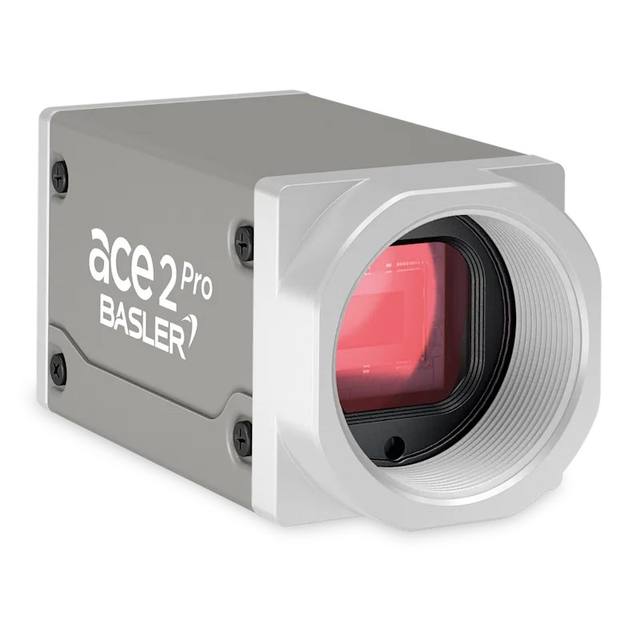
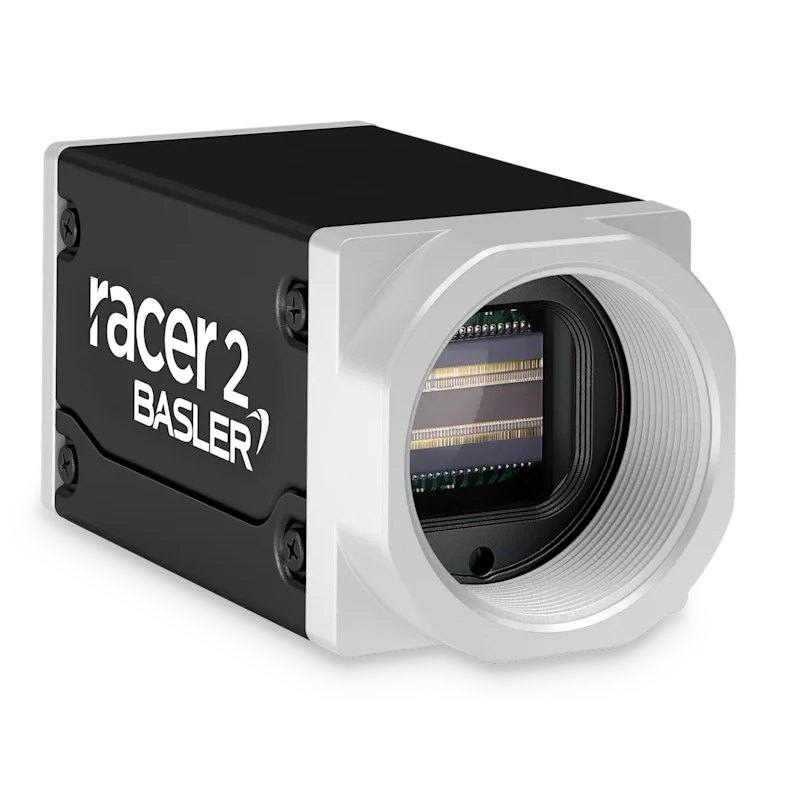
The Basler racer 2 r2L2048-29gc is a GigE line scan camera with a 2048-pixel (2k) Gpixel GL3504 CMOS line sensor, 7 um pixels, color, running at up to 29 kHz line rate. Selectable 8/10/12-bit pixel depth, C-mount, free-run or hardware/software trigger over Gigabit Ethernet.
The Basler racer 2 r2L2048-29gc is a line scan camera, meaning it captures the image one row of pixels at a time rather than a full 2D frame. A complete image is built up by combining successive lines as the object moves past the camera (or the camera moves past the object), so it is intended for continuously moving material rather than discrete static parts. The sensor offers a single line of 2048 pixels (2k) of horizontal resolution; the second image dimension is generated entirely by the motion of the web or conveyor and the rate at which lines are acquired, which makes it well suited to long, continuous surfaces where an area-scan camera would either miss detail or require many overlapping captures.
The camera reaches a line rate of up to 29 kHz, so it can read out up to 29,000 lines per second. On a moving web this directly sets the maximum transport speed at a given vertical (along-travel) resolution: faster line rates allow either higher throughput or finer sampling in the direction of motion. It uses a colour Gpixel GL3504 line sensor with 7 um pixels, so colour information is captured directly across the imaged line for demanding grading or defect-contrast tasks.
Connectivity is over GigE Vision, with GenICam support for standardised feature access, giving long, low-cost cabling and straightforward integration into PC-based vision software. In line scan work, line acquisition is normally synchronised to an encoder on the transport so that the vertical scale stays constant regardless of speed variation. It uses a C-mount lens interface and is powered from an external supply rather than over the data interface.
Best for
Continuous surface inspection of moving webs such as film, foil, paper, textiles, nonwovens or coated materials
Colour-based defect detection and material grading where chromatic information distinguishes flaws or sorts product
Roll-to-roll and conveyor-fed inspection lines where parts or material pass the camera at constant speed
Inspection of long or effectively endless products that cannot be captured in a single area-scan frame
High-speed in-line quality control where the 29 kHz line rate keeps pace with fast transport
Print, label and decor inspection requiring true colour rendering across the full web width
Selection notes
Line scan systems normally require an encoder on the conveyor or web drive so line acquisition is synchronised to actual material travel; plan for trigger wiring and a stable mechanical transport to keep the vertical scale uniform.
Lighting is critical for line scan: use a bright, uniform line light focused on the imaged line, and for a colour sensor confirm the illumination spectrum supports faithful colour reproduction; a line rate of 29 kHz means very short integration times, so sufficient light intensity is essential.
The C-mount lens must resolve the 2048-pixel line across the full field of view and cover the sensor's line length without vignetting; verify the lens image circle and resolving power suit the 7 um pixel pitch and your working distance.
GigE Vision allows long, economical Ethernet cabling and easy networking, but budget interface bandwidth carefully at high line rates; if you need substantially higher data throughput than GigE Vision provides, consider a higher-bandwidth interface.
Provide an appropriate external power supply, since the camera is not powered over the data interface; if your application is static parts or 2D objects rather than continuous motion, an area-scan camera is generally the better fit.
Specifications: General
Camera type
Line scan
Specifications: Sensor
Horizontal resolution
2k (2048 px)
Mono / color
Color
Sensor manufacturer
Gpixel
Sensor model
GL3504
Pixel size
7 µm
Specifications: Performance
Line rate
29 kHz
Specifications: Interface
Interface
GigE Vision
Protocols
GigE Vision, GenICam
Specifications: Optics
Mount
C-mount
Specifications: Electrical
Power
External supply
This product groups every purchasable order code that shares the same sensing method, range and output. Cable length, connector type and operation mode (Light-ON/Dark-ON, NO/NC) vary by order code below.
Family variants with highlighted differences
Model
Mono / color
Interface
Availability
2k (2048 px) Color GigE Vision Base
Color
GigE Vision
On request
Applications this camera is commonly selected for. Open one to see the full recommended hardware and approach.
Get a first image quickly with the pylon Viewer, then move into the pylon SDK for your application. These cameras are GenICam/GenTL-compliant, so any compliant vision software can drive them as well.
Download and install the pylon Camera Software Suite for your OS from Basler. This provides the pylon Viewer, the GenTL transport-layer producers and the pylon SDK (C/C++/.NET/Python). On Windows the installer adds the needed drivers; on Linux follow the included setup notes for USB and network permissions.
2. Connect the camera and check the link
Cable the camera to its matching interface: GigE Vision to a GigE port (use a quality cable and, ideally, a dedicated NIC with jumbo frames enabled), USB3 Vision to a USB 3.x port with the supplied cable, or CoaXPress to the frame grabber. Provide power where required (PoE, USB bus power, or PoCXP). Open the pylon Viewer and confirm the camera appears in the device list; for GigE, make sure the camera and NIC are on the same subnet.
3. Grab a first image and set exposure, gain and pixel format
Select the camera in the pylon Viewer and start a continuous grab. Adjust exposure time and gain until the image is well exposed (avoid clipped highlights), set the pixel format (e.g. Mono8 or a Bayer/RGB format), and focus the lens. Use a test pattern if the lens or scene is not ready yet.
4. Configure triggering and acquisition
Decide between free-run and triggered acquisition. For synchronized capture, set the trigger source (software or a hardware line on the I/O connector), trigger mode and any debounce or exposure mode, then verify timing. Note the parameter names you change in the Viewer feature tree, as you will reuse them in code.
5. Move to the SDK or a GenICam-compliant library
Recreate your settings in code with the pylon SDK (C, C++, .NET or Python) to open the device, apply the same features and pull frames into your pipeline; pylon vTools and pylon AI can add processing blocks. Because the cameras are GenICam/GenTL standard, third-party vision libraries work too. Once the image stream is stable, you can route frames to a deep-learning inspection such as Rosepetal for automated defect detection.
Frequently asked questions
It is a line scan camera. It captures one line of 2048 pixels at a time and builds a 2D image from the relative motion between the camera and the object, which makes it suited to continuously moving webs and conveyor-fed material rather than discrete static parts.
It uses GigE Vision and supports the GenICam standard for feature access. This allows long, low-cost standard Ethernet cabling and straightforward integration with PC-based vision software.
It is a colour camera built on the Gpixel GL3504 line sensor, so chromatic information is captured directly across the imaged line.
It runs at up to a 29 kHz line rate, meaning up to 29,000 lines per second. In practice, line acquisition is usually synchronised to an encoder on the transport to keep the vertical scale constant as the material moves.
It has a C-mount lens interface, so it accepts standard C-mount optics that cover the 2048-pixel line and suit the 7 um pixel size. It is powered from an external supply rather than over the data interface, so plan for separate power wiring.