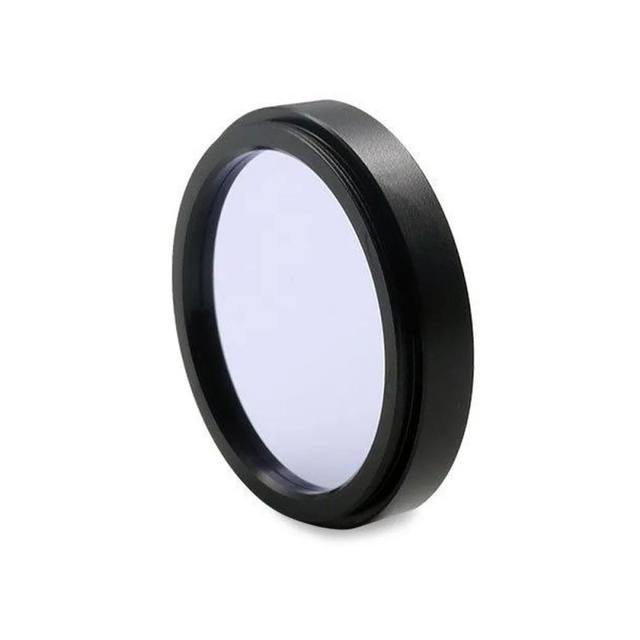
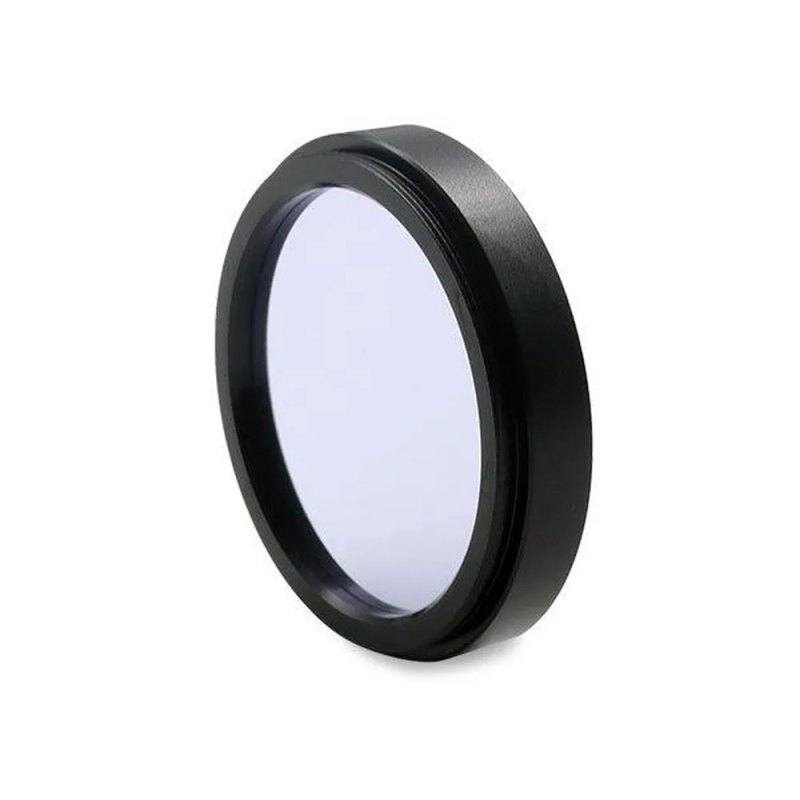
The Bi1550 is a short-wave infrared bandpass filter with a center wavelength of 1550 nm and 35 nm FWHM bandwidth, transmitting in the 1540–1560 nm useful range at peak transmission of ≥90%. It features a hardcoated 1 mm single-substrate design with M43 x 0.75 thread and 40/20 surface quality. The filter is optimized for 1550 nm LED illumination and is particularly suited for fiber-optic telecom inspection, automotive LiDAR, and SWIR camera-based life science and laser analysis setups. Basler lists it under order number 2200001561 as part of its MidOpt-sourced optical filter accessories lineup.
The Basler Bi1550 is a narrow-bandwidth short-wave infrared (SWIR) bandpass filter centered at 1550 nm with a 35 nm full-width at half-maximum (FWHM) bandwidth, transmitting usefully between 1540 nm and 1560 nm. At peak transmission of 90% or better, the filter passes almost all available 1550 nm illumination energy while blocking visible light and other infrared wavelengths that would otherwise wash out image contrast. The hardcoated 1 mm single-substrate construction keeps the optical path compact and eliminates the delamination risk of cemented doublet designs, and the 40/20 surface quality specification ensures that surface imperfections contribute negligible scatter to SWIR imagery. Basler supplies this filter as part of its MidOpt-sourced optical filter accessories lineup (order number 2200001561).
The M43 x 0.75 thread is a standard filter thread pitch shared by a wide range of SWIR-capable lenses from multiple manufacturers, making mechanical integration straightforward without step-up or step-down adapter rings in compatible setups. Because 1550 nm sits in a spectral region where InGaAs (indium gallium arsenide) sensors have high quantum efficiency, pairing this filter with a SWIR InGaAs camera and a 1550 nm LED or laser diode illuminator creates a highly controlled single-wavelength imaging channel. The 35 nm FWHM band is narrow enough to reject ambient broadband illumination — including sunlight and incandescent sources — while still being wide enough to accommodate the slight wavelength drift typical of LED sources over temperature.
In practice the Bi1550 is suited for tasks where 1550 nm is chosen deliberately: fiber-optic end-face and connector inspection (where 1550 nm is a standard telecom transmission wavelength), automotive LiDAR return-pulse imaging, laser beam profiling, and life-science or pharmaceutical imaging applications that exploit the differential infrared contrast available at this wavelength. By restricting the sensor to a 35 nm slice of the spectrum, the filter maximizes the signal-to-background ratio for illumination-controlled setups, reduces halo artifacts around reflective features, and suppresses broadband background noise that can degrade SWIR imagery.
Best for
Fiber-optic connector and end-face inspection where 1550 nm is the operative telecom transmission band and isolating that wavelength eliminates crosstalk from other light sources on the inspection line.
Automotive LiDAR verification and return-pulse characterization rigs that emit at 1550 nm and need a bandpass filter to gate the camera to emitted-wavelength returns only, rejecting broadband solar background.
SWIR InGaAs camera setups using 1550 nm LED or laser diode illuminators for surface inspection of silicon wafers, semiconductor packaging, or medical-device components where near-IR transparency of materials must be exploited.
Laser beam profiling and laser-line analysis at 1550 nm, where the filter blocks all out-of-band scatter so the camera sees only the beam cross-section.
Life-science and pharmaceutical imaging applications that leverage the differential infrared contrast available at 1550 nm to distinguish material properties or detect anomalies in components sensitive to near-IR illumination.
Selection notes
Verify InGaAs sensor compatibility before purchasing: silicon-based CMOS and CCD sensors have effectively zero quantum efficiency at 1550 nm and will produce no image regardless of this filter. This filter is exclusively for SWIR InGaAs cameras.
Confirm that your lens carries an M43 x 0.75 filter thread. Many SWIR lenses use different filter thread diameters depending on the front element size; check your lens specification before ordering. Using the wrong thread pitch will prevent secure attachment and may cause vignetting if an adapter is used.
Match your illuminator wavelength to the 1540–1560 nm passband. A 1550 nm LED or laser diode source is ideal. Sources centered significantly outside this 35 nm window — such as a broadband halogen or a 1310 nm telecom source — will be substantially attenuated, reducing effective illumination intensity at the sensor.
The 35 nm FWHM bandwidth is narrow enough for single-wavelength isolation but not as narrow as interference-based laser-line filters (typically 1–10 nm). For applications requiring sub-nanometer spectral isolation, evaluate a dedicated laser-line filter at 1550 nm instead.
Outdoor or high-ambient environments: at 1550 nm, solar irradiance is moderate but not zero. The filter will significantly suppress broadband solar load, but for outdoor LiDAR or inspection rigs, also consider integration time and illuminator peak power to maintain adequate signal-to-noise at the sensor.
Specifications: General
Brand
MidOpt
Specifications: Optical
Filter type
Bandpass
Filter wavelength
1550 nm CWL, 35 nm FWHM
Specifications: Mechanical
Thread / filter size
M43 x 0.75
Applications this camera is commonly selected for. Open one to see the full recommended hardware and approach.
Get a first image quickly with the pylon Viewer, then move into the pylon SDK for your application. These cameras are GenICam/GenTL-compliant, so any compliant vision software can drive them as well.
Download and install the pylon Camera Software Suite for your OS from Basler. This provides the pylon Viewer, the GenTL transport-layer producers and the pylon SDK (C/C++/.NET/Python). On Windows the installer adds the needed drivers; on Linux follow the included setup notes for USB and network permissions.
2. Connect the camera and check the link
Cable the camera to its matching interface: GigE Vision to a GigE port (use a quality cable and, ideally, a dedicated NIC with jumbo frames enabled), USB3 Vision to a USB 3.x port with the supplied cable, or CoaXPress to the frame grabber. Provide power where required (PoE, USB bus power, or PoCXP). Open the pylon Viewer and confirm the camera appears in the device list; for GigE, make sure the camera and NIC are on the same subnet.
3. Grab a first image and set exposure, gain and pixel format
Select the camera in the pylon Viewer and start a continuous grab. Adjust exposure time and gain until the image is well exposed (avoid clipped highlights), set the pixel format (e.g. Mono8 or a Bayer/RGB format), and focus the lens. Use a test pattern if the lens or scene is not ready yet.
4. Configure triggering and acquisition
Decide between free-run and triggered acquisition. For synchronized capture, set the trigger source (software or a hardware line on the I/O connector), trigger mode and any debounce or exposure mode, then verify timing. Note the parameter names you change in the Viewer feature tree, as you will reuse them in code.
5. Move to the SDK or a GenICam-compliant library
Recreate your settings in code with the pylon SDK (C, C++, .NET or Python) to open the device, apply the same features and pull frames into your pipeline; pylon vTools and pylon AI can add processing blocks. Because the cameras are GenICam/GenTL standard, third-party vision libraries work too. Once the image stream is stable, you can route frames to a deep-learning inspection such as Rosepetal for automated defect detection.
Frequently asked questions
This filter is designed exclusively for SWIR cameras equipped with InGaAs (indium gallium arsenide) sensors, which have quantum efficiency across roughly 900–1700 nm. Standard silicon CMOS or CCD sensors — used in virtually all visible-spectrum machine vision cameras — are blind at 1550 nm and will not respond, regardless of the filter or illumination.
Use a 1550 nm LED or laser diode illuminator. The filter's useful transmission range is 1540–1560 nm with 35 nm FWHM, so the illuminator center wavelength should fall within that band. 1550 nm LED ring lights or structured coaxial illuminators designed for SWIR telecom inspection are the most common pairings. Avoid broadband halogen sources as the primary illuminator — while they do emit at 1550 nm, the filtered power reaching the sensor will be very low compared to a narrowband source.
The M43 x 0.75 thread provides a clear aperture suitable for many SWIR lenses with a 43 mm filter ring. Lenses with shorter focal lengths and correspondingly larger entrance pupils may see slight peripheral shading if the filter clear aperture approaches the image circle diameter. Check the filter's clear aperture specification against your lens's front element diameter to confirm no vignetting.
The 35 nm FWHM means the filter transmits only a 35 nm wide slice of the electromagnetic spectrum centered at 1550 nm and blocks everything else. Broadband ambient sources — LED white light, fluorescent, sunlight — have very low spectral power density in any 35 nm slice, so they are effectively suppressed. This allows stable imaging even on lines with mixed ambient light, though the degree of suppression also depends on the filter's out-of-band optical density, which should be confirmed from the MidOpt datasheet for this part.
Yes. The hardcoated single-substrate design is significantly more durable than soft-coated or cemented filter elements. Hardcoating resists cleaning abrasion, humidity, and condensation typical of factory environments, and the single-substrate construction eliminates the risk of delamination that can occur in cemented doublet filters when exposed to temperature cycling or high humidity. This makes the Bi1550 more suitable for permanent installation in an enclosure near a production line than uncoated or soft-coated alternatives.