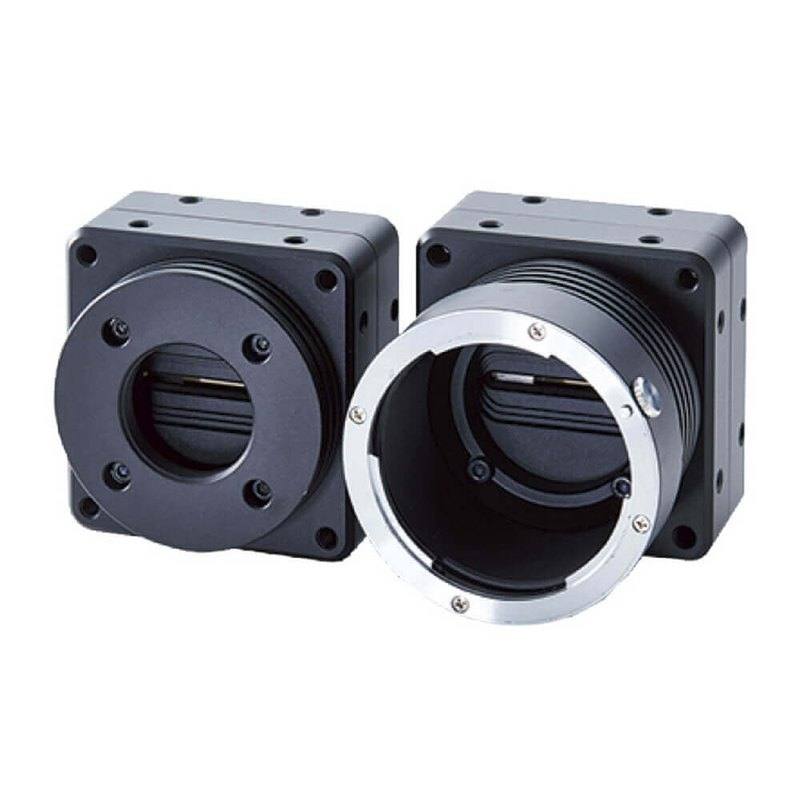
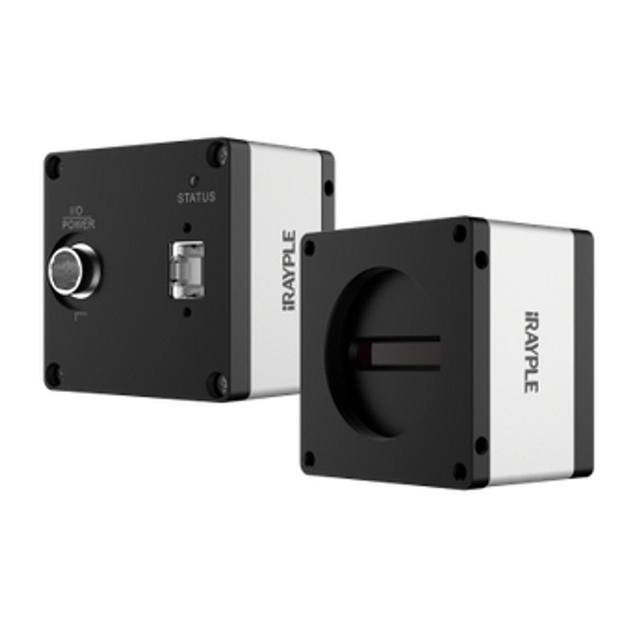
The FS-B16KU35CLU-M72 is a single-line monochrome line scan camera built around the AWAIBA DR-B&W-16K-3.5 CMOS sensor, delivering 16,384 pixels per line with 3.5 um square pixels across a 57.344 mm photo array. It outputs over a Camera Link interface (Full 8-bit / Medium/Base 8/10/12-bit, 85 MHz x 8 TAP) at a line rate of 40 kHz and provides high-speed exposure control, external trigger and Flat Field Correction. The camera uses an M72 lens mount, runs on +12 to +24 VDC (7.2 W typical) and operates from 0 to 40 deg C.
Brand
Omron / Sentech
Camera type
Line scan
Interface
Camera Link (Full 8-bit / Medium/Base 8/10/12-bit, 85 MHz x 8 TAP)
Horizontal resolution
16,384 px/line
Mono / color
Monochrome
Sensor manufacturer
ams_awaiba (display 'AWAIBA (now ams)' is correct)
The Omron Sentech FS-B16KU35CLU-M72 is a single-line monochrome line scan camera built around the AWAIBA DR-B&W-16K-3.5 CMOS sensor, which packs 16,384 pixels into a single row of 3.5 um square pixels across a 57.344 mm photo array. Line scan geometry means the camera images one line at a time and reconstructs a continuous image as the part (or the camera) moves underneath, so its native job is inspecting webs, sheets and continuously-fed product where an area-scan camera would force you to stitch frames. The 16K line width is the headline number here: it lets you cover a wide field in a single pass at high cross-web resolution. As a worked example, mapping all 16,384 pixels across a 320 mm field gives roughly 20 um per pixel, while a narrower 160 mm field yields about 10 um per pixel - the trade you make between coverage and detail is set entirely by lens magnification, not by the sensor.
The interface is Camera Link, supported in Full 8-bit and Medium/Base 8/10/12-bit configurations running at 85 MHz across 8 taps, with a 40 kHz line rate. Camera Link is the deterministic, frame-grabber-based standard line scan applications have historically leaned on: it provides a hard real-time pixel clock and dedicated trigger/encoder lines, which is exactly what you want when image rows must stay locked to web motion. The selectable bit depths let you trade bandwidth for grey-level depth - 8-bit for the lightest data load, or 10- and 12-bit Medium/Base output when demanding surface or grading tasks need finer tonal resolution. Pairing this camera requires a Camera Link frame grabber with matching tap geometry and a cable within Camera Link length limits, so the grabber and cabling are design-in items, not afterthoughts.
Being monochrome, the sensor devotes every pixel to luminance rather than splitting resolution across a color filter array, which maximises sharpness and light sensitivity for defect, texture and contrast-driven inspection. The camera includes high-speed exposure control, external trigger and Flat Field Correction (FFC) - FFC is essential on a 16K line because it normalises pixel-to-pixel response and lens/illumination falloff across the full 57.344 mm array, flattening the shading that would otherwise show up as streaks in the assembled image. The M72 lens mount is a large-format mount chosen deliberately to cover the long 57.344 mm sensor without vignetting; standard C-mount optics cannot illuminate an image circle this size, so lens selection is constrained to M72 (or adapted large-format) line scan lenses. Power is a flexible +12 to +24 VDC at 7.2 W typical, the unit runs from 0 to 40 deg C, and at 80 x 100 x 38.1 mm (excluding connector) and 453 g it is a compact, mountable head for inline gantries and scanner frames.
Best for
Wide-web surface inspection of printed material, film, paper or foil where a single 16K line covers the full width at high cross-web resolution in one continuous pass
Continuous defect detection on textiles, sheet metal and laminates, where the monochrome sensor and 40 kHz line rate resolve fine texture and contrast defects at production speed
High-resolution dimensional measurement across a wide field, using the 16,384-pixel line and lens magnification to set micron-level pixel pitch over the part width
Inline OCR/OCV and code reading on fast-moving printed or packaged product, where deterministic Camera Link triggering keeps text rows aligned to web motion
AI-driven surface and defect inspection on rolling or conveyed product in printing, electronics, packaging, metal and textile lines
Selection notes
This is a Camera Link camera, so it requires a compatible frame grabber supporting Full 8-bit and Medium/Base 8/10/12-bit modes at 85 MHz x 8 taps; budget for the grabber, the Camera Link cable within standard length limits, and a PC slot to host it
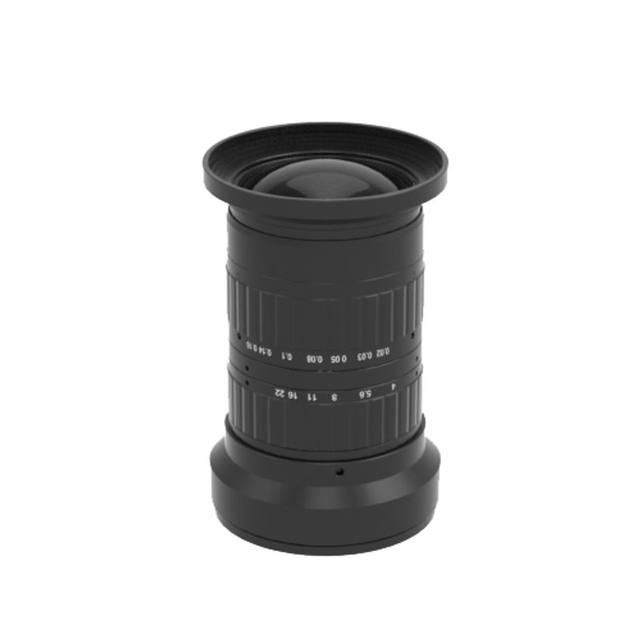
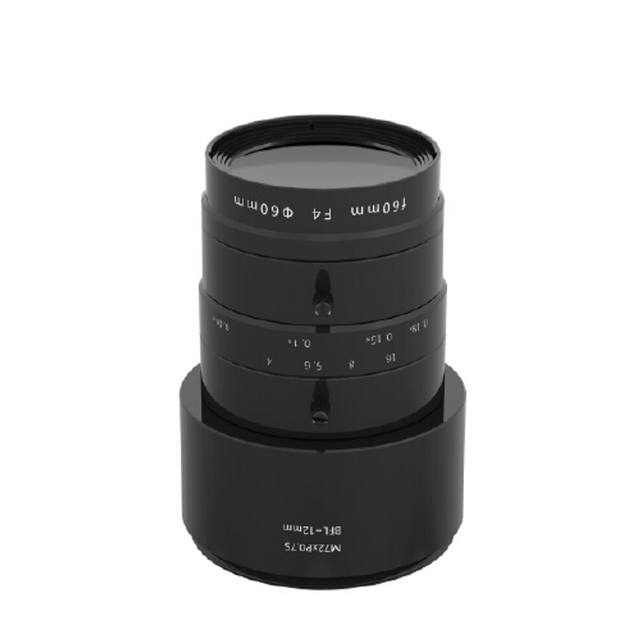
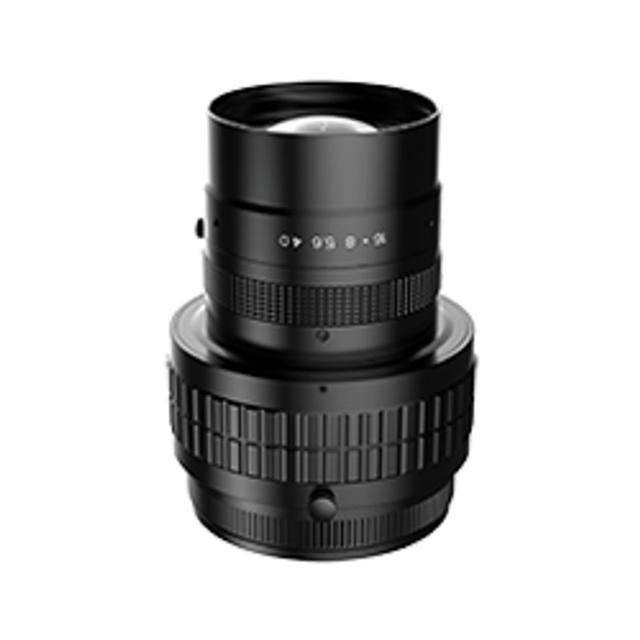
The M72 mount and 57.344 mm array demand a large-format M72 line scan lens; C-mount and standard area-scan optics will vignette and cannot cover this sensor, so confirm lens image circle and magnification against your required field of view before specifying
Pixel resolution on the part is set by magnification: spreading 16,384 pixels across the web width determines your micron-per-pixel figure, so size the lens and working distance for the field you actually need to inspect
Line scan imaging is motion-synchronised; plan for an encoder or precise trigger feeding the frame grabber so line rate tracks web speed and the reconstructed image stays geometrically correct - the camera's external trigger input is provided for exactly this
Line scan needs intense, uniform illumination concentrated on the imaged line (line lights are typical); pair with strong line lighting and enable the camera's Flat Field Correction to normalise shading across the full 16K width
Verify the operating envelope for your installation: 0 to 40 deg C ambient, +12 to +24 VDC supply at 7.2 W typical, and an 80 x 100 x 38.1 mm (excl. connector), 453 g head to mount in the scanner frame
Specifications: General
Brand
Omron / Sentech
Camera type
Line scan
Specifications: Sensor
Horizontal resolution
16,384 px/line
Mono / color
Monochrome
Sensor manufacturer
ams_awaiba (display 'AWAIBA (now ams)' is correct)
Sensor model
AWAIBA DR-B&W-16K-3.5 CMOS
Pixel size
3.5 um (3.5 x 3.5)
Sensor size
57.344 mm photo array length
Specifications: Performance
Line rate
40 kHz
Specifications: Interface
Interface
Camera Link (Full 8-bit / Medium/Base 8/10/12-bit, 85 MHz x 8 TAP)
Specifications: Optics
Mount
M72 mount
Specifications: Electrical
Power
+12 to +24 VDC, 7.2 W typ.
Power consumption
7.2 W
Specifications: Environment
Operating temperature
0 to 40 deg C
Specifications: Mechanical
Dimensions
80 (W) x 100 (H) x 38.1 (D) mm (excl. connector)
Weight
453 g
Applications this camera is commonly selected for. Open one to see the full recommended hardware and approach.
Matched automatically by: lens mount fits the camera mount · lens image circle covers the camera sensor — this camera: M72 mount · 57.344 mm photo array length sensor.
These steps take an Omron Sentech (STC) camera from the box to a stable first image and on to your own application. They apply across the GigE Vision, USB3 Vision and CoaXPress STC families; the interface only changes how you cable and power the camera.
Download and install the Sentech SDK on the host PC. The package provides StViewer, the viewing and configuration software you use to bring the camera up, and StApi, the programming SDK you integrate later. Because the cameras are GenICam/GenTL-compliant, StApi also registers a GenTL producer, so any GenICam-compliant third-party vision software can discover and drive the camera as an alternative front end.
2. Cable, power and connect the camera
Connect according to the interface. GigE Vision: link to a Gigabit NIC (use PoE or the separate power input) and put the camera and host on the same subnet; for USB3 Vision use a USB 3.x port and a certified cable; for CoaXPress (STC) connect to a CoaXPress frame grabber, which also supplies Power-over-Coax. Then open StViewer and let it enumerate the camera. If a GigE camera does not appear, check the IP configuration and firewall, and on USB3 confirm the host bandwidth and driver.
3. Configure exposure, gain and white balance
Open the device in StViewer and start a live stream. Set exposure and gain for a well-exposed, low-noise image: raise exposure first and only add gain when more light or a faster shutter is not an option, keeping exposure short enough to freeze motion on global-shutter models. On colour cameras, run white balance under your actual production lighting. Adjust the lens aperture and focus on a representative target before tuning anything else.
4. Set the trigger and grab a first image
Start in free-run (continuous) acquisition to confirm a clean, stable image. For inline inspection switch to hardware or software triggering: select the trigger source, set the active edge and any delay, and wire the strobe or illumination to the camera's I/O so lighting fires with each exposure. Acquire and save a frame in StViewer; this saved image is your reference for the SDK stage and for downstream inspection.
5. Move to the StApi SDK (or any GenICam software)
Once the image is stable, reproduce the same settings in code. Use StApi to open the device, apply the GenICam features you validated in StViewer (exposure, gain, trigger, pixel format) and grab frames into your application via the bundled C++, C, C#/.NET or Python interfaces; the included samples are the fastest starting point. Prefer a different stack? The same GenICam/GenTL camera works with third-party vision libraries. With a reliable feed, you can route it into a deep-learning inspection such as Rosepetal for AI-based defect detection.
Frequently asked questions
It is a single-line monochrome line scan camera with 16,384 pixels per line and a 40 kHz line rate, built on the AWAIBA DR-B&W-16K-3.5 CMOS sensor.
It outputs over Camera Link - Full 8-bit, or Medium/Base 8/10/12-bit, at 85 MHz across 8 taps - so yes, it requires a matching Camera Link frame grabber and cable to capture and host the image data.
It is monochrome. Every pixel captures luminance with no color filter array, which maximises sharpness and sensitivity for defect, texture and contrast-based inspection.
It uses an M72 large-format mount to cover the 57.344 mm photo array. Standard C-mount optics cannot illuminate a sensor this long, so you need an M72 (or adapted large-format) line scan lens.
Pixels are 3.5 um square (3.5 x 3.5 um), and the 16,384-pixel line spans a 57.344 mm photo array length.
It runs on +12 to +24 VDC at about 7.2 W typical and operates from 0 to 40 deg C. The head measures 80 x 100 x 38.1 mm (excluding connector) and weighs 453 g.