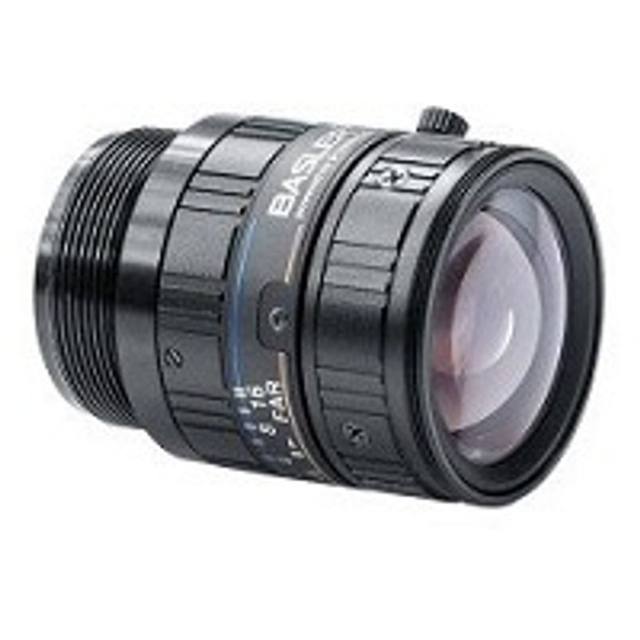
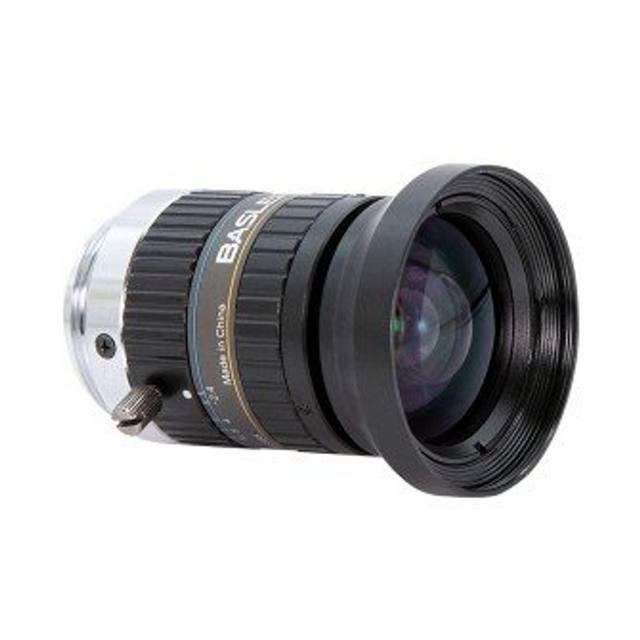
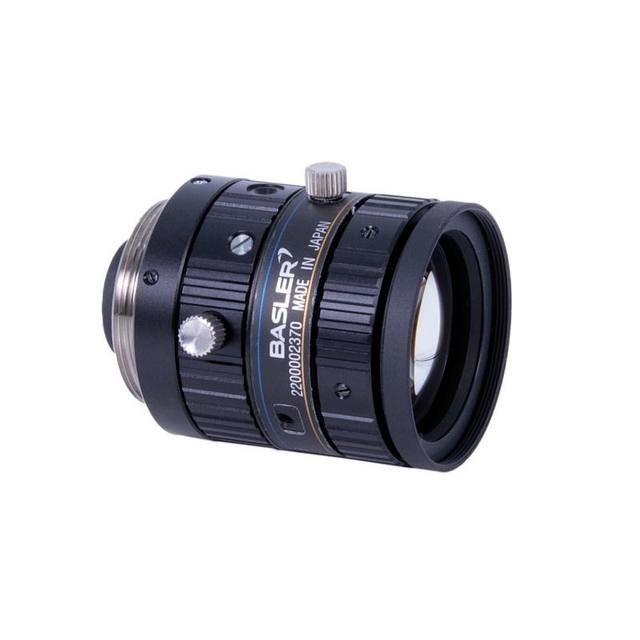
Omron / Sentech VS-1214H1 VS-H1 Series 12mm C-Mount Lens
3Z4S-LE VS-1214H1
The Omron 3Z4S-LE VS-1214H1 is part of the VS-H1 Series of high-resolution, low-distortion C-mount lenses designed for megapixel machine vision cameras with up to 1-inch sensors. It provides a 12 mm focal length with an aperture range of F1.4 to F16, manual iris with M2 lock screws for both focus and iris, and a measured TV distortion of only -0.32% at 1.1-inch. The lens features a compact form factor (φ38 mm × 48 mm) and is compatible with Omron FH-S series smart cameras, covering a field of view of 44.0° × 56.9° at closest working distance of 300 mm. Back focal length (flange back) is 17.526 mm, and the filter thread is M35.5 P=0.5.
The Omron VS-1214H1 is a 12 mm fixed focal length C-mount lens built around a 16 mm image circle, which means it covers the full diagonal of a 1-inch format sensor with no vignetting. Sensors at 1/1.8-inch or 2/3-inch are well within the circle; the lens is rated through 1-inch. The aperture range of F1.4–F16 gives a wide working latitude — open the iris to F1.4 in low-light or high-speed strobe conditions, and stop it down toward F8–F11 to recover depth of field when the scene demands it. The optics are rated for 4–9 MP sensor densities, meaning the resolved MTF at the image corners will keep pace with the pixel pitch of modern 5 and 9 MP sensors without becoming the resolution bottleneck.
The 12 mm focal length at a minimum working distance of 300 mm sets a field of view of 44.0° × 56.9° at that distance — a moderately wide angle that is well suited to compact inspection stations where the camera-to-part gap is constrained. The measured TV distortion of only −0.32% at the 1.1-inch corner is exceptionally low for a 12 mm wide-angle lens. For an installer, that number translates directly: sub-0.5% distortion means standard software distortion correction models converge quickly, and residual error after correction stays below one pixel across the frame — important for gauging and overlay-based OCR/OCV checks.
Mechanically, the lens ships with M2 lock screws on both the focus and iris rings — a small but operationally significant detail. Once focus and aperture are dialed in during commissioning, both can be locked against vibration-induced drift without any additional hardware. The compact φ38 mm × 48 mm body and 140 g mass keep the camera-lens assembly within the payload budget of most collaborative robot wrists and lightweight gantry mounts. The C-mount interface and 17.526 mm back focal length are fully standard, so the lens drops into any C-mount camera body; the M35.5 P=0.5 filter thread accepts standard industrial bandpass and polarizing filters for contrast enhancement. The lens is documented as compatible with Omron FH-S series smart cameras, making it a drop-in optic for FH-based line controllers without requiring additional back-focus shimming.
Best for
Dimensional gauging at 300 mm or longer working distance, where the −0.32% distortion figure and 4–9 MP resolution rating combine to support sub-pixel accuracy after calibration.
Surface and cosmetic defect inspection on flat or slightly curved parts where a wide aperture (F1.4) allows short strobe exposures to freeze motion, and the 12 mm focal length fills the sensor with a wide field at typical conveyor heights.
OCR/OCV and 2D/DPM code reading on packaging or labels, where low distortion preserves character geometry across the full frame and the wide image circle avoids corner fall-off on 1-inch sensor cameras.
Robot guidance and pick-and-place vision, where the compact 48 mm body length and lock screws on focus and iris resist vibration-induced detuning across shift-length production runs.
General-purpose inline inspection cells using Omron FH-S series smart cameras, where the lens is verified compatible and back-focus is pre-characterized, reducing commissioning time.
Selection notes
Image circle vs. sensor format: the 16 mm image circle is rated for 1-inch sensors. Confirm your camera sensor diagonal before ordering — a 4/3-inch sensor (~21.6 mm diagonal) will show heavy vignetting and is outside spec.
Working distance and FOV trade-off: the 44° × 57° FOV is specified at the 300 mm minimum working distance. At longer working distances the FOV grows proportionally, so for a fixed part size, calculate the required working distance from your target pixel resolution rather than defaulting to minimum distance.
Aperture selection affects depth of field and exposure: F1.4 maximizes light throughput for strobe or motion-frozen captures but yields very shallow depth of field at close range. Parts with significant height variation may require F5.6–F8 with a brighter light source or longer strobe pulse.
Lock screws are M2 — use a proper driver during commissioning to avoid stripping. Once locked, re-focusing requires loosening first; plan for this in any maintenance procedure where the camera assembly is removed and re-installed.
Filter compatibility: the M35.5 P=0.5 filter thread is a less common pitch than the M30.5 or M37 threads found on many competing lenses. Verify filter ring thread pitch before ordering bandpass or polarizing filters, especially if sourcing from a non-Omron supplier.
Specifications: General
Brand
Omron / Sentech
Specifications: Optical
Focal length
12 mm
Lens mount
C-mount
Aperture (f-number)
F1.4–F16
Image circle / max sensor
16 mm (1-inch format)
Telecentric
No
Working distance
300 mm (min)
Optical resolution
4–9 MP
Specifications: Mechanical
Dimensions
φ38 mm (max.) × L 48 mm
Weight
140 g
Applications this camera is commonly selected for. Open one to see the full recommended hardware and approach.
Matched automatically by: camera mount fits the lens mount · camera sensor is covered by the lens image circle — this lens: C-mount · 16 mm (1-inch format) image circle.
These steps take an Omron Sentech (STC) camera from the box to a stable first image and on to your own application. They apply across the GigE Vision, USB3 Vision and CoaXPress STC families; the interface only changes how you cable and power the camera.
Download and install the Sentech SDK on the host PC. The package provides StViewer, the viewing and configuration software you use to bring the camera up, and StApi, the programming SDK you integrate later. Because the cameras are GenICam/GenTL-compliant, StApi also registers a GenTL producer, so any GenICam-compliant third-party vision software can discover and drive the camera as an alternative front end.
2. Cable, power and connect the camera
Connect according to the interface. GigE Vision: link to a Gigabit NIC (use PoE or the separate power input) and put the camera and host on the same subnet; for USB3 Vision use a USB 3.x port and a certified cable; for CoaXPress (STC) connect to a CoaXPress frame grabber, which also supplies Power-over-Coax. Then open StViewer and let it enumerate the camera. If a GigE camera does not appear, check the IP configuration and firewall, and on USB3 confirm the host bandwidth and driver.
3. Configure exposure, gain and white balance
Open the device in StViewer and start a live stream. Set exposure and gain for a well-exposed, low-noise image: raise exposure first and only add gain when more light or a faster shutter is not an option, keeping exposure short enough to freeze motion on global-shutter models. On colour cameras, run white balance under your actual production lighting. Adjust the lens aperture and focus on a representative target before tuning anything else.
4. Set the trigger and grab a first image
Start in free-run (continuous) acquisition to confirm a clean, stable image. For inline inspection switch to hardware or software triggering: select the trigger source, set the active edge and any delay, and wire the strobe or illumination to the camera's I/O so lighting fires with each exposure. Acquire and save a frame in StViewer; this saved image is your reference for the SDK stage and for downstream inspection.
5. Move to the StApi SDK (or any GenICam software)
Once the image is stable, reproduce the same settings in code. Use StApi to open the device, apply the GenICam features you validated in StViewer (exposure, gain, trigger, pixel format) and grab frames into your application via the bundled C++, C, C#/.NET or Python interfaces; the included samples are the fastest starting point. Prefer a different stack? The same GenICam/GenTL camera works with third-party vision libraries. With a reliable feed, you can route it into a deep-learning inspection such as Rosepetal for AI-based defect detection.
Frequently asked questions
The VS-1214H1 has a 16 mm image circle, which corresponds to the 1-inch format (sensor diagonal approximately 16 mm). Sensors at 2/3-inch or 1/1.8-inch are well within spec. Sensors larger than 1-inch, such as 4/3-inch, will vignette and are not supported.
The lens is rated for 4–9 MP sensor densities. The optical resolution (MTF) is sufficient to resolve the pixel pitch of 9 MP sensors in the 2/3-inch and 1-inch formats, so it will not be the resolution bottleneck in a 9 MP system.
Measured TV distortion is −0.32% at the 1.1-inch corner — barrel distortion less than one-third of one percent. For most inspection and measurement tasks this is negligible; standard polynomial correction in FH or third-party vision software will reduce residual error to well below one pixel across the frame.
Yes. The lens uses a standard C-mount interface with a back focal length of 17.526 mm, which is within the normal C-mount register. It will mount on any C-mount camera body. Omron explicitly lists FH-S series smart cameras as compatible, but the mount is universal.
The front filter thread is M35.5 with a 0.5 mm pitch. This is a less common pitch, so confirm thread compatibility before purchasing filters from third-party suppliers.