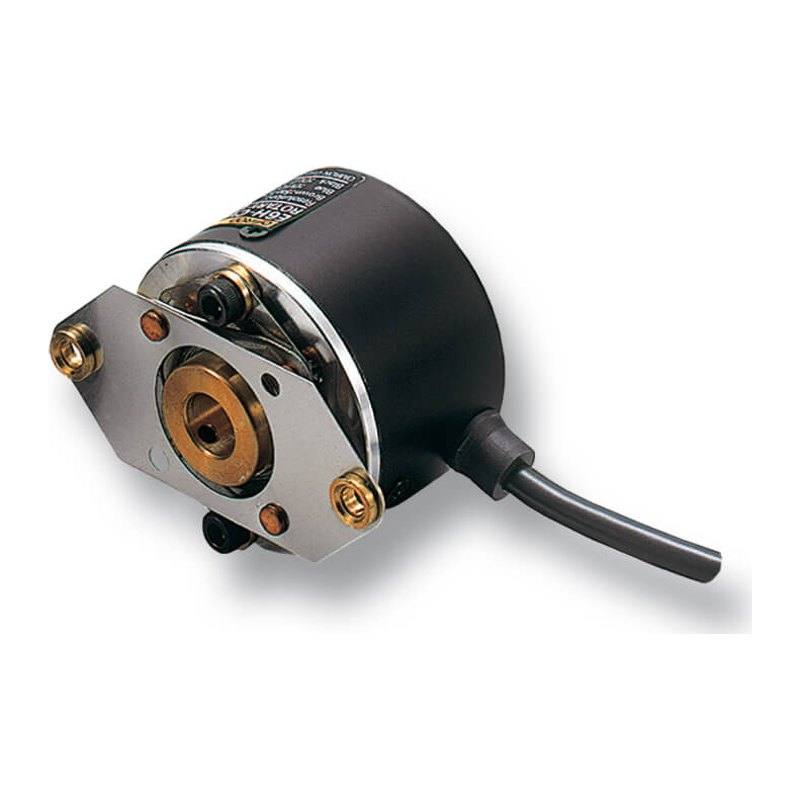
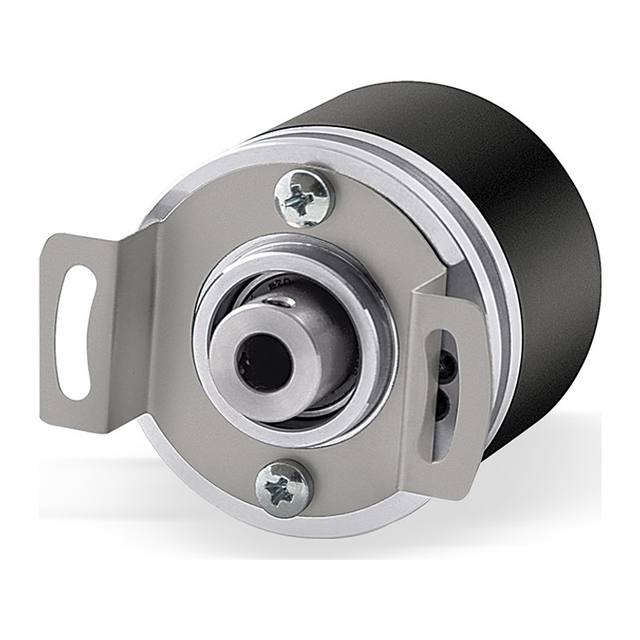
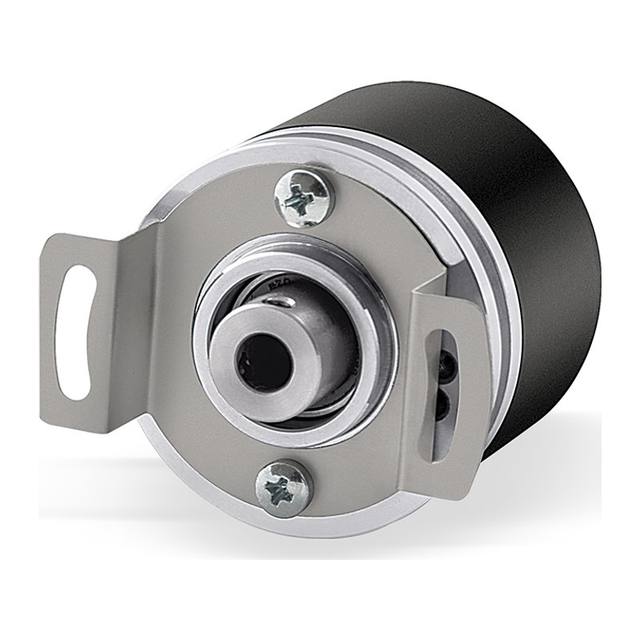
The Omron E6H-C is a hollow-shaft incremental rotary encoder with a 40 mm housing diameter. Resolution runs from 300 to 3600 PPR in 15 versions: 300, 360, 500, 600, 720, 800, 1000, 1024, 1200, 1500, 1800, 2000, 2048, 2500 and 3600. This wide choice allows the pulse count per revolution to be matched to the shaft or roller being followed.
Output and supply voltage are set by the order code. The three order codes are 5 to 24 VDC with open collector output, 5 to 12 VDC with voltage output, and 5 to 12 VDC with line drive output (line-driver RS-422 in the technical summary), and each code covers all 15 resolutions, so resolution and output type are selected together when ordering. Omron's description reads: 'Wide operating voltage range from 5 to 24 VDC. Line drive output available (100 m max.).'
As a hollow-shaft encoder it is mounted onto the shaft it monitors. In a machine-vision cell an incremental encoder has a general role: its pulse train is counted by a controller to pace line-scan acquisition to conveyor motion or to track product position, and a higher PPR gives finer position increments per revolution. The output type has to match the receiving electronics, since open collector, voltage and line drive (RS-422) signals place different requirements on the input stage.
Best for
Line-scan pacing from a conveyor roller or drive shaft, where a high PPR such as 2048, 2500 or 3600 gives fine position steps per revolution
Conveyor or roller position tracking in inspection lines using the incremental pulse train
Receivers that use the line drive (RS-422) output, which Omron describes as available at 100 m max.
Machines with a 5 to 12 VDC supply, covered by the voltage output and line drive output versions
Shafts where a hollow-shaft mounting is preferred
Selection notes
Pick the resolution from the 15 values (300 to 3600 PPR) for the roller or shaft being followed.
Choose the output together with the supply: open collector is ordered with 5 to 24 VDC, while voltage output and line drive output are ordered with 5 to 12 VDC.
Confirm that the receiving counter, PLC or trigger input accepts open collector, voltage or line drive (RS-422) signals as ordered.
Plan the mechanical fit for a hollow shaft and a 40 mm housing diameter.
Omron describes the line drive output as 'available (100 m max.)'; check in the Omron datasheet how that figure applies to your cable run before specifying long runs.
Open collector output; Voltage output; Line drive output
This product groups every purchasable order code that shares the same sensing method, range and output. Cable length, connector type and operation mode (Light-ON/Dark-ON, NO/NC) vary by order code below.
Family variants with highlighted differences
Model
Availability
300, 360, 500, 600, 720, 800, 1,000, 1,024, 1,200, 1,500, 1,800, 2,000, 2,048, 2,500, 3,600 PPR, 5 to 24 VDC, Open collector output Base
These steps take an Omron Sentech (STC) camera from the box to a stable first image and on to your own application. They apply across the GigE Vision, USB3 Vision and CoaXPress STC families; the interface only changes how you cable and power the camera.
Download and install the Sentech SDK on the host PC. The package provides StViewer, the viewing and configuration software you use to bring the camera up, and StApi, the programming SDK you integrate later. Because the cameras are GenICam/GenTL-compliant, StApi also registers a GenTL producer, so any GenICam-compliant third-party vision software can discover and drive the camera as an alternative front end.
2. Cable, power and connect the camera
Connect according to the interface. GigE Vision: link to a Gigabit NIC (use PoE or the separate power input) and put the camera and host on the same subnet; for USB3 Vision use a USB 3.x port and a certified cable; for CoaXPress (STC) connect to a CoaXPress frame grabber, which also supplies Power-over-Coax. Then open StViewer and let it enumerate the camera. If a GigE camera does not appear, check the IP configuration and firewall, and on USB3 confirm the host bandwidth and driver.
3. Configure exposure, gain and white balance
Open the device in StViewer and start a live stream. Set exposure and gain for a well-exposed, low-noise image: raise exposure first and only add gain when more light or a faster shutter is not an option, keeping exposure short enough to freeze motion on global-shutter models. On colour cameras, run white balance under your actual production lighting. Adjust the lens aperture and focus on a representative target before tuning anything else.
4. Set the trigger and grab a first image
Start in free-run (continuous) acquisition to confirm a clean, stable image. For inline inspection switch to hardware or software triggering: select the trigger source, set the active edge and any delay, and wire the strobe or illumination to the camera's I/O so lighting fires with each exposure. Acquire and save a frame in StViewer; this saved image is your reference for the SDK stage and for downstream inspection.
5. Move to the StApi SDK (or any GenICam software)
Once the image is stable, reproduce the same settings in code. Use StApi to open the device, apply the GenICam features you validated in StViewer (exposure, gain, trigger, pixel format) and grab frames into your application via the bundled C++, C, C#/.NET or Python interfaces; the included samples are the fastest starting point. Prefer a different stack? The same GenICam/GenTL camera works with third-party vision libraries. With a reliable feed, you can route it into a deep-learning inspection such as Rosepetal for AI-based defect detection.
Frequently asked questions
It offers 300 to 3600 PPR in 15 resolutions: 300, 360, 500, 600, 720, 800, 1000, 1024, 1200, 1500, 1800, 2000, 2048, 2500 and 3600.
Open collector, voltage and line drive outputs. The order codes pair open collector with 5 to 24 VDC, and voltage output and line drive output with 5 to 12 VDC.
The supply is 5 to 24 VDC or 5 to 12 VDC depending on the output version ordered. Omron's description mentions a wide operating voltage range from 5 to 24 VDC.
The technical summary lists a line-driver (RS-422) output, ordered at 5 to 12 VDC. Omron's description reads: 'Line drive output available (100 m max.)'.
It is a hollow-shaft incremental encoder with a 40 mm housing diameter.