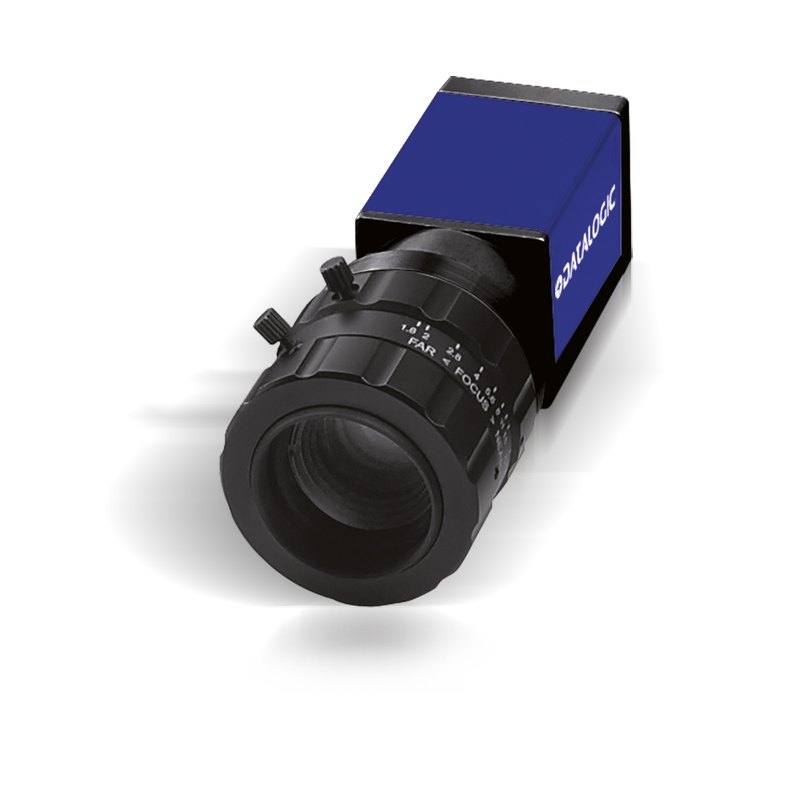
The Datasensing CAM-E182-GE (E182, P/N 959933038) is a Gigabit Ethernet area-scan camera built around a 1/1.8" CMOS sensor delivering 1600x1200-pixel grayscale images at up to 60 frames per second with a global shutter and 4.5 µm square pixels. It uses a C-Mount lens interface and can be powered either by PoE or 12 VDC through its single GigE connection. The compact housing measures 42 x 29 x 29 mm, carries IP30 mechanical protection, and operates from 0 to 50 °C, making it suited to high-speed inspection within Datasensing/Datalogic MX-E vision systems and Impact software.
The CAM-E182-GE pairs a 1/1.8-inch global-shutter CMOS sensor with a 1600 x 1200 (1.9 MP) monochrome array, and that combination defines its niche. The global shutter freezes the entire frame in a single instant, so parts moving on a conveyor or indexing past the camera are captured without the skew and smear a rolling shutter would introduce. At 60 frames per second the sensor can keep pace with reasonably fast lines, and the 1.9 MP resolution is enough to resolve defects, printed characters, or 2D codes across a small-to-medium field of view without pushing into the bandwidth and lighting penalties of a higher-megapixel head. The monochrome design means every pixel collects luminance rather than splitting light across a color filter array, which gives better sensitivity and sharper edges for the inspection, OCR/OCV, and code-reading tasks this camera is aimed at.
The 4.5 um square pixels on a 1/1.8-inch format give a moderately sized sensor that is forgiving on optics: standard C-Mount lenses cover it comfortably, and the C-Mount thread makes it easy to swap focal lengths to set the field of view and working distance the application needs. Square pixels keep measurement geometry consistent in both axes, which matters for dimensional checks. With 1600 pixels across the long edge, an installer sizing the optic should work backwards from the smallest feature to resolve, since the per-pixel resolution scales directly with the field of view the chosen lens produces. Because the shutter is global, the camera can be driven by short strobed illumination synchronized to the exposure, which is the standard way to stop motion and stabilize brightness frame to frame.
Connectivity and power are deliberately simple: a single Gigabit Ethernet (1000BASE-T) link carries the image data and runs GigE Vision / GenICam, so the camera is a standard citizen on any GigE Vision software stack, and Power-over-Ethernet means that one cable can deliver both power and data, with a 12 VDC option available where PoE is not. GigE gives long, inexpensive cable runs over standard Ethernet infrastructure, trading the raw throughput of interfaces like CoaXPress or the short-reach simplicity of USB3 for reach and easy integration. The housing is compact at 42 x 29 x 29 mm, carries IP30 mechanical protection, and operates from 0 to 50 C, so it is built for mounting inside enclosed machine frames and cabinets rather than washdown or harsh open-floor environments. The form factor and GigE Vision compliance make it a natural fit inside Datasensing/Datalogic MX-E vision systems running Impact software, while remaining usable with any GenICam-compatible host.
Best for
High-speed defect and surface inspection of parts moving on a conveyor, where the global shutter eliminates motion blur at line speed
Industrial OCR/OCV reading of printed lot codes, dates, and characters on packaging and labels
Traceability and 2D/DPM code reading where monochrome contrast and 1.9 MP resolution resolve module structure
Dimensional measurement of small-to-medium features where the square 4.5 um pixels keep X/Y scaling consistent
Selection notes
Confirm the 1.9 MP (1600 x 1200) resolution covers your smallest feature: with 1600 px across the long axis, choose the C-Mount lens focal length so the field of view gives enough pixels per defect or character.
This is a GigE camera (1000BASE-T) - budget for Gigabit network infrastructure and verify cable run length; for very high data rates, GigE bandwidth caps the achievable throughput versus higher-bandwidth interfaces such as CoaXPress.
Decide power early: PoE lets one cable carry data and power through a PoE switch/injector, otherwise provision 12 VDC. Check that your switch supplies adequate PoE budget.
It is monochrome - if the application depends on distinguishing colors, this sensor cannot, so plan to use wavelength-specific lighting and filters to create contrast instead.
IP30 and 0 to 50 C suit cabinet or enclosed-machine mounting, not washdown or extreme-temperature locations; add an enclosure if the camera faces dust, moisture, or coolant.
Pair the global shutter with a strobed/flash light controller synchronized to a hardware trigger to freeze motion and hold exposure constant frame to frame at 60 FPS.
Specifications: General
Brand
Datalogic / Datasensing
Camera type
Area scan
Specifications: Sensor
Resolution
1.9 MP (1600 x 1200)
Horizontal resolution
1600 px (1600 x 1200)
Mono / color
Monochrome (grayscale)
Shutter
Global shutter
Sensor size
1/1.8" CMOS
Pixel size
4.5 µm (square pixels)
Specifications: Performance
FPS
60 FPS
Specifications: Interface
Interface
GigE (Gigabit Ethernet, 1000BASE-T)
Protocols
GigE Vision / GenICam
Specifications: Optics
Mount
C-Mount
Specifications: Electrical
Power
PoE or 12 VDC
Specifications: Environment
IP rating
IP30
Operating temperature
0 to 50 °C
Specifications: Mechanical
Dimensions
42 x 29 x 29 mm
Applications this camera is commonly selected for. Open one to see the full recommended hardware and approach.
1. Install the IMPACT Software Suite and connect the camera
Install the IMPACT Software Suite on your PC, which provides both the configuration/viewer tools and the SDK. For a GigE Vision model (E100, M or U series), connect it to a dedicated NIC and, for USB3 models, use a certified USB3 cable and port. Power the camera and confirm it enumerates.
2. Bring the camera online and verify the link
For GigE Vision, put the camera and the host NIC on the same subnet (a static IP on the camera matching the NIC range is the most reliable starting point); for USB3, confirm the device is recognized. Open the IMPACT viewer/device tool, discover the camera, and verify a stable connection before streaming. Enabling jumbo frames on the NIC helps GigE throughput.
3. Set exposure, gain and trigger, then grab a first image
In the IMPACT tools, start a live stream and adjust exposure and gain until the image is well-lit without saturation; set white balance on color models. Begin in free-run (continuous) mode to confirm imaging, then switch to hardware or software trigger as your application requires. Capture and save a reference image once the scene looks correct.
4. Build a vision tool or move to the SDK/API
Use the IMPACT point-and-click vision tools to assemble an inspection, or use the IMPACT SDK to access the camera and results programmatically and feed them into your HMI/PLC application. As these are GenICam/GenTL-compliant devices, you can alternatively drive them from any GenICam-compliant third-party vision library if your pipeline standardizes on one.
5. Route the stable feed to deep-learning inspection (optional)
Once you have a stable, repeatable image, the feed can be sent to a deep-learning inspection platform such as Rosepetal for defect detection or classification tasks that go beyond rule-based tooling. Keep lighting, optics and trigger timing fixed so the images reaching the model stay consistent.
Frequently asked questions
It uses a 1/1.8-inch monochrome CMOS sensor with a global shutter, delivering 1600 x 1200 pixels (1.9 MP) at up to 60 frames per second, with 4.5 um square pixels.
It connects over a single Gigabit Ethernet (1000BASE-T) link running GigE Vision / GenICam, and it can be powered either by Power-over-Ethernet (PoE) on that same cable or by 12 VDC.
The camera has a C-Mount lens interface, so standard C-Mount lenses can be fitted and swapped to set the field of view and working distance.
It is a monochrome (grayscale) camera with a global shutter, which captures the entire frame at once to freeze fast-moving parts without motion distortion.
It carries IP30 mechanical protection and operates from 0 to 50 C in a compact 42 x 29 x 29 mm housing, so it is intended for enclosed machine frames and cabinets rather than washdown or extreme-temperature use; an external enclosure is needed for dusty or wet locations.
Because it is GigE Vision / GenICam compliant it works with standard GigE Vision software stacks, and it is suited to Datasensing/Datalogic MX-E vision systems running Impact software.