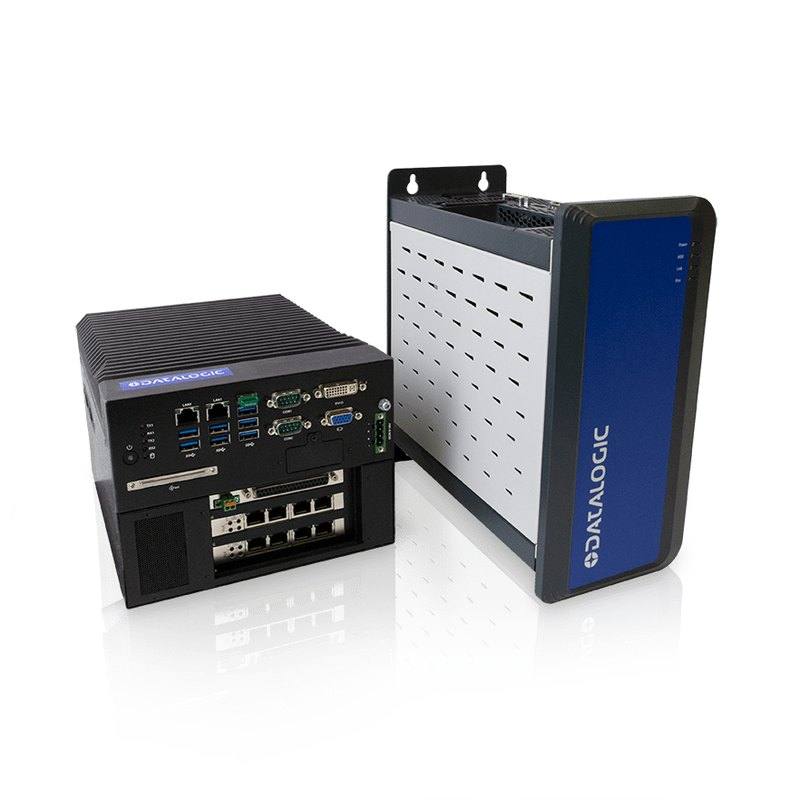
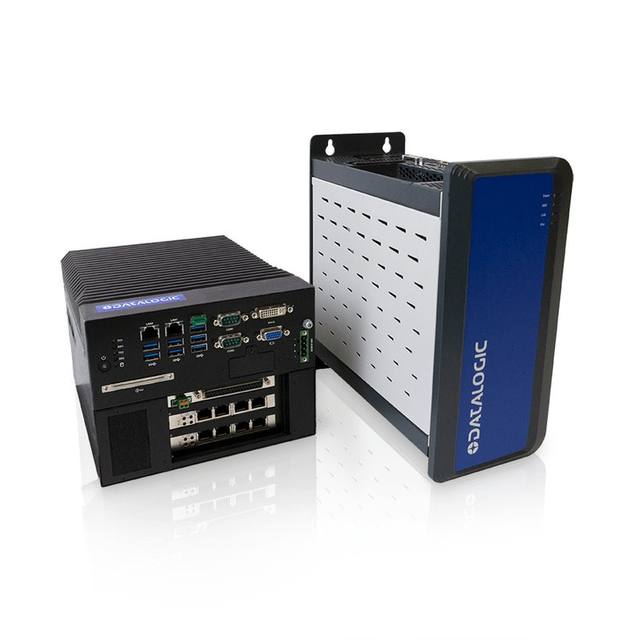
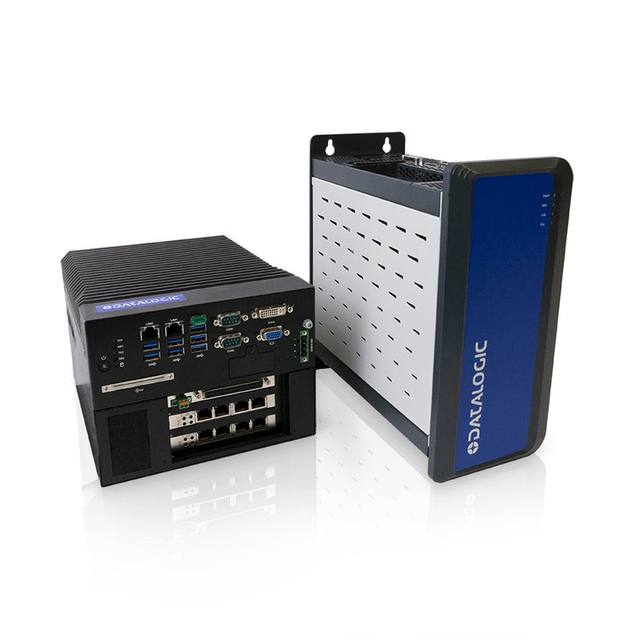
Datalogic MX-E45-2 — MX-E Series mid-range vision processor: Intel Celeron 2.4 GHz - dual core, 8 GB system memory, 128 GB storage; 2 × 1000 Mbps Base-T PoE camera ports (PoE camera ports, up to 7 W per channel); 16 IN / 16 OUT, PNP or NPN (per order code), 200 µs response time; 2x LAN ports - 10/100/1000 Mbps Base-T; EtherNet/IP, Profinet, Modbus TCP and OPC; 1x RS-232 serial port; 16 IN / 16 OUT digital I/O; Windows 10 IoT Enterprise LTSC 2021; 24 ± 25% VDC; IP20. 2 order codes.
Brand
Datalogic
On-board processing
Intel Celeron 2.4 GHz - dual core
On-board memory
8 GB system memory
Storage
128 GB
Camera ports
2 × 1000 Mbps Base-T PoE camera ports
Interface
GigE (1000 Mbps Base-T) camera ports with PoE
Trigger / GPIO
16 IN / 16 OUT, PNP or NPN (per order code), 200 µs response time
Communication
2x LAN ports - 10/100/1000 Mbps Base-T; EtherNet/IP, Profinet, Modbus TCP and OPC; 1x RS-232 serial port; 16 IN / 16 OUT digital I/O
Operating systems
Windows 10 IoT Enterprise LTSC 2021
Software / API
Configured with Datalogic IMPACT software (advanced algorithms); IMPACT Vision SDK
Housing, ports and I/O match the MX-E25-2; the difference is the Celeron at 2.4 GHz instead of 1.7 GHz, still dual-core with 8 GB of memory and 128 GB of storage. Clock speed alone does not decide inspection time, so treat this as the smaller step up when the entry model overruns the machine cycle by a little, and benchmark your tools on both. When the overrun is large, MX-E90-2 (quad-core Core i7-7700T, 32 GB) is the next step.
Two cameras at link speed (typically about 110 MB/s each for GigE) put about 2 × 110 = 220 MB/s on a dual-core CPU that also runs the inspection, so capture frames on a trigger instead of free-running both cameras. A 5 Mpix camera limit is specified for MX-E25-2; if you plan cameras above 5 Mpix on this model, confirm support before ordering.
Best for
Two-camera inspections where the entry processor is too slow, such as a front and a back view of the same part triggered together.
Stations with a local operator screen: DisplayPort and DVI outputs at 1920 × 1200 allow a direct display.
Cells that mix vision and discrete control, with 16 inputs and 16 outputs at 200 µs response and Modbus TCP, OPC, EtherNet/IP or Profinet toward the line.
Selection notes
Measure the tool chain on actual images before choosing between 1.7 GHz and 2.4 GHz: the faster clock pays off only if processing, not the camera or the trigger, is the bottleneck.
If two cameras are not enough, MX-E45-4 keeps the same processor with four ports; if the processor is the limit, MX-E90-2 has a quad-core Core i7-7700T and 32 GB.
I/O polarity is fixed by the order code (PNP or NPN), so match it to the PLC before ordering.
Each camera port supplies up to 7 W, so check each camera's PoE class and draw against that.
Specifications: General
Brand
Datalogic
Specifications: Performance
On-board processing
Intel Celeron 2.4 GHz - dual core
On-board memory
8 GB system memory
Storage
128 GB
Specifications: Interface
Camera ports
2 × 1000 Mbps Base-T PoE camera ports
Interface
GigE (1000 Mbps Base-T) camera ports with PoE
Trigger / GPIO
16 IN / 16 OUT, PNP or NPN (per order code), 200 µs response time
Communication
2x LAN ports - 10/100/1000 Mbps Base-T; EtherNet/IP, Profinet, Modbus TCP and OPC; 1x RS-232 serial port; 16 IN / 16 OUT digital I/O
Specifications: Electrical
Power over cable (PoE / PoCXP / PoCL)
PoE camera ports, up to 7 W per channel
Supply voltage
24 ± 25% VDC
Specifications: Environment
IP rating
IP20
Specifications: Software
Operating systems
Windows 10 IoT Enterprise LTSC 2021
Software / API
Configured with Datalogic IMPACT software (advanced algorithms); IMPACT Vision SDK
Specifications: Mechanical
Dimensions
270 (H) x 130 (W) x 255 (D) mm / 10.6 (H) x 5.1 (W) x 10 (D) in.
This product groups every purchasable order code that shares the same sensing method, range and output. Cable length, connector type and operation mode (Light-ON/Dark-ON, NO/NC) vary by order code below.
Family variants with highlighted differences
Model
Camera ports
Trigger / GPIO ●
Availability
Vision Processor, MX-E45, 2 ports, PNP, WIN10 Base
1. Install the IMPACT Software Suite and connect the camera
Install the IMPACT Software Suite on your PC, which provides both the configuration/viewer tools and the SDK. For a GigE Vision model (E100, M or U series), connect it to a dedicated NIC and, for USB3 models, use a certified USB3 cable and port. Power the camera and confirm it enumerates.
2. Bring the camera online and verify the link
For GigE Vision, put the camera and the host NIC on the same subnet (a static IP on the camera matching the NIC range is the most reliable starting point); for USB3, confirm the device is recognized. Open the IMPACT viewer/device tool, discover the camera, and verify a stable connection before streaming. Enabling jumbo frames on the NIC helps GigE throughput.
3. Set exposure, gain and trigger, then grab a first image
In the IMPACT tools, start a live stream and adjust exposure and gain until the image is well-lit without saturation; set white balance on color models. Begin in free-run (continuous) mode to confirm imaging, then switch to hardware or software trigger as your application requires. Capture and save a reference image once the scene looks correct.
4. Build a vision tool or move to the SDK/API
Use the IMPACT point-and-click vision tools to assemble an inspection, or use the IMPACT SDK to access the camera and results programmatically and feed them into your HMI/PLC application. As these are GenICam/GenTL-compliant devices, you can alternatively drive them from any GenICam-compliant third-party vision library if your pipeline standardizes on one.
5. Route the stable feed to deep-learning inspection (optional)
Once you have a stable, repeatable image, the feed can be sent to a deep-learning inspection platform such as Rosepetal for defect detection or classification tasks that go beyond rule-based tooling. Keep lighting, optics and trigger timing fixed so the images reaching the model stay consistent.
Frequently asked questions
The processor: a 2.4 GHz dual-core Celeron instead of 1.7 GHz. Memory, storage, ports, I/O and housing are the same.
A 5 Mpix 8-bit mono frame is about 5 MB (2448 × 2048 = 5.01 MB), so at an example 10 frames per second each camera sends about 50 MB/s. Whether the dual-core Celeron keeps up depends on your tools, so benchmark first.