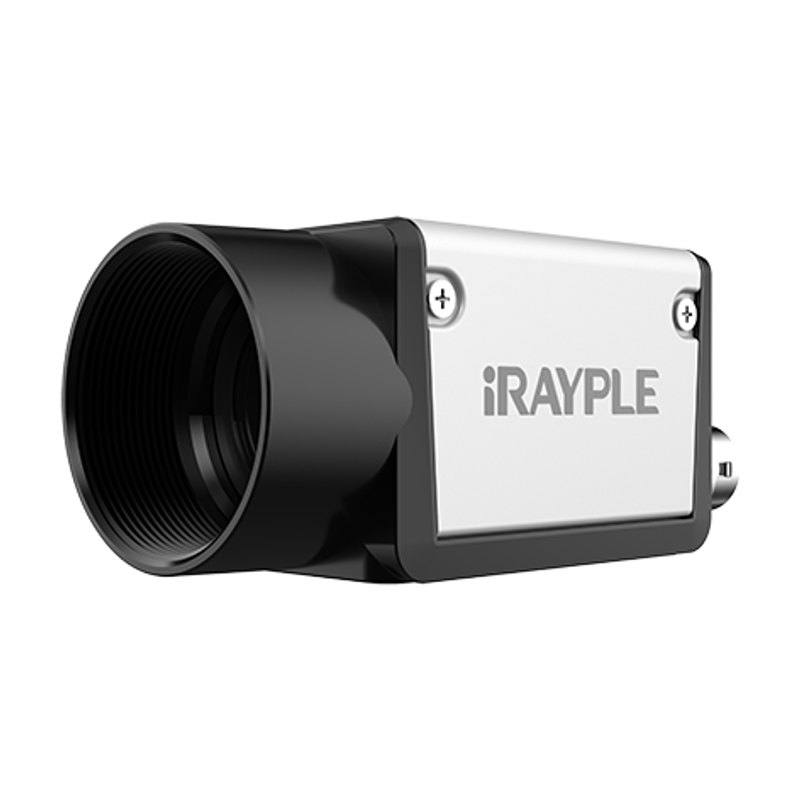
The iRAYPLE A7501 is a 7000-series GigE area-scan camera using a 2/3" onsemi XGS5000 CMOS global-shutter sensor with 2592x2048 resolution (5 MP) and 3.2 µm pixels, running at up to 21 fps over a 1 Gigabit Ethernet (GigE Vision V2.0) interface with up to 100 m transmission. It delivers about 60 dB dynamic range and 38 dB SNR, with exposure from 25 µs to 10 s and 1-32x gain, and includes a 256 MB onboard image buffer for retransmission. Power is supplied via PoE or DC 9-24 V through a Hirose 6-pin connector that also provides opto-isolated I/O and GPIO; the C-mount camera measures 29x29x42 mm and weighs 88 g. Monochrome (A7501MG010E) and color (A7501CG010E) variants are offered.
The iRAYPLE A7501 is a 5 MP (2592 x 2048) area-scan camera built on the onsemi XGS5000, a 2/3-inch CMOS imager with 3.2 µm square pixels and a true global shutter. The global shutter is the headline characteristic: every pixel starts and stops integration simultaneously, so fast-moving parts on a conveyor, indexing turntable, or robot end-effector are captured without the skew or smear that a rolling shutter introduces. At 21 fps full-frame and exposures adjustable from 25 µs to 10 s, the camera spans both freeze-motion inspection (short exposure plus a strobe) and low-light or integration-heavy captures. The 2/3-inch format paired with 3.2 µm pixels gives a sensor diagonal of roughly 11 mm, which sets your lens image-circle requirement and, with the 2592-wide array, your achievable resolution per millimetre of field of view.
Connectivity is 1 Gigabit Ethernet running GigE Vision V2.0 with a GenICam interface, rated for up to 100 m of cable on a single run. That reach is the practical reason to choose GigE over USB3 here: the camera can sit far from the PC or industrial controller without repeaters, and standard managed switches let you aggregate several cameras. Because Gigabit Ethernet bandwidth caps sustained throughput, the quoted 21 fps reflects what the link can carry at full 5 MP resolution; if you need higher frame rates you trade resolution via ROI/binning. A 256 MB onboard image buffer provides packet retransmission and frame buffering, which protects against dropped packets on busy networks and smooths bursty acquisition. The camera reports around 60 dB dynamic range and 38 dB SNR with selectable 1-32x gain, giving headroom to lift signal in darker scenes at the expected cost of noise.
Mechanically and electrically the A7501 is built for a tight, fixed install. It is a C-mount camera (CS-mount optional) in a 29 x 29 x 42 mm body weighing 88 g, drawing about 3.2 W, and powered either over PoE or from DC 9-24 V through a Hirose 6-pin connector that also carries opto-isolated I/O and GPIO. The isolated I/O is what ties the camera into a line: a hardware trigger from an encoder or photoelectric sensor starts each acquisition, and an output line can fire a strobe controller in sync with exposure. PoE means a single Cat-cable delivers both data and power, simplifying cabinet wiring. The -30 to 50 °C operating range and compact footprint suit enclosed inspection stations and machine-mounted positions. The same model line ships as monochrome (A7501MG010E) or color (A7501CG010E); the monochrome variant gives maximum sensitivity and per-pixel detail for measurement and defect work, while the color version is selected when hue or print color must be evaluated.
Best for
Freeze-motion defect and surface inspection of parts moving on conveyors or indexing fixtures, where the global shutter prevents motion distortion at 5 MP
Dimensional measurement and gauging tasks that need the 2592 x 2048 array's pixel density across the field of view for repeatable edge detection
Industrial OCR/OCV and print-quality verification on packaging and labels, using the monochrome variant for contrast or the color variant where ink color matters
Multi-camera inspection cells distributed up to 100 m from the controller, taking advantage of GigE Vision cabling reach and PoE single-cable power
Robot-guidance and pick stations where a compact, machine-mountable C-mount camera must trigger on demand and feed coordinates back to the cell
Selection notes
Confirm the lens covers a 2/3-inch (about 11 mm) image circle and resolves 3.2 µm pixels; a C-mount lens is required (CS-mount optional via spacer), and the lens must support your working distance and field-of-view math at 2592 x 2048
Budget the GigE link: 5 MP at 21 fps is near Gigabit Ethernet's sustained ceiling, so plan ROI, binning, or reduced frame rate if you need higher speed, and use a quality NIC/switch with jumbo frames to hold throughput
Plan triggering and lighting together; use the Hirose 6-pin opto-isolated I/O to take an external trigger and to drive a strobe controller, matching strobe duration to the 25 µs-10 s exposure window for crisp freeze-frame capture
Choose monochrome (A7501MG010E) for maximum sensitivity, measurement and defect detail, or color (A7501CG010E) only when the application must judge hue; the two share body, sensor format and interface
Provision power and thermal margin: roughly 3.2 W via PoE or DC 9-24 V, an 88 g body in a 29 x 29 x 42 mm footprint, and a -30 to 50 °C operating range; verify your switch supplies PoE or run isolated DC if PoE is unavailable
Specifications: General
Brand
iRAYPLE
Camera type
Area scan
Specifications: Sensor
Resolution
5 MP
Horizontal resolution
2592 x 2048 px
Mono / color
Mono (A7501MG010E) / Color (A7501CG010E)
Sensor manufacturer
onsemi
Sensor model
onsemi XGS5000 CMOS
Shutter
Global shutter
Sensor size
2/3 inch
Pixel size
3.2 x 3.2 µm
Specifications: Performance
FPS
21 fps
Specifications: Interface
Interface
GigE (1 Gigabit Ethernet, GigE Vision V2.0)
Protocols
GigE Vision V2.0, GenICam
Specifications: Optics
Mount
C-mount (CS-mount optional)
Specifications: Electrical
Power
PoE or DC 9-24 V via Hirose 6-pin
Power consumption
3.2 W
Specifications: Environment
Operating temperature
-30 to 50 °C
Specifications: Mechanical
Dimensions
29 x 29 x 42 mm
Weight
88 g
Applications this camera is commonly selected for. Open one to see the full recommended hardware and approach.
Matched automatically by: lens mount fits the camera mount · lens image circle covers the camera sensor — this camera: C-mount (CS-mount optional) · 2/3 inch sensor.
By category
All 198C-mount lenses 135Telecentric lenses 60F-mount / large-format lenses 3
By brand
All 198Omron / Sentech 66Basler 59iRAYPLE 48Datalogic / Datasensing 25
Follow these steps to bring up your iRAYPLE camera, capture a first image, and move from the viewer to your own application. The flow is the same across the A, AE, AX and L series; only the physical interface differs.
Download and install the iRAYPLE machine-vision SDK together with its viewer client for your operating system. The installer provides the camera drivers, the GenTL producer, and the viewer you will use for first light. For GigE Vision models, also install or enable the bundled filter/performance driver on the network adapter to maximize throughput.
2. Connect the camera to the correct interface
Wire the camera to its matching host interface: a dedicated Gigabit (or 10 GigE) NIC for GigE Vision models, a USB3 Vision port with a quality cable for USB3 models, or a frame grabber for CoaXPress models. Power the camera (PoE, USB bus power, or PoCXP / external supply as applicable). For GigE Vision, put the NIC and camera on the same subnet and, where supported, enable jumbo frames.
3. Detect and open the camera in the viewer
Launch the iRAYPLE viewer, run device enumeration, and select your camera from the discovered list. Open it to load the device feature tree (GenICam node map). If a GigE camera is found but cannot be opened, correct the IP configuration so the camera and NIC are in the same address range.
4. Set exposure, gain and trigger, then grab a first image
Start with continuous (free-run) acquisition under stable lighting. Adjust exposure time and gain for a well-exposed, low-noise image, set the pixel format (e.g. Mono8 or a Bayer/RGB format), and tune white balance on color models. Once the live image looks correct, switch trigger mode to hardware or software trigger to synchronize capture with your process, and verify a single triggered frame.
5. Move from the viewer to the SDK or a GenICam library
With imaging confirmed, reproduce the same settings in code using the SDK's C/C++ or Python API: enumerate, open, configure the relevant GenICam features, register a frame callback or grab loop, and convert frames to your pipeline's buffer format. Since the cameras are GenICam/GenTL-compliant, you can alternatively drive them from a third-party GenICam vision library. From here a stable image stream can feed a deep-learning inspection step such as Rosepetal for automated quality control.
Frequently asked questions
It uses a true global shutter on the onsemi XGS5000 CMOS sensor, so all pixels are exposed simultaneously and fast-moving objects are captured without skew or smear.
It is a 5 MP camera with a 2592 x 2048 array, running at up to 21 fps full-frame over its 1 Gigabit Ethernet GigE Vision V2.0 interface.
It connects over 1 Gigabit Ethernet (GigE Vision V2.0, GenICam) with up to 100 m cable reach, and is powered either via PoE or DC 9-24 V through a Hirose 6-pin connector that also provides opto-isolated I/O and GPIO.
Both. The A7501MG010E is the monochrome variant and the A7501CG010E is the color variant; they share the same 2/3-inch XGS5000 sensor, body and interface.
It is a C-mount camera (CS-mount optional) with a 2/3-inch sensor and 3.2 µm pixels, so lenses must cover the 2/3-inch image circle and resolve that pixel size.
Yes. The Hirose 6-pin connector provides opto-isolated I/O and GPIO, letting an external sensor or encoder trigger acquisition and an output line fire a strobe controller in sync with the exposure, which is adjustable from 25 µs to 10 s.