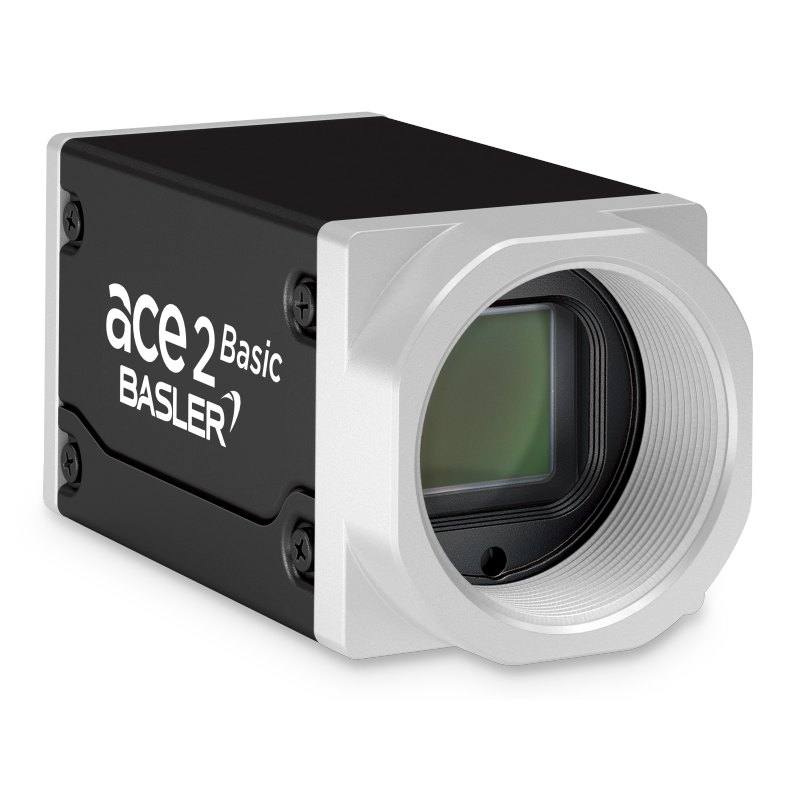
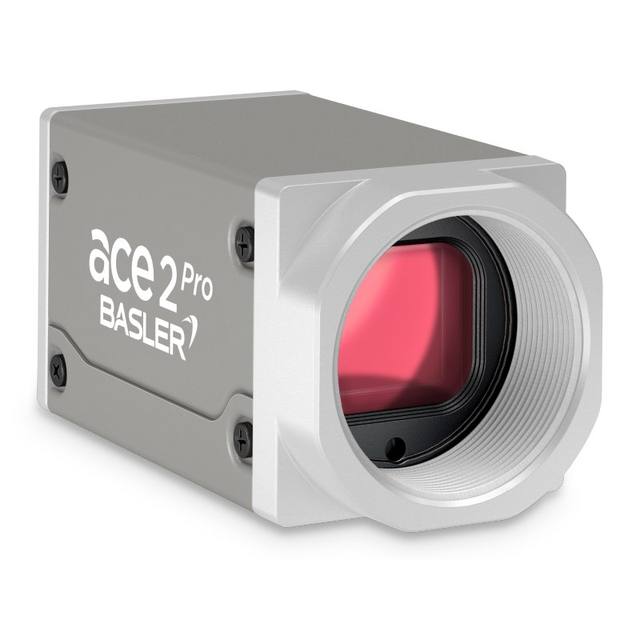
The Basler ace 2 a2A5320-7gm is a GigE area scan camera equipped with the Sony IMX542-AAMJ-C progressive scan CMOS sensor with a 1.1" format and 2.74 µm pixel pitch. It achieves up to 7.3 fps at 16.1 MP (5320x3032 px) resolution with a global shutter mechanism. The camera supports Power over Ethernet (IEEE 802.3af) or 12–24 VDC power, with a C-mount lens interface and IP30 protection rating. It is GenICam and GigE Vision compliant and is offered in BAS, PRO, and IP67 variants.
The Basler ace 2 a2A5320-7gm pairs a Sony IMX542-AAMJ-C Pregius S progressive scan CMOS sensor with a 1.1" optical format (14.58 mm × 8.31 mm active area) to deliver 16.1 MP at 5320 × 3032 pixels over a standard GigE interface at up to 7.3 fps. The 2.74 µm pixel pitch is among the finest available in the Pregius S generation, enabling fine spatial sampling across the full 1.1" image circle without sacrificing the global shutter mechanism — every pixel integrates simultaneously, so moving parts, conveyor-borne components, or strobe-lit scenes produce zero geometric distortion from rolling-readout skew. At 7.3 fps the 1 Gbit/s GigE link is the binding throughput constraint, meaning the sensor is well-suited to moderate-speed lines where inspection cycle times are measured in hundreds of milliseconds rather than tens.
For installers, the 1.1" sensor format is the first lens-selection decision point. C-mount glass designed for 1.1" or larger image circles is required to avoid vignetting at the corners of the 16.78 mm diagonal; many standard 2/3" C-mount lenses will not adequately cover this sensor. Power over Ethernet (IEEE 802.3af) eliminates the need for a separate 12–24 VDC supply run to the camera head, simplifying cable management in multi-camera fixtures where GigE switches already power the network segment. The camera draws only 4.3 W, well within the 15.4 W PoE class 0 budget. The compact 55.5 × 29 × 29 mm body and 105 g mass make it straightforward to mount on articulated arms, gantry rails, or inside enclosures with limited depth. The standard BAS and PRO variants carry IP30 protection, suitable for clean rooms and light-industrial environments; an IP65/67 variant is available for washdown or dusty applications.
Trigger and lighting pairing follow directly from the global shutter and 7.3 fps frame rate. Because all pixels expose simultaneously, strobe flash durations as short as the sensor's minimum exposure time can freeze motion without distortion — a strobe controller synchronized to the camera's trigger output via the GigE Vision trigger interface is the preferred configuration. Diffuse dome, coaxial, or ring illumination all work well with the monochrome sensor; the absence of a Bayer mosaic means every pixel captures luminance data, giving roughly 1.4× the effective spatial resolution compared to an equivalent color sensor. GigE Vision and GenICam compliance guarantees driver-agnostic integration with any compliant frame grabber SDK or third-party vision software, removing vendor lock-in at the software layer.
Best for
High-resolution surface inspection of flat parts — PCBs, display panels, metal stampings — where the 5320 × 3032 pixel array captures a wide field of view without sacrificing defect detectability at the pixel level.
Dimensional gauging on production lines where parts are presented by conveyor or robot: the global shutter eliminates measurement errors caused by part motion during exposure, and 16.1 MP provides the sampling density needed to resolve small geometric features across large fields.
Pharmaceutical and medical-device label inspection and OCR/OCV, where character heights are small relative to the label area and a single high-resolution frame must cover the entire label without stitching.
Semiconductor and electronics traceability — reading Data Matrix or QR codes directly marked on substrates, wafers, or component bodies where small symbol size demands high pixel density.
Packaging print and completeness verification on moderate-speed lines (up to ~7 cycles per second) where each station can present one pack per camera trigger.
Selection notes
Lens coverage: the 1.1" (16.78 mm diagonal) sensor requires lenses rated for at least 1.1" image circle on a C-mount. Verify the lens datasheet explicitly lists 1.1" coverage; lenses specified only to 2/3" will not adequately illuminate the full sensor area and will produce visible corner fall-off and resolution loss.
Throughput ceiling: at maximum resolution the GigE link caps throughput at approximately 7.3 fps. If your application requires higher frame rates, consider using GigE region-of-interest (ROI) cropping to reduce pixel count and increase fps, or evaluate a camera with a 10 GigE or USB3 Vision interface instead.
PoE switch budget: the camera consumes 4.3 W under PoE (IEEE 802.3af). Confirm your managed switch provides sufficient per-port PoE power budget, particularly in multi-camera fixtures drawing from a single switch.
Environmental variant selection: the standard BAS/PRO body is rated IP30 and is appropriate for enclosed, clean environments. For washdown zones, condensing humidity, or heavy particulate, specify the IP65/67 variant explicitly — it is a different SKU and not a field-upgrade.
Pixel size and lighting intensity: the 2.74 µm pixel pitch collects less light per pixel than larger-pitch sensors. High-intensity, well-collimated illumination and appropriately fast lenses (f/2.8 or faster) will be needed to achieve adequate signal-to-noise at the short exposures required to freeze motion on faster lines.
Matched automatically by: lens mount fits the camera mount · lens image circle covers the camera sensor — this camera: C-mount · 1.1" (14.58 mm × 8.31 mm, 16.78 mm diagonal) sensor.
By category
All 67C-mount lenses 43Telecentric lenses 24
By brand
All 67Basler 34iRAYPLE 23Omron / Sentech 8Datalogic / Datasensing 2
Get a first image quickly with the pylon Viewer, then move into the pylon SDK for your application. These cameras are GenICam/GenTL-compliant, so any compliant vision software can drive them as well.
Download and install the pylon Camera Software Suite for your OS from Basler. This provides the pylon Viewer, the GenTL transport-layer producers and the pylon SDK (C/C++/.NET/Python). On Windows the installer adds the needed drivers; on Linux follow the included setup notes for USB and network permissions.
2. Connect the camera and check the link
Cable the camera to its matching interface: GigE Vision to a GigE port (use a quality cable and, ideally, a dedicated NIC with jumbo frames enabled), USB3 Vision to a USB 3.x port with the supplied cable, or CoaXPress to the frame grabber. Provide power where required (PoE, USB bus power, or PoCXP). Open the pylon Viewer and confirm the camera appears in the device list; for GigE, make sure the camera and NIC are on the same subnet.
3. Grab a first image and set exposure, gain and pixel format
Select the camera in the pylon Viewer and start a continuous grab. Adjust exposure time and gain until the image is well exposed (avoid clipped highlights), set the pixel format (e.g. Mono8 or a Bayer/RGB format), and focus the lens. Use a test pattern if the lens or scene is not ready yet.
4. Configure triggering and acquisition
Decide between free-run and triggered acquisition. For synchronized capture, set the trigger source (software or a hardware line on the I/O connector), trigger mode and any debounce or exposure mode, then verify timing. Note the parameter names you change in the Viewer feature tree, as you will reuse them in code.
5. Move to the SDK or a GenICam-compliant library
Recreate your settings in code with the pylon SDK (C, C++, .NET or Python) to open the device, apply the same features and pull frames into your pipeline; pylon vTools and pylon AI can add processing blocks. Because the cameras are GenICam/GenTL standard, third-party vision libraries work too. Once the image stream is stable, you can route frames to a deep-learning inspection such as Rosepetal for automated defect detection.
Frequently asked questions
The camera delivers up to 7.3 fps at full 5320 × 3032 resolution over GigE. The GigE (1 Gbit/s) interface is the throughput bottleneck at full resolution. Frame rate can be increased by defining a smaller region of interest (ROI), which reduces the pixel payload per frame; the sensor and readout electronics support faster readout when fewer lines are active.
No. The camera supports Power over Ethernet conforming to IEEE 802.3af, so a PoE-capable GigE switch or PoE injector is sufficient. A separate 12–24 VDC supply is also supported if PoE infrastructure is not available. Total power draw is 4.3 W.
The Sony IMX542 uses a global shutter, meaning all pixels begin and end their exposure at exactly the same instant. This prevents the geometric distortion ('wobble' or 'skew') that rolling-shutter sensors produce when imaging moving objects. For dimensional measurement and code reading on conveyors, global shutter is essential for accurate results.
The camera uses a standard C-mount with a 1.1" sensor (14.58 mm × 8.31 mm, 16.78 mm diagonal). Any C-mount lens specified for 1.1" or larger image circle coverage will work. Lenses rated only to 2/3" or smaller will not illuminate the full sensor area and will produce dark or blurred corners.
Yes. The a2A5320-7gm is GigE Vision and GenICam compliant, which are the industry-standard protocols for camera control and image acquisition. It is compatible with any GigE Vision-compliant SDK or frame grabber software, including Basler's own pylon, as well as Cognex VisionPro, Halcon, NI Vision, and similar platforms without requiring proprietary drivers.