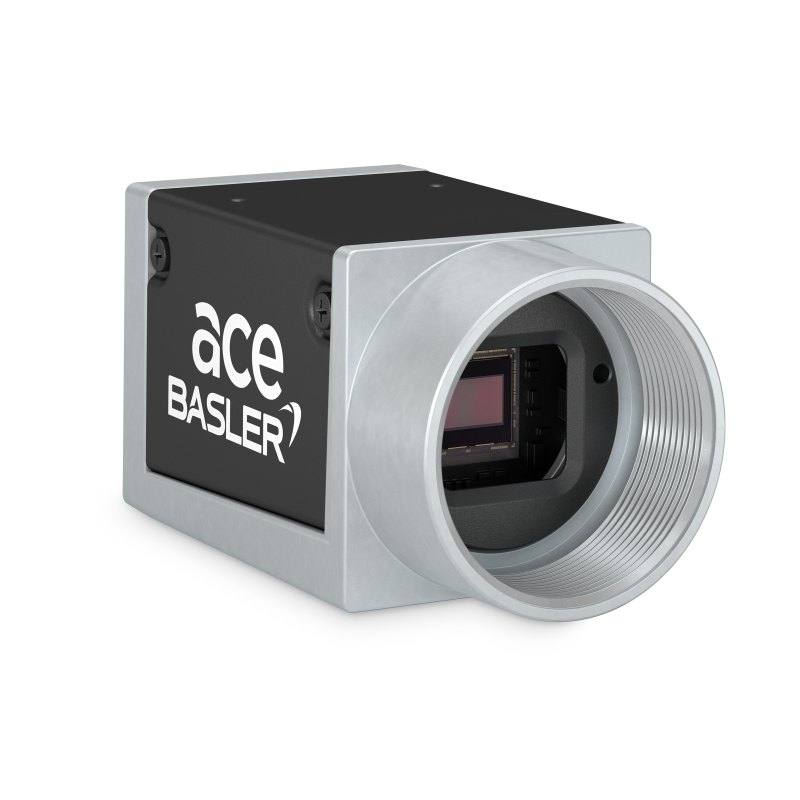
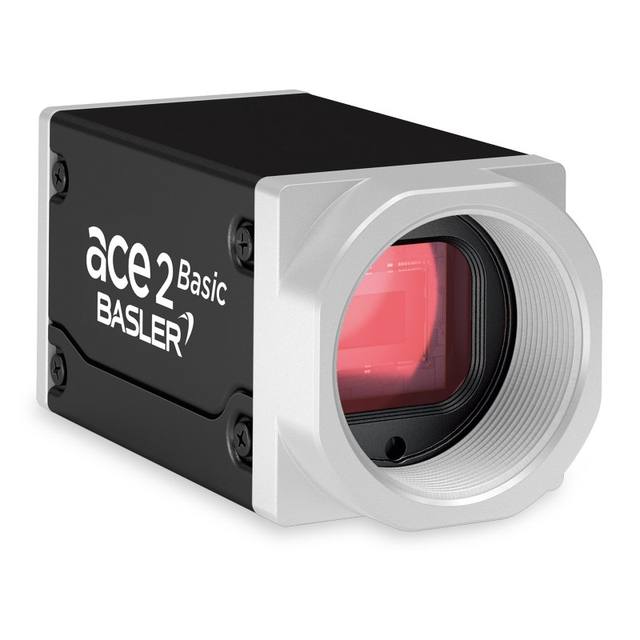
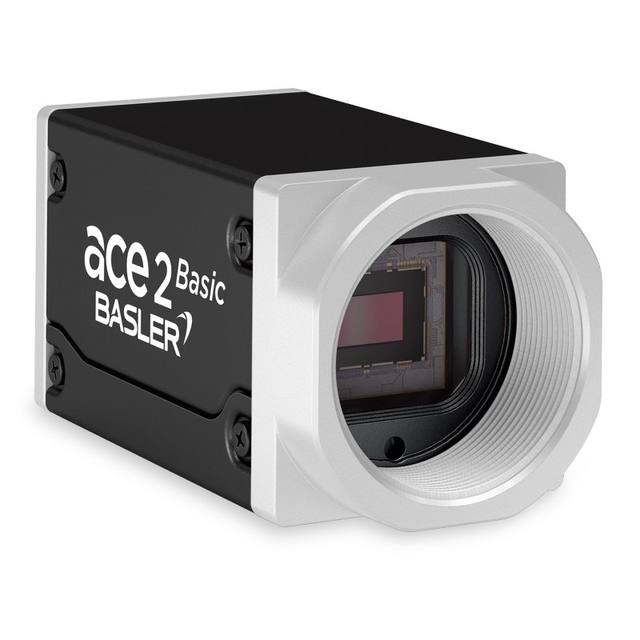
The Basler ace acA1920-50gm/gc uses a 1/1.2" Sony IMX174 global shutter CMOS sensor (2.3 MP, 1920 x 1200 px, 5.86 µm pixels) and streams at 50 fps over a Gigabit Ethernet (GigE) interface. It is GigE Vision and GenICam compliant and can be powered via PoE (IEEE 802.3af) or 12-24 VDC through the Hirose HR10A 6-pin I/O connector. The C-mount housing measures 42 x 29 x 29 mm, weighs about 90 g and is rated IP30 for an operating range of 0-50 °C. The gm is monochrome while the gc is the color variant (IMX174LQJ-C) with an integrated IR-cut filter.
The Basler ace acA1920-50gm/gc is a 2.3 MP area scan camera built around the 1/1.2-inch Sony IMX174 global shutter CMOS sensor, delivering 1920 x 1200 px at 50 fps over a standard Gigabit Ethernet (GigE) link. The global shutter is the defining feature here: every pixel is exposed simultaneously, so fast-moving parts on a conveyor, a turning index table, or robot-mounted (eye-in-hand) views are captured without the skew and smear that a rolling shutter introduces. Paired with a 5.86 um pixel on a comparatively large 1/1.2-inch optical format (13.4 mm diagonal, 11.33 x 7.13 mm active area), this sensor is known for strong sensitivity and low noise, which means an installer can hold shorter exposures and freeze motion while still getting a clean image. At 50 fps full-frame, it gives real headroom for line-rate inspection, multi-shot averaging, or settling-time margin in a robot-guidance cell.
The GigE interface is the practical backbone of the design. A 1000 Mbit/s Ethernet link runs to 100 m on a single cable without repeaters, which makes it easy to place the camera far from the controller or PC and to fan multiple cameras into a switch. The camera is GigE Vision and GenICam compliant, so it drops into mainstream vision software (Basler pylon and any GenICam-conformant SDK or library) with standard feature naming. Powering is flexible: it accepts PoE (IEEE 802.3af) so a single Ethernet cable carries both data and power, or 12-24 VDC plus opto-isolated I/O through the Hirose HR10A 6-pin connector when you need hardware trigger and strobe lines. Typical consumption is about 2.8 W. For an integrator, the takeaway is one-cable PoE installs for clean cable runs, or the Hirose I/O route when you must hard-trigger the camera from an encoder, PLC, or a part-present sensor and synchronize a strobe.
Optically and mechanically the camera is a compact, standard-mount building block. It uses a C-mount and ships in a 42 x 29 x 29 mm housing at about 90 g, so it fits the small footprints typical of cobot wrists and tight inspection stations. The 1/1.2-inch format must be respected when choosing a lens, the lens image circle has to cover that sensor size to avoid vignetting, and field of view follows from lens focal length and working distance against the 11.33 x 7.13 mm active area. The two variants share the IMX174 sensor: the gm is true monochrome (IMX174LLJ-C) for maximum resolution and contrast under controlled lighting, while the gc is color (IMX174LQJ-C) with an integrated IR-cut filter for natural color rendition. The housing is rated IP30 over a 0-50 C operating range, which is appropriate for clean indoor enclosures and machine cabinets rather than washdown or outdoor exposure.
Best for
Defect and surface inspection of moving parts on a conveyor or index table, where the global shutter freezes motion at 50 fps without distortion
Dimensional measurement and gauging where the 1920 x 1200 global-shutter frame and 5.86 um pixels give geometrically faithful images for metrology
Industrial OCR/OCV reading of printed codes, dates, and characters on packaging and electronics under controlled lighting
Robot and cobot guidance (eye-in-hand) thanks to the compact 42 x 29 x 29 mm, ~90 g C-mount body and single-cable PoE powering
Multi-camera GigE inspection stations where 100 m cable reach and switch fan-out simplify placing several cameras around a cell
Selection notes
Choose gm (mono) for maximum effective resolution and edge contrast in measurement and defect work, or gc (color) with its integrated IR-cut filter when color is the discriminating feature; both share the same IMX174 sensor and 50 fps performance
Match the lens to the 1/1.2-inch format (13.4 mm diagonal): the lens image circle must cover the sensor to avoid vignetting, and you size field of view from focal length and working distance against the 11.33 x 7.13 mm active area
Decide the power and trigger path early: PoE (802.3af) gives a clean single-cable install, but if you need hardware trigger and strobe sync from an encoder, PLC, or part-present sensor, wire 12-24 VDC and the I/O through the Hirose HR10A 6-pin connector
Budget GigE bandwidth: 2.3 MP at 50 fps fits a single 1000 Mbit/s link, but plan switch capacity and packet-size (jumbo frame) settings when several of these cameras share infrastructure
Respect the environment rating: IP30 and a 0-50 C operating range suit clean cabinets and indoor stations, so add an enclosure or cooling for dusty, wet, or hot locations
Specifications: General
Brand
Basler
Camera type
Area scan
Specifications: Sensor
Resolution
2.3 MP
Horizontal resolution
1920 x 1200 px (default); 1936 x 1216 px full
Mono / color
Mono (gm) / Color (gc)
Sensor manufacturer
Sony (IMX174)
Sensor model
Sony IMX174 (gm: IMX174LLJ-C / gc: IMX174LQJ-C)
Shutter
Global shutter
Sensor size
1/1.2" (13.4 mm diagonal, 11.33 x 7.13 mm)
Pixel size
5.86 x 5.86 µm
Specifications: Performance
FPS
50 fps
Specifications: Interface
Interface
GigE (Gigabit Ethernet, 1000 Mbit/s)
Protocols
GigE Vision, GenICam
Specifications: Optics
Mount
C-mount
Specifications: Electrical
Power
PoE (IEEE 802.3af) or 12-24 VDC
Power consumption
2.8 W
Specifications: Environment
IP rating
IP30
Operating temperature
0 - 50 °C
Specifications: Mechanical
Dimensions
42.0 x 29 x 29 mm
Weight
90 g
Applications this camera is commonly selected for. Open one to see the full recommended hardware and approach.
Matched automatically by: lens mount fits the camera mount · lens image circle covers the camera sensor — this camera: C-mount · 1/1.2" (13.4 mm diagonal, 11.33 x 7.13 mm) sensor.
By category
All 90C-mount lenses 66Telecentric lenses 24
By brand
All 90Basler 34iRAYPLE 26Omron / Sentech 24Datalogic / Datasensing 6
Get a first image quickly with the pylon Viewer, then move into the pylon SDK for your application. These cameras are GenICam/GenTL-compliant, so any compliant vision software can drive them as well.
Download and install the pylon Camera Software Suite for your OS from Basler. This provides the pylon Viewer, the GenTL transport-layer producers and the pylon SDK (C/C++/.NET/Python). On Windows the installer adds the needed drivers; on Linux follow the included setup notes for USB and network permissions.
2. Connect the camera and check the link
Cable the camera to its matching interface: GigE Vision to a GigE port (use a quality cable and, ideally, a dedicated NIC with jumbo frames enabled), USB3 Vision to a USB 3.x port with the supplied cable, or CoaXPress to the frame grabber. Provide power where required (PoE, USB bus power, or PoCXP). Open the pylon Viewer and confirm the camera appears in the device list; for GigE, make sure the camera and NIC are on the same subnet.
3. Grab a first image and set exposure, gain and pixel format
Select the camera in the pylon Viewer and start a continuous grab. Adjust exposure time and gain until the image is well exposed (avoid clipped highlights), set the pixel format (e.g. Mono8 or a Bayer/RGB format), and focus the lens. Use a test pattern if the lens or scene is not ready yet.
4. Configure triggering and acquisition
Decide between free-run and triggered acquisition. For synchronized capture, set the trigger source (software or a hardware line on the I/O connector), trigger mode and any debounce or exposure mode, then verify timing. Note the parameter names you change in the Viewer feature tree, as you will reuse them in code.
5. Move to the SDK or a GenICam-compliant library
Recreate your settings in code with the pylon SDK (C, C++, .NET or Python) to open the device, apply the same features and pull frames into your pipeline; pylon vTools and pylon AI can add processing blocks. Because the cameras are GenICam/GenTL standard, third-party vision libraries work too. Once the image stream is stable, you can route frames to a deep-learning inspection such as Rosepetal for automated defect detection.
Frequently asked questions
It uses a global shutter. The Sony IMX174 global shutter CMOS sensor exposes all pixels at once, so fast-moving objects are captured without the skew or smear that rolling shutters produce, which is why it suits conveyor, index-table, and robot-mounted imaging.
The sensor is 2.3 MP, delivering 1920 x 1200 px by default (1936 x 1216 px full) at 50 fps. The 5.86 um pixels sit on a 1/1.2-inch optical format with an 11.33 x 7.13 mm active area.
It connects over Gigabit Ethernet (GigE, 1000 Mbit/s) and is GigE Vision and GenICam compliant. You can power it with PoE (IEEE 802.3af) over the same Ethernet cable, or with 12-24 VDC through the Hirose HR10A 6-pin I/O connector. Typical power consumption is about 2.8 W.
It has a C-mount. Because the sensor is a 1/1.2-inch format (13.4 mm diagonal), choose a lens whose image circle covers that size to avoid vignetting; field of view then depends on the lens focal length and working distance.
Both use the Sony IMX174 sensor at 1920 x 1200 and 50 fps. The gm (IMX174LLJ-C) is monochrome for maximum resolution and contrast under controlled lighting, while the gc (IMX174LQJ-C) is the color variant with an integrated IR-cut filter for natural color rendition.