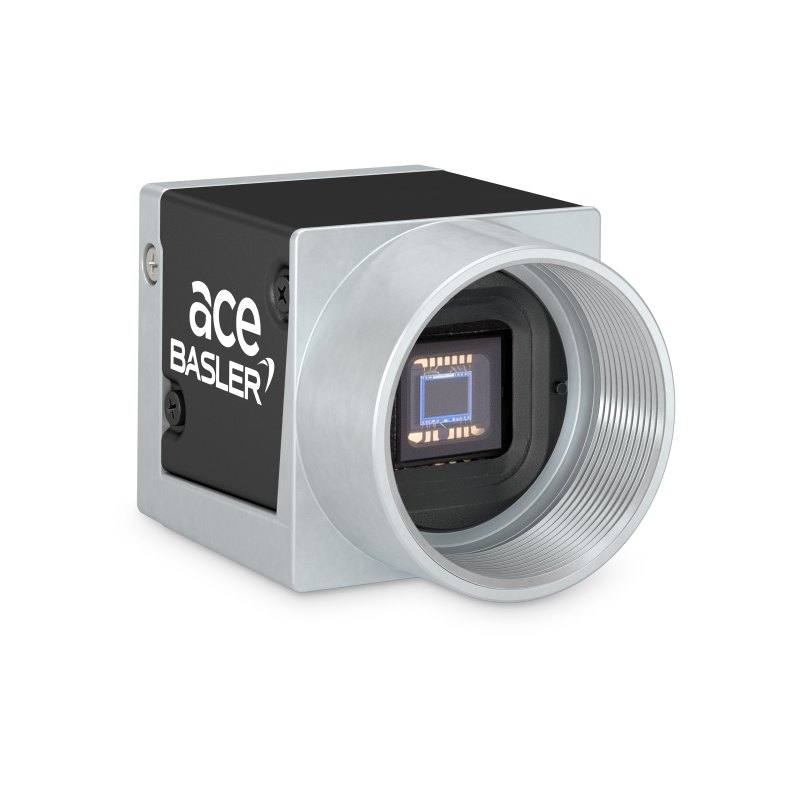
The Basler acA2500-60um (mono) and acA2500-60uc (color) are part of the ace USB 3.0 family, featuring a 1-inch onsemi PYTHON 5000 CMOS sensor with 2590 × 2048 pixel resolution and 4.8 µm square pixels. Both cameras deliver up to 60 fps at full resolution via a USB 3.0 SuperSpeed interface, drawing power directly from the USB cable at approximately 3.5 W. The global shutter architecture enables artifact-free capture of fast-moving objects, and the cameras comply with USB3 Vision and GenICam standards. The compact 29.3 × 29 × 29 mm housing with C-mount lens fitting and IP30 protection rating suits a wide range of industrial machine vision deployments.
The Basler acA2500-60um is built around the onsemi PYTHON 5000 (NOIP1SN5000A), a 1-inch CMOS sensor delivering 2590 × 2048 pixels at a 4.8 × 4.8 µm pixel pitch. That combination produces a 15.86 mm diagonal image circle that fills a standard C-mount optical path without vignetting, and the 4.8 µm pixel size sits in a practical sweet spot: fine enough to resolve detail on small components yet large enough to maintain adequate sensitivity without requiring unusually bright illumination. At full 5 MP resolution the camera sustains 60 fps in fast-readout mode (47 fps in normal mode), which means a conveyor running at moderate speed can still be sampled multiple times per part — useful for inspection tasks where position uncertainty within the field of view must be averaged across frames, or where the frame rate itself gates cycle time.
The global shutter architecture is the specification that most directly determines where this camera is deployable. Every pixel integrates simultaneously, so a part moving at several hundred millimetres per second at the focal plane produces no motion-induced geometric distortion in the captured image — critical for dimensional measurement and barcode reading on live conveyors. The USB 3.0 SuperSpeed interface (5 Gbit/s) carries both image data and camera power (~3.5 W drawn from the cable), which eliminates a separate power supply and simplifies cable routing to a single USB 3.0 cable. Compliance with USB3 Vision and GenICam 2.x standards means the camera integrates into any compliant frame-grabber SDK or vision runtime without vendor-specific drivers.
The housing measures 29.3 × 29 × 29 mm and weighs 80 g, making it one of the smaller 5 MP global-shutter cameras available for C-mount optics. IP30 protection is adequate for controlled indoor environments — enclosed machine cabinets, inspection booths, clean-room lines — but not for open wash-down or outdoor exposure. The C-mount interface gives access to a broad catalogue of fixed focal length and telecentric lenses sized for image circles up to the 1-inch format; installers should verify that the chosen lens covers the full 15.86 mm diagonal to avoid corner shading. The 0–50 °C operating temperature window is compatible with typical factory floor conditions, though installations near ovens or in refrigerated environments will need thermal management.
Best for
High-speed surface and defect inspection on moving conveyors — the global shutter eliminates blur and geometric distortion at conveyor speeds where rolling-shutter cameras would render features unmeasurable.
Dimensional measurement and gauging of small components — 5 MP resolution over a modest field of view delivers sub-pixel accuracy at the detector, and global shutter preserves geometric fidelity required for pass/fail tolerancing.
Industrial OCR/OCV and 1D/2D barcode or DataMatrix reading on parts that are not stopped — the 60 fps frame rate combined with global shutter prevents character smear and ensures code symbology is intact for decoding.
Pharmaceutical and medical-device packaging inspection — the compact 29 mm cube fits tight multi-camera gantries, USB power removes the need for distributed power drops at each station, and 5 MP provides enough pixel budget to inspect label print quality and fill levels simultaneously.
Robot guidance and pick-and-place vision — the combination of compact body, USB 3.0 connectivity, and global shutter suits arm-mounted or gantry-mounted installations where cable management is constrained and positioning data must be artefact-free.
Selection notes
Lens coverage: the 1-inch sensor has a 15.86 mm diagonal image circle. Confirm the selected C-mount lens is rated for 1-inch format; lenses specified only for 2/3-inch or smaller will vignette the corners and reduce effective resolution.
USB cable length and host controller: USB 3.0 passive cables are typically reliable to 3–5 m; active cables or repeaters are needed beyond that. Each camera draws ~3.5 W from the host port — verify that the PC or hub can supply adequate current when multiple cameras share one controller.
IP30 limits the deployment environment: the camera is not sealed against dust ingress or liquid splash. For harsh or dusty environments, a protective enclosure with a glass window in front of the lens must be specified separately.
Mono vs. colour variant selection: the acA2500-60um (monochrome) delivers higher contrast on fine grey-scale features and is preferred for dimensional measurement, OCR, and most defect inspection. The acA2500-60uc (colour) is required when colour differentiation — label verification, cosmetic colour grading, or colour-coded component sorting — is part of the inspection criteria.
Specifications: General
Brand
Basler
Camera type
Area Scan
Specifications: Sensor
Resolution
5 MP
Horizontal resolution
2590
Mono / color
Mono (acA2500-60um) / Color (acA2500-60uc)
Sensor manufacturer
onsemi
Sensor model
onsemi PYTHON 5000 (NOIP1SN5000A)
Shutter
Global Shutter
Sensor size
1 inch (12.44 mm × 9.83 mm, 15.86 mm diagonal)
Pixel size
4.8 × 4.8 µm
Specifications: Performance
FPS
60 fps (fast readout mode); 47 fps (normal mode)
Specifications: Interface
Interface
USB 3.0 (SuperSpeed, 5 Gbit/s)
Protocols
USB3 Vision, GenICam 2.x
Specifications: Optics
Mount
C-mount
Specifications: Electrical
Power
Powered via USB 3.0 interface (~3.5 W typical)
Power consumption
3.5 W
Specifications: Environment
IP rating
IP30
Operating temperature
0 – 50 °C
Specifications: Mechanical
Dimensions
29.3 × 29 × 29 mm
Weight
80 g
Applications this camera is commonly selected for. Open one to see the full recommended hardware and approach.
Matched automatically by: lens mount fits the camera mount · lens image circle covers the camera sensor — this camera: C-mount · 1 inch (12.44 mm × 9.83 mm, 15.86 mm diagonal) sensor.
By category
All 90C-mount lenses 66Telecentric lenses 24
By brand
All 90Basler 34iRAYPLE 26Omron / Sentech 24Datalogic / Datasensing 6
Get a first image quickly with the pylon Viewer, then move into the pylon SDK for your application. These cameras are GenICam/GenTL-compliant, so any compliant vision software can drive them as well.
Download and install the pylon Camera Software Suite for your OS from Basler. This provides the pylon Viewer, the GenTL transport-layer producers and the pylon SDK (C/C++/.NET/Python). On Windows the installer adds the needed drivers; on Linux follow the included setup notes for USB and network permissions.
2. Connect the camera and check the link
Cable the camera to its matching interface: GigE Vision to a GigE port (use a quality cable and, ideally, a dedicated NIC with jumbo frames enabled), USB3 Vision to a USB 3.x port with the supplied cable, or CoaXPress to the frame grabber. Provide power where required (PoE, USB bus power, or PoCXP). Open the pylon Viewer and confirm the camera appears in the device list; for GigE, make sure the camera and NIC are on the same subnet.
3. Grab a first image and set exposure, gain and pixel format
Select the camera in the pylon Viewer and start a continuous grab. Adjust exposure time and gain until the image is well exposed (avoid clipped highlights), set the pixel format (e.g. Mono8 or a Bayer/RGB format), and focus the lens. Use a test pattern if the lens or scene is not ready yet.
4. Configure triggering and acquisition
Decide between free-run and triggered acquisition. For synchronized capture, set the trigger source (software or a hardware line on the I/O connector), trigger mode and any debounce or exposure mode, then verify timing. Note the parameter names you change in the Viewer feature tree, as you will reuse them in code.
5. Move to the SDK or a GenICam-compliant library
Recreate your settings in code with the pylon SDK (C, C++, .NET or Python) to open the device, apply the same features and pull frames into your pipeline; pylon vTools and pylon AI can add processing blocks. Because the cameras are GenICam/GenTL standard, third-party vision libraries work too. Once the image stream is stable, you can route frames to a deep-learning inspection such as Rosepetal for automated defect detection.
Frequently asked questions
In fast-readout mode the camera delivers 60 fps at the full 2590 × 2048 pixel resolution. In normal readout mode the rate is 47 fps. Both figures are for the full frame; using a region of interest (ROI) will increase the achievable frame rate above these numbers.
No. The acA2500-60um draws approximately 3.5 W directly from the USB 3.0 cable, so a single USB 3.0 cable to a standard host port or powered hub provides both data and power. No separate power supply or frame grabber is required.
A global shutter exposes all pixels simultaneously. With a rolling shutter, pixels at the top and bottom of the sensor are exposed at different moments, which smears or skews the image of anything moving during readout. For parts on a conveyor — or any object not completely stationary at the moment of capture — global shutter is what keeps edges straight and measurements accurate.
The camera uses a C-mount. The sensor is 1-inch format with a 15.86 mm diagonal image circle. The lens must be specified for 1-inch (or larger) format to illuminate the full sensor area without vignetting.
Yes. The camera complies with the USB3 Vision standard and GenICam 2.x, which means it is natively supported by any compliant vision SDK — including Basler's pylon, Cognex VisionPro, Halcon, MATLAB Image Acquisition Toolbox, and most industrial vision runtimes — without custom drivers.