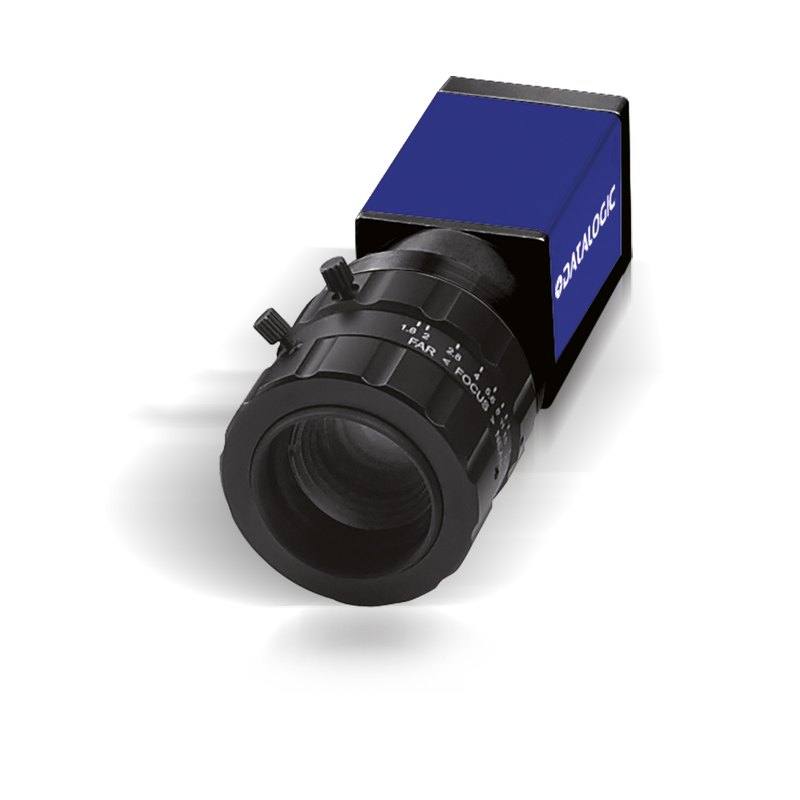
The Datasensing CAM-E151C-GE (E151C) is part of the E1xx/M1xx series of industrial GigE area scan cameras designed for high-speed machine vision inspection. It features a 1/2" global shutter CMOS sensor at 1280x1024 resolution with 4.8 µm square pixels, delivering up to 75 FPS at full resolution and higher frame rates with partial scan. The camera supports Power over Ethernet (PoE) or 12–24 VDC power, trigger and strobe I/O for flexible integration, and meets CE, FCC, and RoHS certifications. It is compatible with the Datalogic Impact software platform and the MX-E Series vision processor, and supports the GigE Vision standard.
The CAM-E151C-GE is built around a 1/2" global shutter CMOS sensor delivering 1280 x 1024 pixels at 4.8 µm square pitch — a combination that sits squarely in the mainstream of production-line inspection. Global shutter means all pixels integrate simultaneously, eliminating the motion artifacts that plague rolling-shutter designs when imaging parts on a moving conveyor or under strobe illumination. At 75 FPS full resolution over GigE (1000 Base-T), the camera can keep pace with medium-to-high throughput lines without needing to drop to a reduced region of interest, and partial-scan modes push frame rates still higher for narrow inspection windows. The 4.8 µm pixel pitch gives a good balance between light-collection efficiency and spatial resolution: it is large enough to work comfortably under factory lighting conditions without excessive gain noise, yet small enough that a standard C-Mount lens can resolve the sensor's full pixel count without diffraction limiting at typical working apertures.
The color sensor makes this camera the right pick wherever chromatic differentiation is load-bearing — label print verification, color mark detection, pharmaceutical cap or capsule color checks, and packaging artwork inspection. Because color information is native to the sensor rather than inferred in software, color-based ROI or blob tools can operate at the camera's native frame rate without post-processing overhead. The GigE Vision protocol keeps integration straightforward: the camera appears to any GigE Vision-compliant host as a standard device, and Datalogic's own Impact software and MX-E Series vision processors consume it natively, which is meaningful for sites already running Datalogic infrastructure. Power over Ethernet eliminates a separate power cable run to the camera head — a real installation simplification in multi-camera gantries or tight enclosures — while the 12–24 VDC option retains compatibility with conventional machine I/O panels. Hardware trigger and strobe I/O are exposed for deterministic synchronisation with PLCs, encoders, or dedicated lighting controllers.
The 42 × 29 × 29 mm body is genuinely compact for a GigE camera and will fit into housings and robot-arm mounts where larger bodies cannot. The C-Mount interface gives access to the widest selection of industrial lenses on the market, from standard focal lengths to telecentric optics for dimensional gauging. The 1/2" sensor diagonal (6.14 mm H × 4.92 mm V) is covered by C-Mount lenses designed for 1/2" or larger image circles, and the majority of telecentric lenses in the 0.1× to 1× magnification range specify a 1/2" image circle, making the pairing straightforward. IP30 protection is appropriate for controlled enclosure environments; installations in dusty or wash-down zones will require a sealed housing. The operating window of 0–50 °C covers the bulk of indoor industrial environments without active cooling.
Best for
High-speed color label and packaging artwork verification on conveyor lines where 75 FPS ensures no label is missed even at elevated belt speeds
Pharmaceutical cap, capsule, and blister-pack color inspection where distinguishing product variants by hue is required alongside standard presence/defect checks
Robot-guidance applications that demand distortion-free freeze-frame images of moving targets — global shutter eliminates the geometric skew that rolling-shutter cameras introduce when the robot or the part is in motion
Electronics PCB or component color-mark traceability, including colored wire verification and polarity band inspection, where both spatial resolution and color fidelity are needed simultaneously
Dimensional measurement tasks using C-Mount telecentric lenses, where the 1/2" sensor format and 4.8 µm pixel pitch translate to sub-pixel edge accuracy across the full sensor area
Selection notes
Lens image-circle compatibility: always specify a lens rated for a 1/2" or larger image circle. Lenses sized for 1/3" sensors will vignette the corners of the 6.14 × 4.92 mm sensor, and lenses rated for 2/3" sensors are mechanically compatible but provide more coverage than needed, adding unnecessary cost.
PoE versus VDC power: PoE is convenient for multi-camera layouts but requires a PoE-capable switch or midspan injector on every port. If the installation uses a conventional 24 VDC panel with a standard unmanaged switch, the 12–24 VDC power path keeps the BOM simpler; both options are equally supported by the camera.
IP30 limits ambient exposure: this rating protects against solid objects larger than 2.5 mm but provides no dust or liquid ingress protection. Any installation that is not in a sealed enclosure and involves coolant mist, cutting fluid, or wash-down cycles requires an external IP65/IP67 camera housing with an optical window selected for the lens focal length.
Bandwidth budgeting on the GigE link: at 75 FPS, 1280 × 1024 × 8-bit color (Bayer raw) streams at approximately 98 MB/s, saturating a 1 Gb link at roughly 78% utilisation. Running multiple cameras on a single switch requires either VLAN isolation per camera or a host NIC with multiple GigE ports — confirm host adapter and switch port count before finalising the camera count per controller.
Software ecosystem lock-in consideration: the camera is natively supported by Datalogic Impact and the MX-E Series processor. It is also fully GigE Vision compliant, so third-party environments (Cognex VisionPro, Halcon, NI Vision, OpenCV with Aravis) can acquire from it without restriction. Choose the host software before committing to the cabling topology, as Impact-managed deployments benefit from integrated strobe and trigger configuration within the same tool.
Specifications: General
Brand
Datalogic / Datasensing
Camera type
Area Scan
Specifications: Sensor
Resolution
1.31 MP
Horizontal resolution
1280 px
Mono / color
Color
Shutter
Global Shutter
Sensor size
1/2" (8 mm diagonal; 6.14 mm H × 4.92 mm V)
Pixel size
4.8 µm
Specifications: Performance
FPS
75 FPS
Specifications: Interface
Interface
GigE (1000 Base-T)
Protocols
GigE Vision
Specifications: Optics
Mount
C-Mount
Specifications: Electrical
Power
PoE or 12–24 VDC
Specifications: Environment
IP rating
IP30
Operating temperature
0 to 50 °C
Specifications: Mechanical
Dimensions
42 × 29 × 29 mm
Applications this camera is commonly selected for. Open one to see the full recommended hardware and approach.
Matched automatically by: lens mount fits the camera mount · lens image circle covers the camera sensor — this camera: C-Mount · 1/2" (8 mm diagonal; 6.14 mm H × 4.92 mm V) sensor.
By category
All 229C-mount lenses 164Telecentric lenses 62F-mount / large-format lenses 3
By brand
All 229Omron / Sentech 74iRAYPLE 66Basler 59Datalogic / Datasensing 30
1. Install the IMPACT Software Suite and connect the camera
Install the IMPACT Software Suite on your PC, which provides both the configuration/viewer tools and the SDK. For a GigE Vision model (E100, M or U series), connect it to a dedicated NIC and, for USB3 models, use a certified USB3 cable and port. Power the camera and confirm it enumerates.
2. Bring the camera online and verify the link
For GigE Vision, put the camera and the host NIC on the same subnet (a static IP on the camera matching the NIC range is the most reliable starting point); for USB3, confirm the device is recognized. Open the IMPACT viewer/device tool, discover the camera, and verify a stable connection before streaming. Enabling jumbo frames on the NIC helps GigE throughput.
3. Set exposure, gain and trigger, then grab a first image
In the IMPACT tools, start a live stream and adjust exposure and gain until the image is well-lit without saturation; set white balance on color models. Begin in free-run (continuous) mode to confirm imaging, then switch to hardware or software trigger as your application requires. Capture and save a reference image once the scene looks correct.
4. Build a vision tool or move to the SDK/API
Use the IMPACT point-and-click vision tools to assemble an inspection, or use the IMPACT SDK to access the camera and results programmatically and feed them into your HMI/PLC application. As these are GenICam/GenTL-compliant devices, you can alternatively drive them from any GenICam-compliant third-party vision library if your pipeline standardizes on one.
5. Route the stable feed to deep-learning inspection (optional)
Once you have a stable, repeatable image, the feed can be sent to a deep-learning inspection platform such as Rosepetal for defect detection or classification tasks that go beyond rule-based tooling. Keep lighting, optics and trigger timing fixed so the images reaching the model stay consistent.
Frequently asked questions
No separate supply is required when connected to a PoE-capable switch or midspan injector. The camera accepts either Power over Ethernet or 12–24 VDC through its I/O connector, and either path alone is sufficient to operate it.
Yes. The camera exposes a dedicated strobe I/O line specifically for this use. Global shutter integration and the strobe pulse can be synchronised so that the flash fires only during the sensor's common integration window, which is the standard approach for freeze-framing fast-moving parts without motion blur.
The C-Mount interface accepts any C-Mount lens regardless of the image circle it was designed for. Lenses designed for sensor formats larger than 1/2" (e.g. 2/3" or 1") will illuminate the full 6.14 × 4.92 mm sensor without vignetting. Lenses designed for smaller formats such as 1/3" will vignette and are not suitable.
The datasheet specifies 75 FPS at full 1280 × 1024 resolution. Reducing the vertical height of the active region of interest reduces the sensor readout time proportionally, increasing the achievable frame rate — the exact figures for a given ROI size should be confirmed in the camera's GigE Vision register map or the Impact software configuration tool, as the camera supports partial scan operation.
Yes. The camera implements the GigE Vision standard, which means any GigE Vision-compliant acquisition library or software environment — including Halcon, VisionPro, NI Vision Builder, and open-source libraries such as Aravis — can control and acquire images from it without modification.