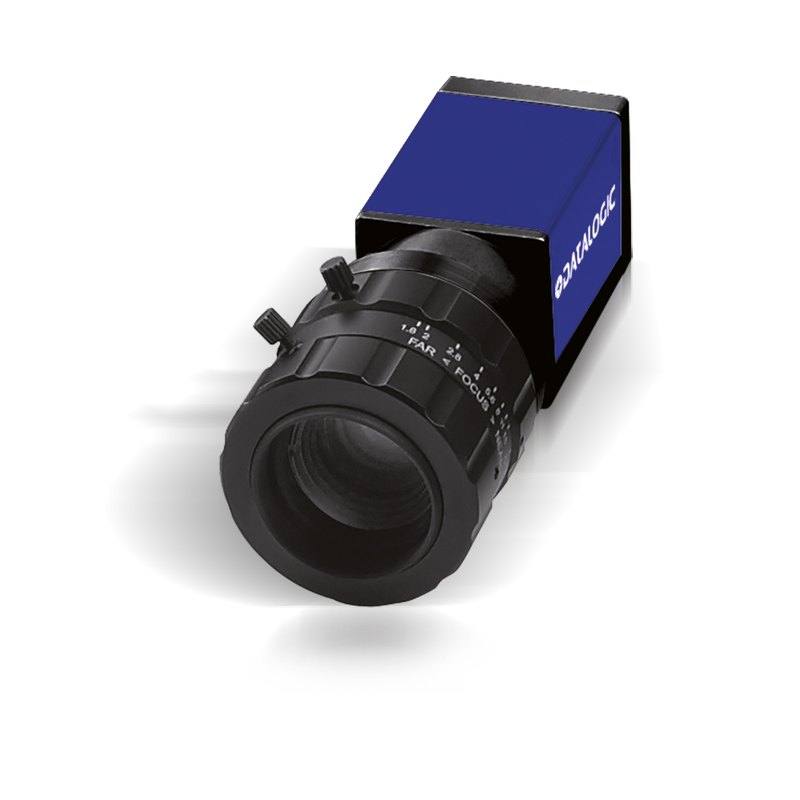
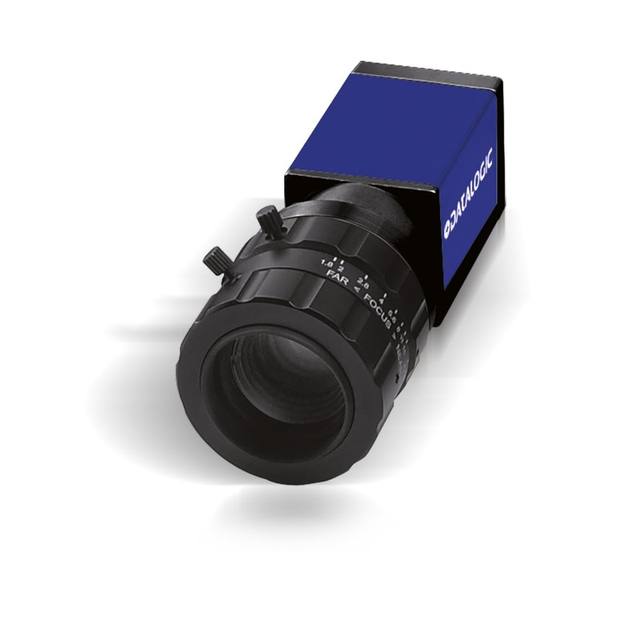
GigE Vision area scan camera with 1920 x 1200 (2.3 MP) resolution, 2/3" global shutter CMOS sensor and 48 fps. C-mount, Power over Ethernet or 12-24 VDC supply, with trigger and strobe I/O. Part of the Datasensing E100 Series for MX-E vision processors.
The Datasensing E181 (CAM-E181-GE) is a 2.3 MP monochrome area scan camera built around a 2/3-inch global shutter sensor with a horizontal resolution of 1920 px. As an area scan device it captures the full frame in a single exposure, which suits inspection of discrete parts and scenes that do not require the continuous-web imaging of a line scan camera. The global shutter is the defining characteristic for moving applications: every pixel starts and stops integrating light simultaneously, so objects moving past the field of view are captured without the skew or smear that a rolling shutter would introduce. This makes the camera well suited to conveyor-borne parts, indexed stages and any situation where the subject or the camera is in motion at the moment of capture.
The monochrome sensor trades colour information for higher effective sensitivity and resolution per pixel, since there is no Bayer colour filter array to interpolate. For machine-vision tasks driven by contrast, edges, texture and geometry rather than hue, this typically yields cleaner measurements and better signal under controlled lighting. The 2.3 MP resolution provides enough detail for fine feature work while keeping data rates and processing load moderate, and the 48 fps frame rate supports reasonably fast cycle times and multi-frame inspection within a single station.
Connectivity is GigE Vision over standard Ethernet, with GenICam compliance for a vendor-neutral programming interface, so the camera integrates with any GigE Vision-compliant software stack and is Rosepetal-ready. Power over Ethernet means image data and power share a single cable, simplifying installation, while the C-mount allows use of the broad ecosystem of industrial C-mount lenses.
Best for
AI-based defect inspection of discrete parts on moving conveyors, where the global shutter prevents motion artefacts
Industrial OCR and OCV reading of printed or marked codes, characters and labels
Packaging inspection such as verifying print, fill level, seal and label presence at line speed
Monochrome contrast and edge-based measurement and gauging under controlled lighting
Inline inspection stations on a GigE Vision network where a single PoE cable carries both power and image data
Selection notes
Pair the camera with a C-mount lens whose image circle covers the 2/3-inch sensor; using a lens designed for a smaller format will cause vignetting at the frame edges.
Plan lighting deliberately for the monochrome sensor: it responds to luminance and contrast rather than colour, so choose wavelength and geometry (e.g. coaxial, dome, backlight) to maximise feature contrast; if you must distinguish colours, this monochrome model is the wrong choice.
GigE Vision allows long, low-cost Cat-class cabling runs and easy multi-camera networking, but budget for switch/NIC throughput; if you need very high bandwidth at high resolution and frame rate, evaluate USB3 or CoaXPress alternatives.
Power over Ethernet lets a single cable carry power and data; confirm your switch or injector supplies adequate PoE for the camera.
If the application is a continuous web or very high line-rate process, or requires colour, higher resolution or higher frame rate than this model provides, select a line scan, colour or higher-spec area scan camera instead.
Specifications: General
Camera type
Area scan
Specifications: Sensor
Resolution
2.3 MP
Horizontal resolution
1920 px
Mono / color
Monochrome
Shutter
Global shutter
Sensor size
2/3"
Specifications: Performance
FPS
48 fps
Specifications: Interface
Interface
GigE Vision, PoE
Protocols
GigE Vision, GenICam
Specifications: Optics
Mount
C-mount
Specifications: Electrical
Power
PoE
Specifications: Commercial
Rosepetal-ready
Yes
This product groups every purchasable order code that shares the same sensing method, range and output. Cable length, connector type and operation mode (Light-ON/Dark-ON, NO/NC) vary by order code below.
Family variants with highlighted differences
Model
Mono / color
Interface
Availability
2.3 MP Monochrome GigE Vision Base
Monochrome
GigE Vision
On request
Applications this camera is commonly selected for. Open one to see the full recommended hardware and approach.
1. Install the IMPACT Software Suite and connect the camera
Install the IMPACT Software Suite on your PC, which provides both the configuration/viewer tools and the SDK. For a GigE Vision model (E100, M or U series), connect it to a dedicated NIC and, for USB3 models, use a certified USB3 cable and port. Power the camera and confirm it enumerates.
2. Bring the camera online and verify the link
For GigE Vision, put the camera and the host NIC on the same subnet (a static IP on the camera matching the NIC range is the most reliable starting point); for USB3, confirm the device is recognized. Open the IMPACT viewer/device tool, discover the camera, and verify a stable connection before streaming. Enabling jumbo frames on the NIC helps GigE throughput.
3. Set exposure, gain and trigger, then grab a first image
In the IMPACT tools, start a live stream and adjust exposure and gain until the image is well-lit without saturation; set white balance on color models. Begin in free-run (continuous) mode to confirm imaging, then switch to hardware or software trigger as your application requires. Capture and save a reference image once the scene looks correct.
4. Build a vision tool or move to the SDK/API
Use the IMPACT point-and-click vision tools to assemble an inspection, or use the IMPACT SDK to access the camera and results programmatically and feed them into your HMI/PLC application. As these are GenICam/GenTL-compliant devices, you can alternatively drive them from any GenICam-compliant third-party vision library if your pipeline standardizes on one.
5. Route the stable feed to deep-learning inspection (optional)
Once you have a stable, repeatable image, the feed can be sent to a deep-learning inspection platform such as Rosepetal for defect detection or classification tasks that go beyond rule-based tooling. Keep lighting, optics and trigger timing fixed so the images reaching the model stay consistent.
Frequently asked questions
Yes. It uses a 2/3-inch global shutter sensor, so all pixels are exposed simultaneously. This captures moving objects without the skew or smear associated with rolling-shutter sensors, making it suitable for conveyor and motion-based inspection.
The camera uses GigE Vision over standard Ethernet and is GenICam-compliant. It supports Power over Ethernet, so image data and power can share a single Ethernet cable, simplifying wiring and enabling longer cable runs than many other machine-vision interfaces.
It is a monochrome camera with 2.3 MP resolution and a horizontal resolution of 1920 px. Monochrome typically gives better sensitivity and per-pixel detail for contrast, edge and texture tasks; it is not intended for applications that require colour discrimination.
The E181 has a C-mount and a 2/3-inch sensor. Choose a C-mount lens rated to cover at least a 2/3-inch image circle to avoid vignetting and to maintain image quality across the full frame.
Yes. The camera is Rosepetal-ready and complies with the GigE Vision and GenICam standards, so it works with any GigE Vision-compliant software.