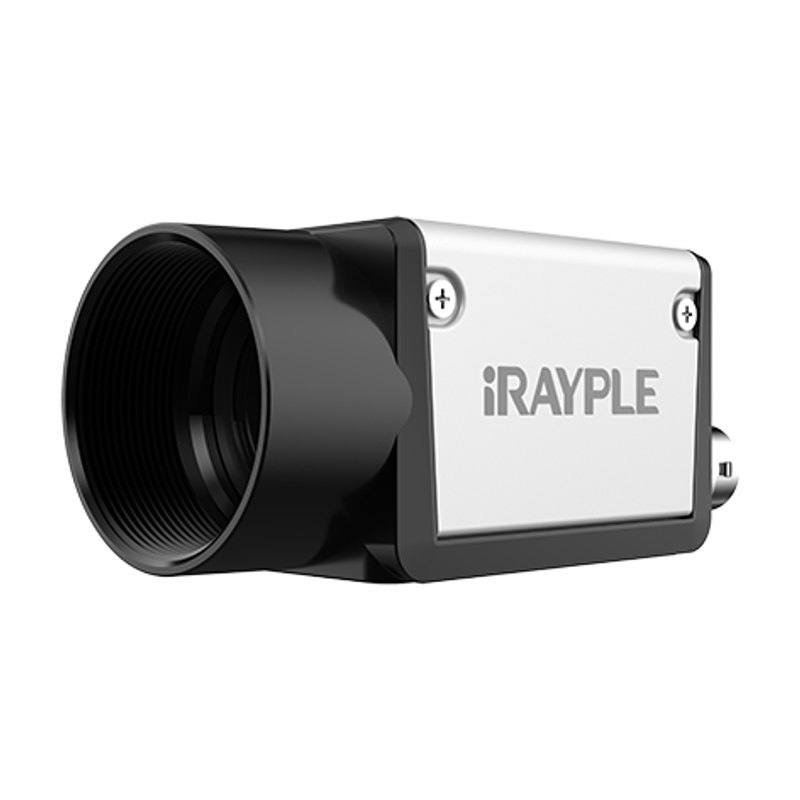
The iRAYPLE A3135MG000E (monochrome) and A3135CG000E (color) are compact 1.2 MP GigE area scan cameras based on Sharp's RJ33J4CA0DT and RJ33J3CA0DT global-shutter CMOS sensors respectively. Both models deliver 1280x960 resolution at 30 fps with a 3.75 µm pixel pitch on a 1/3" optical format. The cameras comply with GigE Vision 2.0 and GenICam standards, support hardware/software/free-run triggering, and offer 256 MB onboard image buffer. They are housed in a compact 29x29x42 mm body powered via PoE or DC 9-24 V through a Hirose 6-pin connector with integrated optically-coupled I/O lines.
The iRAYPLE A3135MG000E pairs a Sharp RJ33J4CA0DT global-shutter CMOS sensor with a 1/3" optical format to deliver 1280x960 pixels at 30 fps. The 3.75 µm pixel pitch sits in the mid-range for this sensor class — fine enough to resolve small features such as date codes, surface cracks, or solder joints on PCBs, yet large enough to maintain reasonable light collection in the factory-floor illumination conditions typical of GigE-networked inspection stations. Global shutter is the operationally critical detail here: every pixel integrates simultaneously, so parts moving on a conveyor belt, robot arm, or vibrating fixture are captured without the geometric distortion that a rolling shutter would introduce. This makes the camera a reliable building block wherever motion blur or shear artifacts would compromise a measurement or classification result.
The GigE Vision 2.0 / GenICam compliance means the camera integrates into any standards-conformant SDK — Halcon, VisionPro, OpenCV GStreamer pipelines, or vendor-neutral runtime environments — without proprietary driver lock-in. The 256 MB onboard frame buffer absorbs bursts of images during transient network congestion, reducing dropped frames in multi-camera installations sharing a managed Gigabit switch. Power-over-Ethernet (PoE) is a practical wiring simplification on lines where cable routing is constrained: a single Cat-5e/Cat-6 cable carries both data and the 3.4 W supply, eliminating a separate DC run to each camera position. Where a discrete power supply is preferred — for instance, when the cabinet already distributes 9–24 V DC — the Hirose 6-pin connector accommodates that too, and its integrated optically-coupled I/O lines connect directly to PLCs or encoder-triggered strobe controllers without additional isolation hardware.
The 29×29×42 mm body and 88 g mass are well suited to tight mounting envelopes: robot-mounted end-of-arm tooling, gantry-rail brackets with limited clearance, or multi-camera arrays where spacing between units matters. The C-mount interface gives access to a broad catalogue of industrial lenses, and the 1/3" image circle is fully covered by any lens rated for 1/3" or larger. The −30 to 50 °C operating range covers unheated warehouse environments and moderately warm enclosures near conveyor drives. The color variant (A3135CG000E, Sharp RJ33J3CA0DT) shares all mechanical and electrical specifications and adds the ability to discriminate label colors, pharmaceutical cap colors, or cable wire colors — tasks where monochrome contrast alone is insufficient.
Best for
Conveyor-speed part inspection at up to 30 fps where global shutter is required to avoid motion-induced dimensional errors — PCB assembly verification, blister-pack or label inspection, bottle cap and closure checks.
Robot-mounted eye-in-hand guidance where the compact 29×29×42 mm body and 88 g weight minimise payload and the global shutter eliminates positional ambiguity when the arm is decelerating into a pick position.
Multi-camera GigE installations on a managed switch where PoE simplifies wiring and the 256 MB frame buffer protects against momentary network congestion without lost trigger events.
OCR/OCV and 1D/2D barcode reading on date-code or traceability lines where the 1280×960 resolution provides sufficient pixel density for standard character heights and code module sizes at practical working distances.
Color variant (A3135CG000E) for label verification, pharmaceutical cap colour inspection, or cable wire harness sorting, where colour discrimination is required alongside the motion-freeze capability of global shutter.
Selection notes
Sensor format and lens coverage: the 1/3" format restricts the usable image circle. Confirm that the chosen C-mount lens is rated for 1/3" or larger — lenses designed for 1/4" sensors will vignette, while lenses rated for larger formats (1/2", 2/3") are fully compatible and offer additional resolving margin.
Network infrastructure: GigE delivers up to 125 MB/s raw throughput, and at 1280×960 × 8-bit × 30 fps the raw bandwidth demand is approximately 37 MB/s, leaving headroom for two to three additional cameras on a dedicated Gigabit port. Use a managed switch with IGMP snooping or dedicated per-camera ports to avoid multicast flooding; the 256 MB onboard buffer is a safety net, not a substitute for proper network design.
PoE vs. DC power: the camera draws 3.4 W, which falls within the budget of a standard 802.3af PoE switch port; no PoE injector or midspan is needed if the switch already supports PoE. For installations requiring DC, ensure the supply remains within 9–24 V under load, and use the Hirose 6-pin connector's opto-isolated I/O for trigger and strobe signals rather than direct GPIO connections to avoid ground loop noise.
Monochrome vs. color: the monochrome A3135MG000E offers higher effective spatial contrast and is the correct choice for dimensional gauging, surface-defect detection, and code reading where colour information is not needed. Select the color A3135CG000E only when colour discrimination is an explicit inspection criterion, as the Bayer demosaicing step slightly reduces spatial resolution and requires white-balance calibration under the installed lighting.
Operating temperature margin: the −30 to 50 °C range covers most unenclosed factory environments, but sustained operation near the 50 °C ceiling requires attention to camera mounting orientation (heat dissipation through the housing) and adequate air circulation around the body. Enclosure installations should account for internal air temperature, not ambient room temperature.
Follow these steps to bring up your iRAYPLE camera, capture a first image, and move from the viewer to your own application. The flow is the same across the A, AE, AX and L series; only the physical interface differs.
Download and install the iRAYPLE machine-vision SDK together with its viewer client for your operating system. The installer provides the camera drivers, the GenTL producer, and the viewer you will use for first light. For GigE Vision models, also install or enable the bundled filter/performance driver on the network adapter to maximize throughput.
2. Connect the camera to the correct interface
Wire the camera to its matching host interface: a dedicated Gigabit (or 10 GigE) NIC for GigE Vision models, a USB3 Vision port with a quality cable for USB3 models, or a frame grabber for CoaXPress models. Power the camera (PoE, USB bus power, or PoCXP / external supply as applicable). For GigE Vision, put the NIC and camera on the same subnet and, where supported, enable jumbo frames.
3. Detect and open the camera in the viewer
Launch the iRAYPLE viewer, run device enumeration, and select your camera from the discovered list. Open it to load the device feature tree (GenICam node map). If a GigE camera is found but cannot be opened, correct the IP configuration so the camera and NIC are in the same address range.
4. Set exposure, gain and trigger, then grab a first image
Start with continuous (free-run) acquisition under stable lighting. Adjust exposure time and gain for a well-exposed, low-noise image, set the pixel format (e.g. Mono8 or a Bayer/RGB format), and tune white balance on color models. Once the live image looks correct, switch trigger mode to hardware or software trigger to synchronize capture with your process, and verify a single triggered frame.
5. Move from the viewer to the SDK or a GenICam library
With imaging confirmed, reproduce the same settings in code using the SDK's C/C++ or Python API: enumerate, open, configure the relevant GenICam features, register a frame callback or grab loop, and convert frames to your pipeline's buffer format. Since the cameras are GenICam/GenTL-compliant, you can alternatively drive them from a third-party GenICam vision library. From here a stable image stream can feed a deep-learning inspection step such as Rosepetal for automated quality control.
Frequently asked questions
Yes. The Sharp global-shutter CMOS sensor exposes all pixels simultaneously, so a moving part is frozen in time at the moment of the trigger pulse. There is no rolling-shutter skew or banding. At 30 fps you receive up to 30 freeze-frame images per second; for faster lines you will need a shorter strobe pulse to optically freeze motion within each exposure window rather than relying on a higher frame rate.
Yes, provided the switch port supports IEEE 802.3af PoE. The camera draws 3.4 W, which is within the budget of a standard 802.3af PoE port. A single Cat-5e or Cat-6 cable then carries both Gigabit data and power. If your switch does not support PoE, a mid-span PoE injector or the Hirose 6-pin DC input (9–24 V) can be used instead.
The camera complies with GigE Vision 2.0 and GenICam, the two industry-standard protocols for camera control and image acquisition. It will work with any GigE Vision 2.0-compliant runtime — such as MVTec Halcon, Cognex VisionPro, National Instruments Vision Acquisition Software, OpenCV with a GenTL-compatible backend, and iRAYPLE's own SDK. No proprietary driver is required for standards-based integration.
Any C-mount lens rated for 1/3" or a larger image circle will cover the sensor without vignetting. This includes the large installed base of board-level and machine-vision C-mount lenses at common focal lengths. Lenses designed specifically for 1/4" sensors will produce a dark border and must be avoided. A lens intended for a 1/2" or 2/3" sensor will work correctly and may offer additional corner sharpness.
The Hirose 6-pin connector provides opto-isolated I/O lines. The optical isolation prevents ground loops between the camera and the PLC or lighting controller. Hardware triggering (a discrete electrical pulse from an encoder, photoelectric sensor, or PLC output) is supported alongside software triggering and free-run modes, giving full flexibility for synchronising the camera to the production line or to a strobe light source.