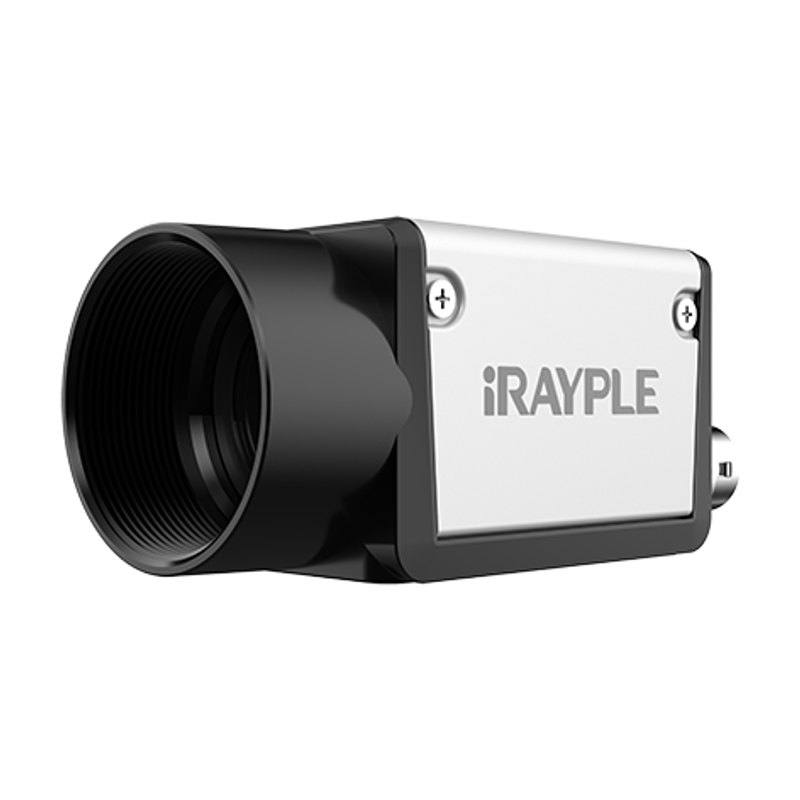
iRAYPLE A5200 Series — 2MP Sony IMX430 Area Scan Camera (GigE / USB3)
A5200MG000E
The iRAYPLE A5200 series uses the 1/1.7-inch Sony IMX430 global-shutter CMOS sensor at 1624x1240 (2MP) with 4.5 µm pixels. GigE variants (A5200MG000E / A5200CG000E) deliver 60 fps over Gigabit Ethernet with PoE or DC 9–24 V power, measuring 29x29x42 mm and 88 g. The USB3.0 variant (A5200CU000E) achieves 89 fps in a shallower 29x29x29 mm body (60 g), powered via USB or external DC. All variants conform to GigE Vision V2.0 / GenICam standards, feature a C-mount, 256 MB on-board cache, and on-board ISP functions including gamma, noise reduction, defective pixel correction, and ROI.
The iRAYPLE A5200 series is built around the Sony IMX430, a 1/1.7-inch global-shutter CMOS sensor in Sony's Pregius line. The 1624 x 1240 pixel array delivers a true 2 MP image with 4.5 µm square pixels — a pixel pitch that balances sensitivity with the spatial resolution needed for small-feature inspection. The global shutter is the critical design choice here: all pixels integrate simultaneously, so fast-moving parts on a conveyor or robot arm are captured without the rolling-shutter motion artifacts that would otherwise distort edges and corrupt dimensional measurements. At 60 fps over GigE and 89 fps over USB3, the camera can keep pace with high-throughput lines without requiring hardware-triggered strobing solely to freeze motion, though external trigger support is still available for synchronised multi-camera setups.
Interface selection determines both throughput and installation topology. The GigE variants (A5200MG000E in mono, A5200CG000E in color) conform to GigE Vision V2.0 and GenICam, meaning they drop into any compliant vision runtime — Halcon, VisionPro, OpenCV GigE backends, or a vendor SDK — with no driver lock-in. Power-over-Ethernet means a single Cat5e/6 cable carries data and power from the switch, greatly simplifying cable routing on long conveyor lines or overhead gantries; a DC 9–24 V input is also present for installations where PoE infrastructure is not available. The GigE body measures 29 x 29 x 42 mm and weighs 88 g. The USB3 variant (A5200CU000E) uses a shallower 29 x 29 x 29 mm body and weighs 60 g, making it the preferred choice for robot-mounted or space-constrained applications where cable reach does not exceed a few metres; it is powered via USB or an external DC 9–24 V input. All variants carry 256 MB of on-board cache to absorb burst traffic, and the integrated ISP handles gamma, noise reduction, defective pixel correction, and ROI readout — reducing host CPU overhead and simplifying pipeline design.
The C-mount with a 1/1.7-inch optical format imposes a clear lens-selection constraint: any C-mount lens whose image circle covers at least 8.9 mm diagonally will illuminate the full array without vignetting. At 3.4 W total consumption the camera runs cool enough that passive thermal management or a simple heat-spreader bracket is sufficient in most enclosure designs. The operating range of 0–50 °C covers standard factory floor conditions; installers working in cold stores or outdoor enclosures should budget for heating. The mono variants (A5200MG000E for GigE; no mono USB3 variant exists in this series) offer higher effective sensitivity and are the natural choice where lighting is controlled and color discrimination is not needed — typical in electronics, semiconductor, and surface-defect workflows.
Best for
High-speed small-parts inspection on conveyor lines where global shutter is needed to prevent motion blur — the 60 fps GigE / 89 fps USB3 rate at 2 MP gives sufficient throughput for most single-station lines without line-scan complexity.
Robot-guided pick-and-place or bin-picking: the 29 x 29 x 29 mm USB3 variant is light enough (60 g) to mount directly on a robot wrist, and the global shutter eliminates pose-estimation errors caused by arm motion during exposure.
Packaging and label inspection (OCR/OCV, barcode and DataMatrix reading, date-code verification): 2 MP at 4.5 µm pixels provides enough pixel density over a moderate field of view to resolve label text and 2D codes reliably at line speed.
Surface-defect and cosmetic inspection of electronics or battery cells where the Sony Pregius sensor's low-noise characteristics under controlled LED lighting reveal scratches, contamination, or coating defects, and the on-board ISP reduces preprocessing load on the host.
Dimensional measurement of small mechanical or electronic components where global shutter ensures geometric fidelity and the GigE interface's long cable reach lets the vision PC sit outside the machine enclosure.
Selection notes
Interface first, then power topology: choose GigE (A5200MG000E / A5200CG000E) when cable runs are long or PoE infrastructure is already in place; choose USB3 (A5200CU000E) when minimising body size and weight is the priority and the host PC is close by. Note that the USB3 variant is color-only (CU suffix), so mono USB3 is not an option in this series.
Lens image circle must cover the 1/1.7-inch (approximately 8.9 mm diagonal) sensor format. Standard C-mount lenses designed for 1/1.8-inch or larger formats will cover this; lenses rated only for 1/2-inch or smaller will vignette. Confirm the lens datasheet image-circle specification before finalising the optical design.
At 4.5 µm pixel pitch, diffraction and lens resolving power become the limiting factor at small apertures. Pair with a lens rated for at least 2 MP on a 1/1.7-inch format; stopping down beyond f/8 will degrade sharpness noticeably and erode the sensor's resolution advantage.
The 0–50 °C operating range suits standard factory environments but excludes refrigerated or outdoor installations without supplemental thermal management. Verify ambient temperature at the installation point, especially inside enclosed machine housings where self-heating from nearby drives or actuators can push the local temperature above ambient.
On-board ISP features (gamma, noise reduction, defective pixel correction, ROI) are useful for reducing host load but should be characterised during application development — applying noise reduction and gamma inside the camera changes the radiometric response that downstream algorithms see, which matters for intensity-based defect detection. Disable or lock ISP settings early in the validation phase to ensure repeatable calibration.
Follow these steps to bring up your iRAYPLE camera, capture a first image, and move from the viewer to your own application. The flow is the same across the A, AE, AX and L series; only the physical interface differs.
Download and install the iRAYPLE machine-vision SDK together with its viewer client for your operating system. The installer provides the camera drivers, the GenTL producer, and the viewer you will use for first light. For GigE Vision models, also install or enable the bundled filter/performance driver on the network adapter to maximize throughput.
2. Connect the camera to the correct interface
Wire the camera to its matching host interface: a dedicated Gigabit (or 10 GigE) NIC for GigE Vision models, a USB3 Vision port with a quality cable for USB3 models, or a frame grabber for CoaXPress models. Power the camera (PoE, USB bus power, or PoCXP / external supply as applicable). For GigE Vision, put the NIC and camera on the same subnet and, where supported, enable jumbo frames.
3. Detect and open the camera in the viewer
Launch the iRAYPLE viewer, run device enumeration, and select your camera from the discovered list. Open it to load the device feature tree (GenICam node map). If a GigE camera is found but cannot be opened, correct the IP configuration so the camera and NIC are in the same address range.
4. Set exposure, gain and trigger, then grab a first image
Start with continuous (free-run) acquisition under stable lighting. Adjust exposure time and gain for a well-exposed, low-noise image, set the pixel format (e.g. Mono8 or a Bayer/RGB format), and tune white balance on color models. Once the live image looks correct, switch trigger mode to hardware or software trigger to synchronize capture with your process, and verify a single triggered frame.
5. Move from the viewer to the SDK or a GenICam library
With imaging confirmed, reproduce the same settings in code using the SDK's C/C++ or Python API: enumerate, open, configure the relevant GenICam features, register a frame callback or grab loop, and convert frames to your pipeline's buffer format. Since the cameras are GenICam/GenTL-compliant, you can alternatively drive them from a third-party GenICam vision library. From here a stable image stream can feed a deep-learning inspection step such as Rosepetal for automated quality control.
Frequently asked questions
Yes. The GigE variants (A5200MG000E and A5200CG000E) accept power via PoE or via a separate DC 9–24 V input. Total power consumption is 3.4 W, well within the 15.4 W budget of 802.3af Class 0, so a standard PoE switch port is sufficient. The USB3 variant is powered via the USB bus or an external DC 9–24 V input.
Yes. Over GigE the camera runs at 60 fps at full 1624 x 1240 resolution. The USB3 variant (A5200CU000E) reaches 89 fps at the same full resolution, because USB3 Vision provides greater raw bandwidth than Gigabit Ethernet. Both figures are at full frame; ROI readout will increase frame rate further.
Yes. All variants conform to GigE Vision V2.0 and GenICam standards. Any software or SDK that supports GigE Vision and GenICam — including Halcon, VisionPro, and GigE-capable OpenCV transports — will enumerate and control the GigE variants without a proprietary driver. The USB3 variant also conforms to the GenICam control model.
All variants use a C-mount. The Sony IMX430 sensor is 1/1.7 inches diagonally (approximately 8.9 mm). Any C-mount lens whose image circle is rated for 1/1.7-inch or larger will illuminate the full array; lenses rated only for 1/2-inch sensors will vignette at the corners.
Monochrome (suffix MG) is available in the GigE interface only as the A5200MG000E. The USB3 variant (A5200CU000E) is a color sensor. If a monochrome sensor with USB3 connectivity is required, a different model outside this series would need to be evaluated.