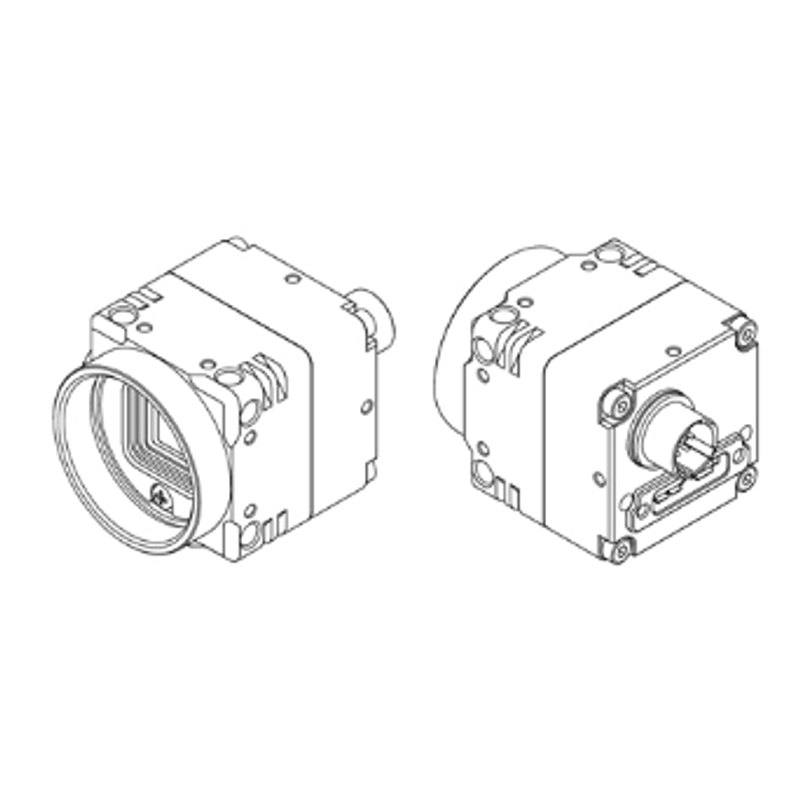
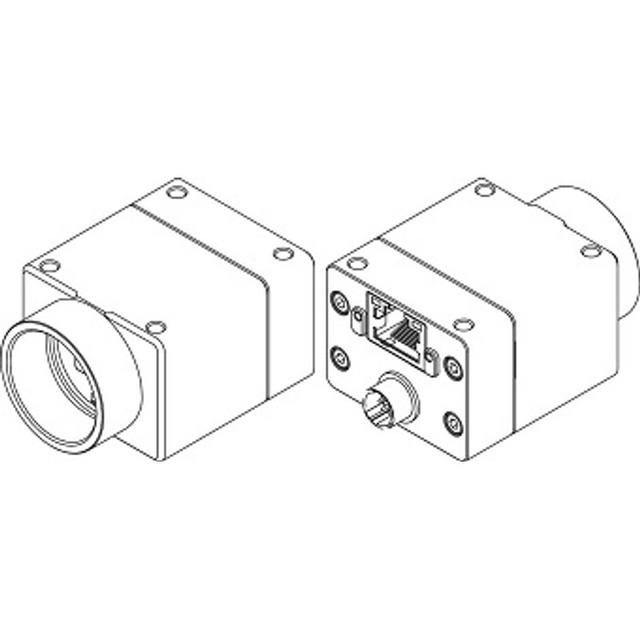
The STC-MBE132U3V (monochrome) and STC-MCE132U3V (color) are compact USB3 Vision 1.0.1-compliant area scan cameras offering 1,280 x 1,024 pixel resolution at 60 fps. Both models use the Teledyne e2v EV76C560 1/1.8" global shutter CMOS sensor with 5.3 µm square pixels. They are bus-powered via USB at +5 V with a maximum power draw of 2.0 W, housed in a 28 x 28 x 33.8 mm body with a CS-mount. The color variant (MCE) includes an IR cut filter and outputs BayerRG8/BayerRG10 pixel formats, while the mono variant (MBE) outputs Mono8/Mono10.
The STC-MBE132U3V and STC-MCE132U3V are built around the Teledyne e2v EV76C560, a 1/1.8" global shutter CMOS sensor delivering 1,280 x 1,024 pixels at 5.3 µm pixel pitch. The global shutter architecture captures every pixel simultaneously, eliminating the motion-induced distortion that rolling-shutter designs produce on moving parts or under strobe illumination — a critical property for inline inspection where conveyor speed, robot arm movement, or part vibration would otherwise smear edges and corrupt dimensional reads. At 60 fps full resolution, the camera sustains throughput for moderate-speed lines without requiring ROI cropping to hit cycle-time targets. The 1.3 MP resolution sits squarely in the general-purpose inspection sweet spot: fine enough to resolve small component markings, solder joints, or label print at typical working distances, yet not so large that frame storage and transfer budgets become problematic in multi-camera cells.
The interface is USB3 Vision 1.0.1 with GenICam compliance, drawing power entirely from the host port at +5 V and no more than 2.0 W. Bus power removes the need for a separate power supply or cable, which directly reduces wiring complexity in dense multi-camera fixtures or robot-mounted installations where routing additional conductors is impractical. USB3 Vision delivers the bandwidth needed to sustain 60 fps at 1.3 MP and, because the standard is plug-and-play with any compliant host, integration against GenICam-aware SDKs requires no proprietary driver layer. The mono variant (MBE) outputs Mono8 and Mono10 pixel formats; the color variant (MCE) outputs BayerRG8 and BayerRG10 and incorporates an IR cut filter, so sensor response matches human-visible wavelengths without additional optical filtration for standard color tasks.
The mechanical envelope is 28 x 28 x 33.8 mm with a 38 g mass and a CS-mount lens interface. That compact footprint allows the camera to be embedded in fixtures where a larger body would conflict with surrounding tooling or guarding. The CS-mount accepts the wide range of C and CS lenses available in industrial imaging catalogs; a C-to-CS adapter ring (5 mm) is required when using C-mount lenses to maintain correct flange distance, and installers should verify that the chosen lens image circle covers the 1/1.8" sensor diagonal to avoid vignetting at the frame corners. The operating temperature range of 0 to +40 °C suits climate-controlled factory floors and inspection enclosures but should be noted for installations near heat-generating equipment or in outdoor shelters without air conditioning.
Best for
Inline PCB and SMT inspection where global shutter prevents solder-joint smear on moving boards and 1.3 MP resolves fine-pitch component markings at practical working distances.
Label, barcode, and 2D code reading on packaging lines running at moderate speed, where 60 fps and global shutter together ensure sharp captures without triggering a hardware strobe at extremely short durations.
Robot-guided pick-and-place where the bus-powered USB3 connection simplifies cable management on articulated arms and the compact 28 x 28 mm body fits within tight robot wrist envelopes.
Dimensional gauging of small parts — fasteners, connectors, machined features — where the 5.3 µm pixel pitch and global shutter provide a consistent geometric snapshot unaffected by vibration from nearby machinery.
Pharmaceutical and electronics traceability requiring OCR or OCV on printed text, where the mono variant's Mono8/Mono10 output and global shutter deliver clean, high-contrast character images suitable for deep-learning or classical character-recognition pipelines.
Selection notes
CS-mount lens coverage: the 1/1.8" sensor has a diagonal of approximately 8 mm; confirm that any CS or C lens specified is rated for at least 1/1.8" image circle, as lenses rated only for 1/2" or 1/2.3" will produce soft or dark corners at full resolution.
C-mount compatibility requires a 5 mm adapter ring to correct the flange focal distance; using a C-mount lens directly on the CS-mount body without the adapter will prevent focus at the intended working distance.
USB cable length and host port quality matter at USB3 Vision speeds — use a certified USB3 Vision cable of 3 m or less, or an active cable/repeater for longer runs, and verify the host controller supports USB 3.0 SuperSpeed reliably; shared USB hubs degrade bandwidth when multiple cameras are connected.
The color MCE variant's built-in IR cut filter makes it ready for white or RGB LED illumination without an external filter, but it also blocks near-infrared wavelengths; if the application requires 850 nm or 940 nm NIR illumination (e.g., for silicon wafer or backlight inspection), the mono MBE variant must be selected and an appropriate NIR bandpass filter fitted to the lens.
At 2.0 W maximum and +5 V bus power, thermal loading per camera port is well within USB3 specification, but multi-camera hosts should confirm the total port power budget if more than four cameras share a single controller card.
Specifications: General
Brand
Omron / Sentech
Camera type
Area Scan
Specifications: Sensor
Resolution
1.3 MP
Horizontal resolution
1280 px
Mono / color
Mono (MBE) / Color (MCE)
Sensor manufacturer
Teledyne e2v
Sensor model
EV76C560
Shutter
global_rolling
Sensor size
1/1.8"
Pixel size
5.3 µm
Specifications: Performance
FPS
60.0 fps
Specifications: Interface
Interface
USB3.0 (USB3 Vision 1.0.1)
Protocols
USB3 Vision 1.0.1, GenICam
Specifications: Optics
Mount
CS Mount
Specifications: Electrical
Power
USB bus power (+5 V)
Power consumption
2 W
Specifications: Environment
Operating temperature
0 to +40 °C
Specifications: Mechanical
Dimensions
28 x 28 x 33.8 mm
Weight
38 g
Applications this camera is commonly selected for. Open one to see the full recommended hardware and approach.
These steps take an Omron Sentech (STC) camera from the box to a stable first image and on to your own application. They apply across the GigE Vision, USB3 Vision and CoaXPress STC families; the interface only changes how you cable and power the camera.
Download and install the Sentech SDK on the host PC. The package provides StViewer, the viewing and configuration software you use to bring the camera up, and StApi, the programming SDK you integrate later. Because the cameras are GenICam/GenTL-compliant, StApi also registers a GenTL producer, so any GenICam-compliant third-party vision software can discover and drive the camera as an alternative front end.
2. Cable, power and connect the camera
Connect according to the interface. GigE Vision: link to a Gigabit NIC (use PoE or the separate power input) and put the camera and host on the same subnet; for USB3 Vision use a USB 3.x port and a certified cable; for CoaXPress (STC) connect to a CoaXPress frame grabber, which also supplies Power-over-Coax. Then open StViewer and let it enumerate the camera. If a GigE camera does not appear, check the IP configuration and firewall, and on USB3 confirm the host bandwidth and driver.
3. Configure exposure, gain and white balance
Open the device in StViewer and start a live stream. Set exposure and gain for a well-exposed, low-noise image: raise exposure first and only add gain when more light or a faster shutter is not an option, keeping exposure short enough to freeze motion on global-shutter models. On colour cameras, run white balance under your actual production lighting. Adjust the lens aperture and focus on a representative target before tuning anything else.
4. Set the trigger and grab a first image
Start in free-run (continuous) acquisition to confirm a clean, stable image. For inline inspection switch to hardware or software triggering: select the trigger source, set the active edge and any delay, and wire the strobe or illumination to the camera's I/O so lighting fires with each exposure. Acquire and save a frame in StViewer; this saved image is your reference for the SDK stage and for downstream inspection.
5. Move to the StApi SDK (or any GenICam software)
Once the image is stable, reproduce the same settings in code. Use StApi to open the device, apply the GenICam features you validated in StViewer (exposure, gain, trigger, pixel format) and grab frames into your application via the bundled C++, C, C#/.NET or Python interfaces; the included samples are the fastest starting point. Prefer a different stack? The same GenICam/GenTL camera works with third-party vision libraries. With a reliable feed, you can route it into a deep-learning inspection such as Rosepetal for AI-based defect detection.
Frequently asked questions
Global shutter eliminates rolling-shutter distortion by exposing all pixels simultaneously, so geometric shape and edge position are accurate regardless of part motion during the exposure window. However, a short exposure (or a strobe synchronized to the trigger) is still required to freeze motion blur optically — the shutter type governs spatial distortion, not motion blur. For fast lines, pair a short electronic exposure with a high-intensity strobe; for slower lines, continuous illumination may suffice.
The USB3 Vision standard and this camera's +5 V bus-power requirement both impose practical cable limits. Passive USB3 cables are reliable to approximately 3 m; beyond that, signal integrity and bus-power voltage drop degrade performance. Active optical or copper USB3 Vision cables can extend runs to 10 m or more while maintaining the bus-power rail, but the cable must be specified for USB3 Vision (not generic USB3) to guarantee compliance.
Yes. The MBE monochrome variant has no IR cut filter, so its Teledyne e2v EV76C560 sensor responds to near-infrared wavelengths. The color MCE variant includes a built-in IR cut filter that blocks NIR, making it unsuitable for NIR illumination applications. If your process uses 850 nm or 940 nm LED lighting, specify the MBE model.
Yes, with a 5 mm C-to-CS adapter ring to correct the flange focal distance. Without the adapter ring, a C-mount lens cannot focus correctly on the CS-mount body. Also verify that the lens image circle covers the 1/1.8" sensor; a lens specified only for 1/2" sensors will vignette at the corners of the 1,280 x 1,024 frame.
The monochrome STC-MBE132U3V outputs Mono8 and Mono10. The color STC-MCE132U3V outputs BayerRG8 and BayerRG10, which must be debayered in the host software or SDK to produce a full RGB image. Both variants are GenICam-compliant, so pixel-format selection is handled through standard GenICam feature nodes.