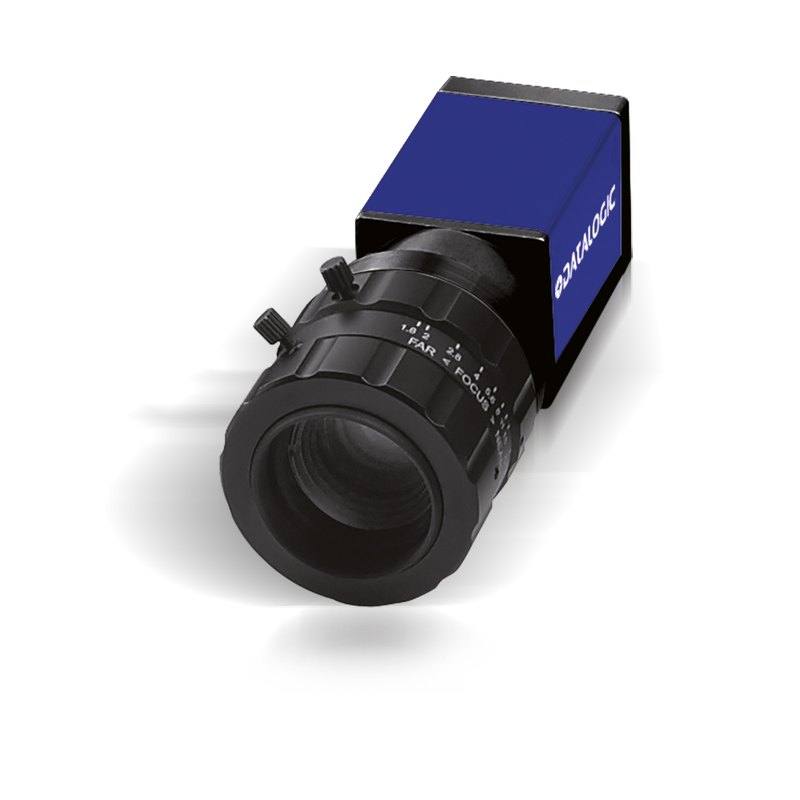
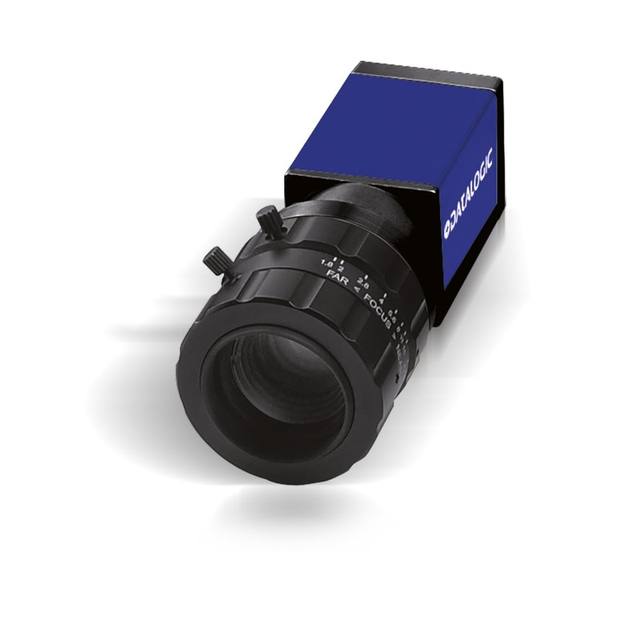
USB3.0 Vision area scan camera with 2048 x 1088 (2.2 MP) resolution, 2/3" global shutter CMOS sensor and 165 fps. Extremely compact housing (29 x 29 x 47 mm), designed for use with Datasensing MX-U Series USB3.0 vision processors. High frame rate suits fast-motion and high-throughput applications.
The Datasensing U190 (CAM-U190-USB3) is a 2.2 MP monochrome area scan camera built around a 2/3-inch global shutter sensor and a USB3 Vision interface. As an area scan device it captures a full two-dimensional frame in a single exposure, making it suitable for imaging discrete parts or scenes rather than continuous webs. The 2048-pixel horizontal resolution and 2.2 MP total resolution give enough detail for general-purpose inspection while keeping data volumes and processing loads modest, which helps sustain high throughput.
The defining characteristic of this model is the combination of a global shutter with a 165 fps frame rate. A global shutter exposes every pixel simultaneously, so fast-moving objects are captured without the skew or smear that rolling-shutter sensors introduce on motion. Paired with the high frame rate, this lets the camera freeze rapid motion and either inspect parts on the move or capture many frames per second on indexed lines, supporting high-throughput, fast-motion applications. The monochrome sensor concentrates all available pixels on luminance rather than splitting them across a colour filter array, which typically improves effective spatial resolution and light sensitivity for defect and surface analysis where colour is not required.
Connectivity is through USB3 Vision with GenICam support, a standardised, plug-and-play machine-vision interface. The camera is powered over USB, so no separate power supply is needed, and the GenICam compliance means it integrates with standard vision software and SDKs that follow these standards. It is also listed as Rosepetal-ready, indicating compatibility with the Rosepetal AI platform for deep-learning-based inspection workflows.
Best for
High-speed surface inspection of parts moving on a conveyor or indexed line, where the global shutter prevents motion distortion
AI-based defect detection on surfaces and components, leveraging monochrome detail and Rosepetal-ready integration
High-throughput production lines that need many inspections per second thanks to the 165 fps frame rate
Fast-motion capture where objects cannot be stopped for imaging and rolling-shutter artefacts must be avoided
Space-constrained machine builds and embedded vision cells that require a single-cable USB3 connection
Selection notes
Lens selection should target a sensor format compatible with the 2/3-inch sensor; choose a lens that covers this format and resolves the camera's pixel pitch to avoid limiting the effective 2.2 MP resolution at the edges of the field of view.
Because the sensor is monochrome, plan illumination wavelength and geometry deliberately; monochrome cameras let you exploit narrow-band or angled lighting to enhance specific defect contrast, but colour cues are unavailable, so if colour discrimination is essential a colour model is the better choice.
High frame rates demand sufficient light: shorter exposures at 165 fps reduce the light reaching the sensor, so size lighting intensity (and consider strobing synchronised to exposure) to maintain image quality during fast motion.
Verify the host's USB3 Vision support and cable run; USB3 cables are length-limited compared with some networked interfaces, so confirm cable length, screw-lock connectors, and bandwidth headroom, and pair the camera with a compliant USB3 Vision host where applicable.
If the application needs continuous-web imaging, much higher resolution, or longer cable distances than USB3 comfortably supports, consider a line scan camera or a different interface instead.
Specifications: General
Camera type
Area scan
Specifications: Sensor
Resolution
2.2 MP
Horizontal resolution
2048 px
Mono / color
Monochrome
Shutter
Global shutter
Sensor size
2/3"
Specifications: Performance
FPS
165 fps
Specifications: Interface
Interface
USB3 Vision
Protocols
USB3 Vision, GenICam
Specifications: Optics
Mount
C-mount
Specifications: Electrical
Power
USB
Specifications: Commercial
Rosepetal-ready
Yes
This product groups every purchasable order code that shares the same sensing method, range and output. Cable length, connector type and operation mode (Light-ON/Dark-ON, NO/NC) vary by order code below.
Family variants with highlighted differences
Model
Mono / color
Interface
Availability
2.2 MP Monochrome USB3 Vision Base
Monochrome
USB3 Vision
On request
Applications this camera is commonly selected for. Open one to see the full recommended hardware and approach.
1. Install the IMPACT Software Suite and connect the camera
Install the IMPACT Software Suite on your PC, which provides both the configuration/viewer tools and the SDK. For a GigE Vision model (E100, M or U series), connect it to a dedicated NIC and, for USB3 models, use a certified USB3 cable and port. Power the camera and confirm it enumerates.
2. Bring the camera online and verify the link
For GigE Vision, put the camera and the host NIC on the same subnet (a static IP on the camera matching the NIC range is the most reliable starting point); for USB3, confirm the device is recognized. Open the IMPACT viewer/device tool, discover the camera, and verify a stable connection before streaming. Enabling jumbo frames on the NIC helps GigE throughput.
3. Set exposure, gain and trigger, then grab a first image
In the IMPACT tools, start a live stream and adjust exposure and gain until the image is well-lit without saturation; set white balance on color models. Begin in free-run (continuous) mode to confirm imaging, then switch to hardware or software trigger as your application requires. Capture and save a reference image once the scene looks correct.
4. Build a vision tool or move to the SDK/API
Use the IMPACT point-and-click vision tools to assemble an inspection, or use the IMPACT SDK to access the camera and results programmatically and feed them into your HMI/PLC application. As these are GenICam/GenTL-compliant devices, you can alternatively drive them from any GenICam-compliant third-party vision library if your pipeline standardizes on one.
5. Route the stable feed to deep-learning inspection (optional)
Once you have a stable, repeatable image, the feed can be sent to a deep-learning inspection platform such as Rosepetal for defect detection or classification tasks that go beyond rule-based tooling. Keep lighting, optics and trigger timing fixed so the images reaching the model stay consistent.
Frequently asked questions
Yes. It uses a 2/3-inch global shutter sensor, which exposes all pixels simultaneously and captures fast-moving objects without the skew or smear typical of rolling-shutter sensors.
It connects over USB3 Vision and is GenICam-compliant. It is powered over USB, so no separate power supply is required, and it works with standard USB3 Vision/GenICam software.
It is a 2.2 MP camera with 2048 pixels of horizontal resolution, running at up to 165 fps for high-speed, high-throughput inspection.
It is monochrome. All pixels capture luminance rather than being split across a colour filter array, which favours effective resolution and light sensitivity for surface and defect inspection where colour is not needed.
Yes. It is listed as Rosepetal-ready, indicating compatibility with the Rosepetal AI platform, and its GenICam compliance supports integration into standard vision pipelines used for AI defect inspection.